
Best VSCode Themes
A ranked guide to the top 50 VS Code theme packages by marketplace installs. Each entry links to a live syntax preview — editorial introductions appear below as they are published.
🥇C/C++ Themes
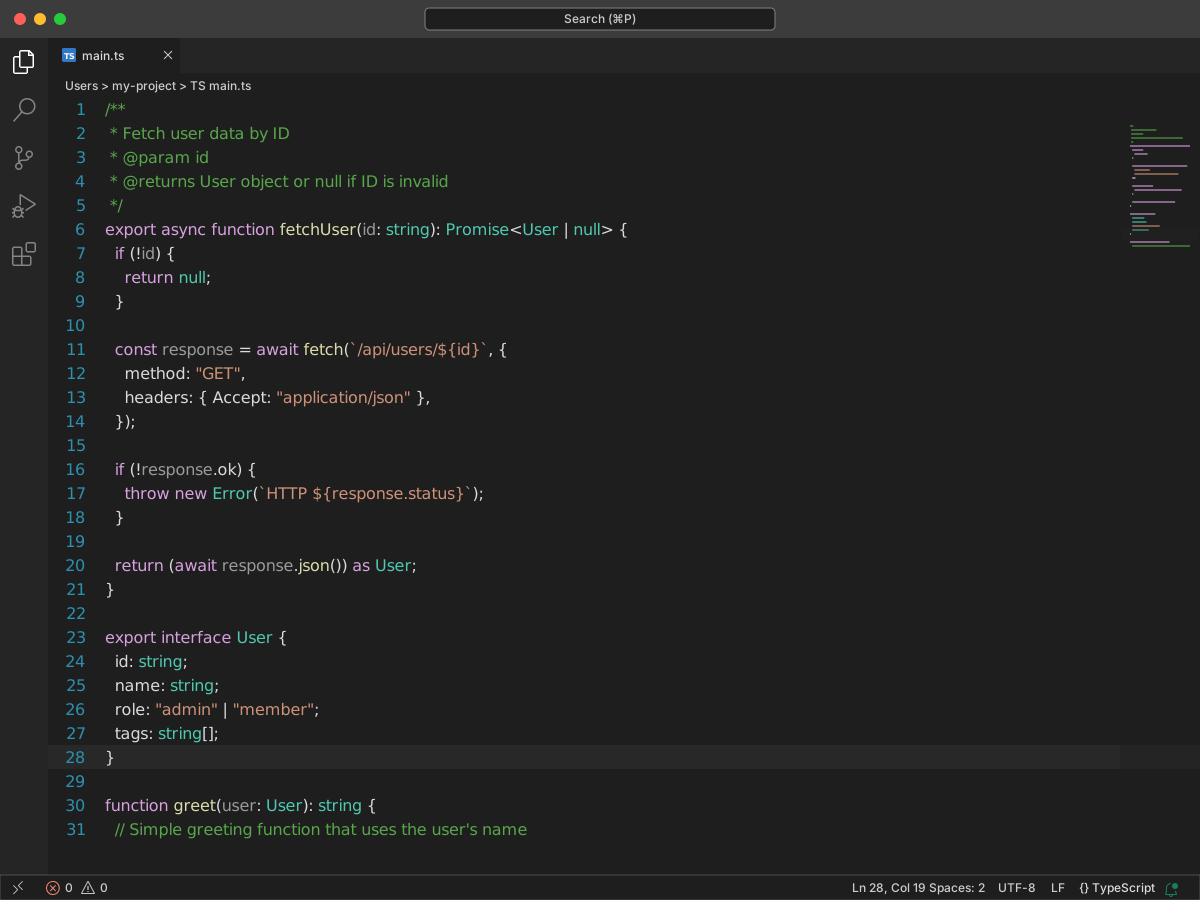
C/C++ Themes ships with Microsoft's C/C++ extension for VS Code. Semantic colorization added tokens for macros, types, and members. Those tokens had no TextMate scope. Older themes could not color them. This pack follows the Visual Studio light and dark themes. It also keeps the 2017 variants. It later added colors for VS Code semantic tokens. You get four themes: Dark, Light, 2017 Dark, and 2017 Light.
Dark uses background #1E1E1E and text #DADADA. Comments are #57A64A. Control-flow keywords are #D8A0DF. Strings are #CE9178. Functions are #DCDCAA. Types are #4EC9B0. Variables are #9CDCFE. Teal types and yellow functions sit apart from blue keywords.
2017 Dark is closer to the older Visual Studio look. Keywords are #569CD6. Functions and variables are gray. Preprocessor macros are #BD63C5.
Light uses a white background and black text. Comments are #008000. Keywords are #0000FF. Strings are #A31515. Functions are #74531F. Types are #267F99.
🥈PowerShell
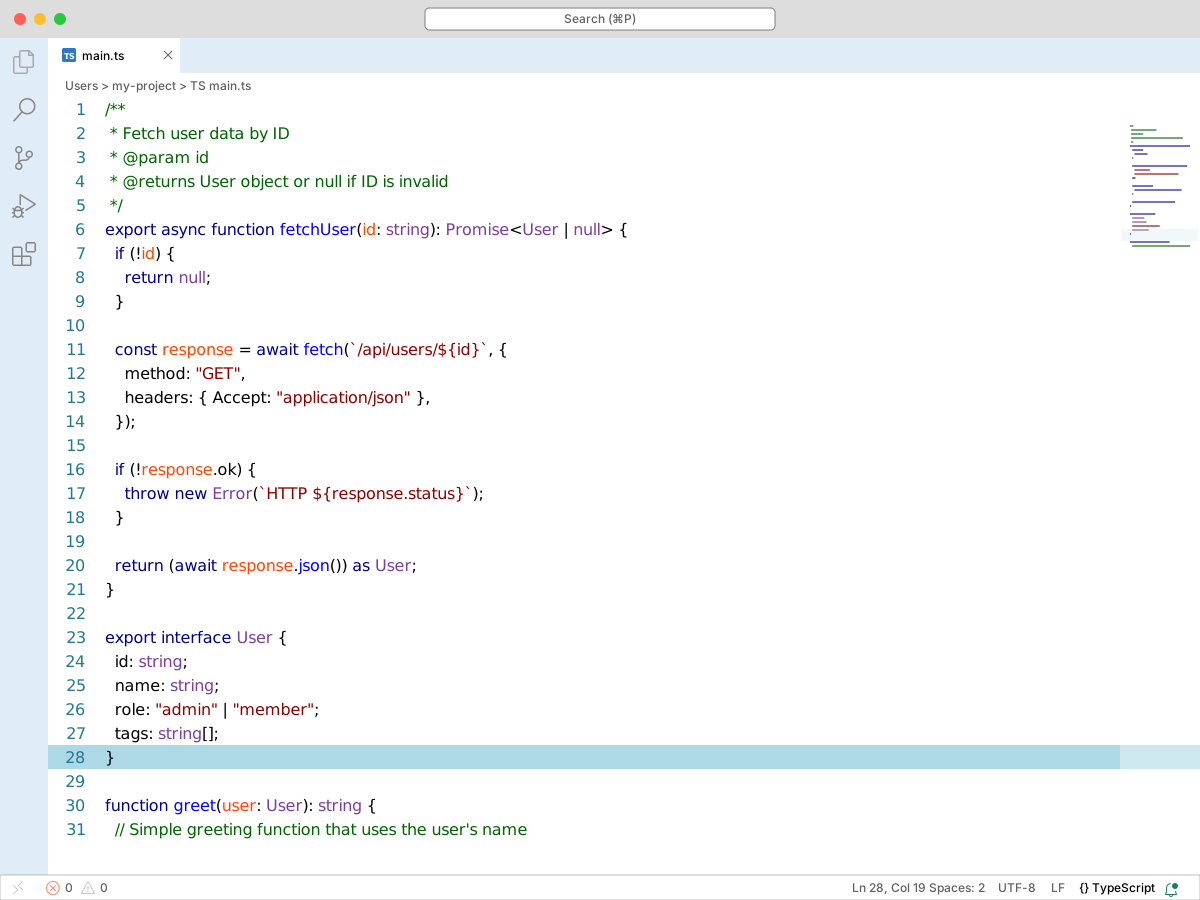
The PowerShell extension for VS Code includes a PowerShell ISE theme. It is off by default. Open the theme picker and select PowerShell ISE. You can also run Toggle ISE Mode. The extension still gives you syntax highlighting, IntelliSense, Script Analyzer, and a debugger.
This is a light theme, close to the old ISE colors. Comments are #006400. Keywords are #00008B. Strings are #8B0000. Functions are #0000FF. Types are #7A3E9D. Numbers are #800080. Variables are #FF4500. Green comments, blue keywords, and dark red strings are easy to tell apart.
🥉GitHub Theme
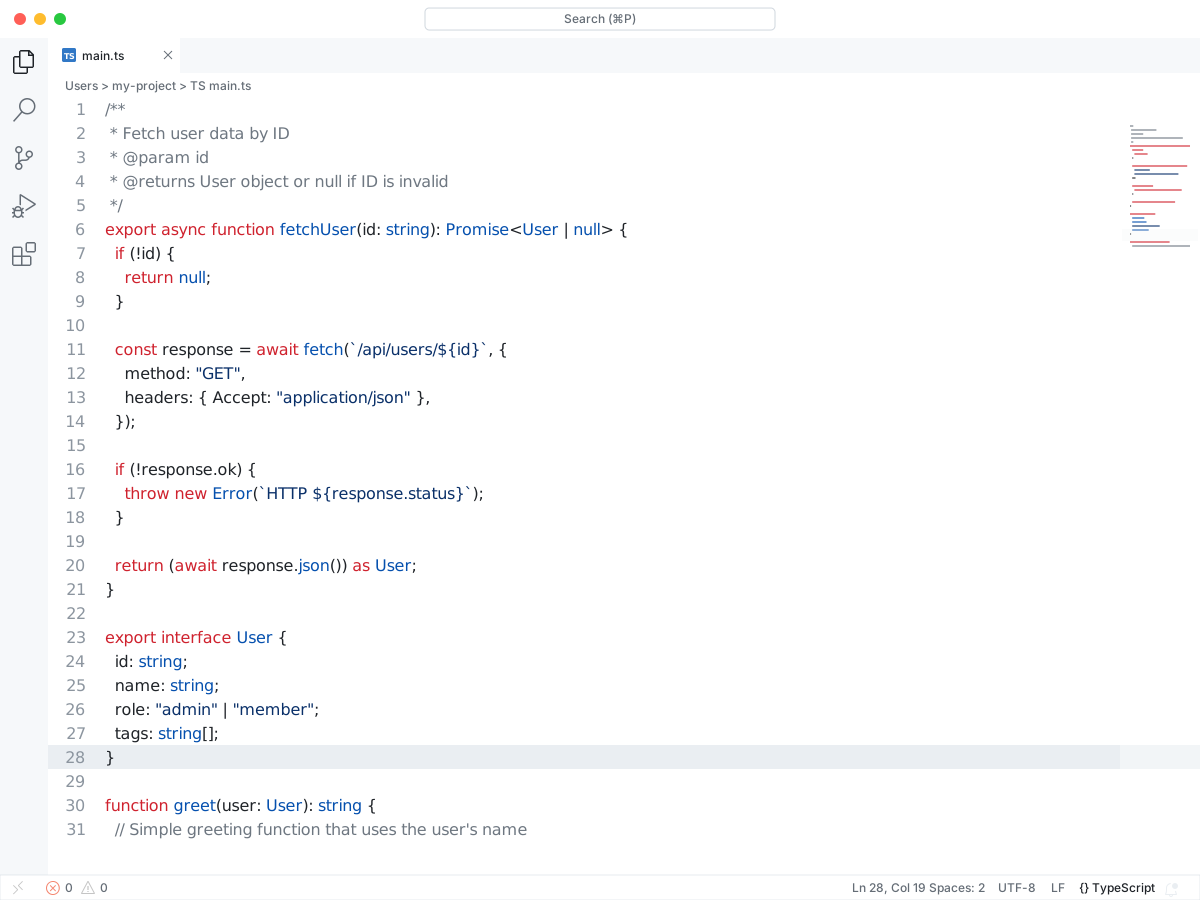
GitHub Theme copies the color themes from github.com into VS Code. You get Light Default, Light High Contrast, Light Colorblind, Dark Default, Dark High Contrast, Dark Colorblind, and Dark Dimmed. Two older themes, GitHub Light and GitHub Dark, stay in the pack for compatibility. The colors come from Primer.
Dark Default uses background #0d1117 and text #e6edf3. Comments are #8b949e. Keywords are #ff7b72. Strings are #a5d6ff. Functions are #d2a8ff. Variables are #ffa657.
Light Default uses a white background and text #1f2328. Comments are #6e7781. Keywords are #cf222e. Strings are #0a3069. Functions are #8250df. Variables are #953800.
Dark Dimmed uses the same roles on background #22272e. The high-contrast and colorblind variants change the hues so comments, keywords, and strings stay easy to separate.
#4One Dark Pro
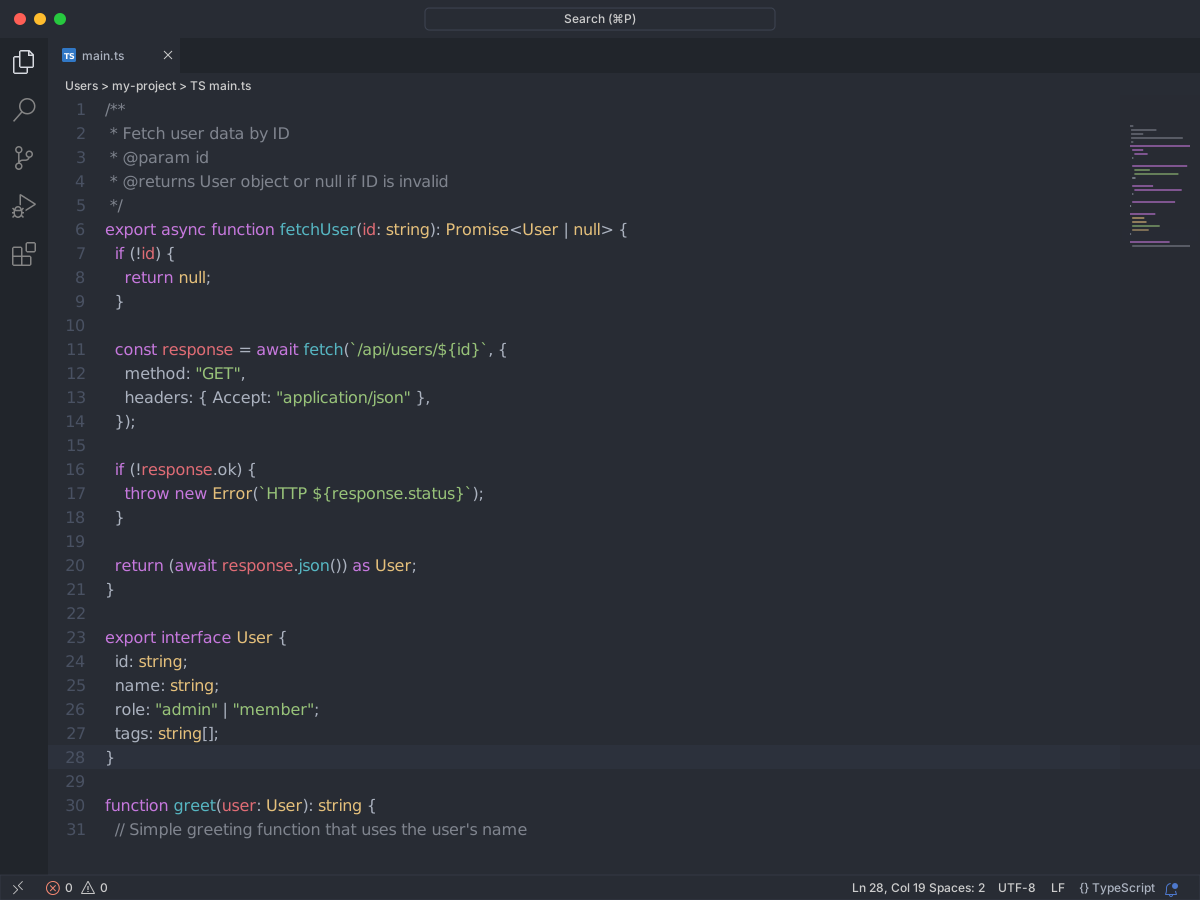
One Dark Pro is Atom's One Dark theme for VS Code. The pack includes One Dark Pro, Flat, Darker, Mix, and Night Flat. The syntax colors stay the same. Only the background changes. The README also covers italic keywords and a markdown preview style. Those color settings apply to the default One Dark Pro theme.
Comments are #7f848e. Keywords are #c678dd. Strings are #98c379. Functions are #61afef. Types are #e5c07b. Numbers are #d19a66. Variables are #e06c75. Body text is #abb2bf.
The default background is #282c34. Darker is #23272e. Night Flat is #16191d. Purple keywords, green strings, and blue functions stay easy to pick out.
#5Dracula Theme Official
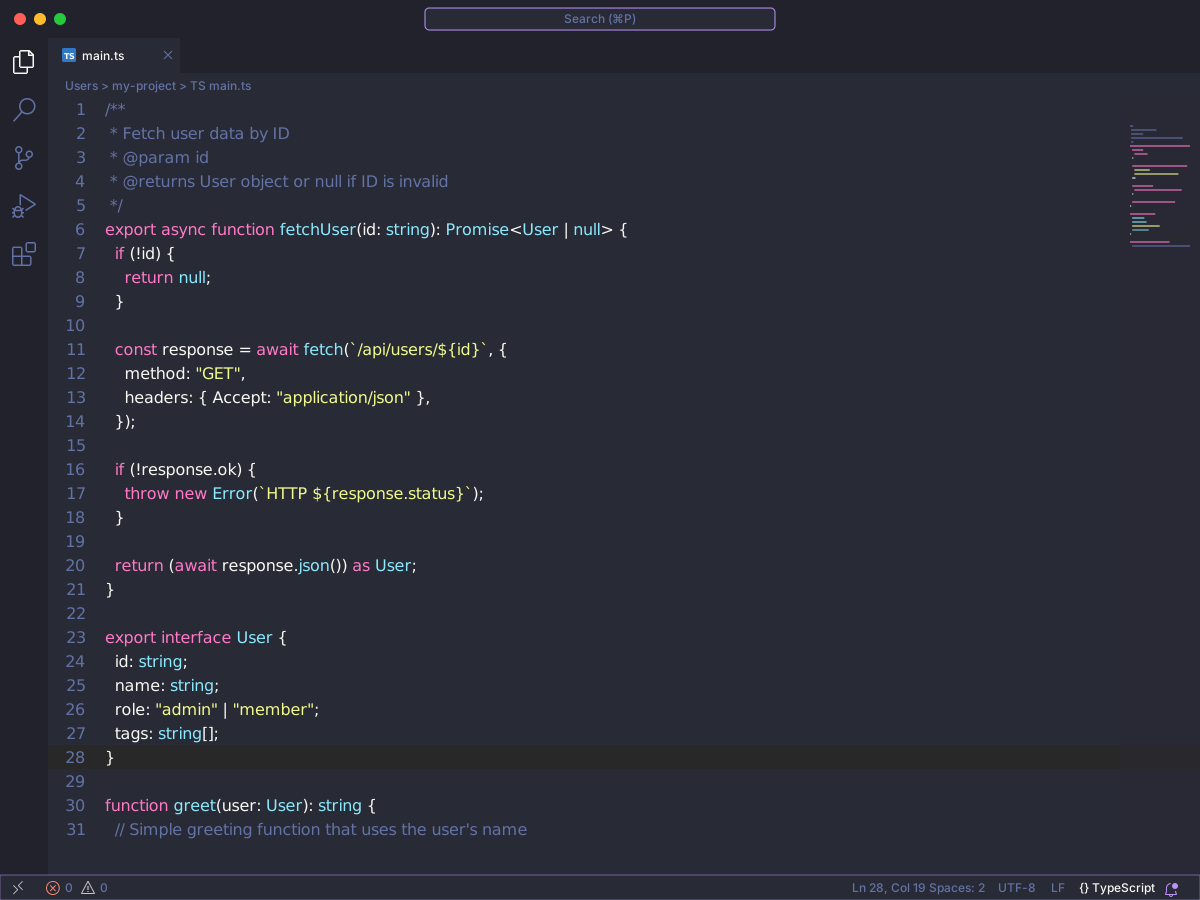
Dracula Theme Official is the VS Code port of the Dracula dark theme. Install steps are on draculatheme.com. The pack has two dark themes: Dracula Theme and Dracula Theme Soft. There is no light theme here.
Dracula Theme uses background #282A36 and text #F8F8F2. Comments are #6272A4. Keywords are #FF79C6. Strings are #F1FA8C. Functions are #50FA7B. Types are #8BE9FD.
Soft keeps the same background and lowers the contrast. Comments are #7b7f8b. Keywords are #f286c4. Strings are #e7ee98. Functions are #62e884. Types are #97e1f1. Text is #f6f6f4.
#6Atom One Dark Theme
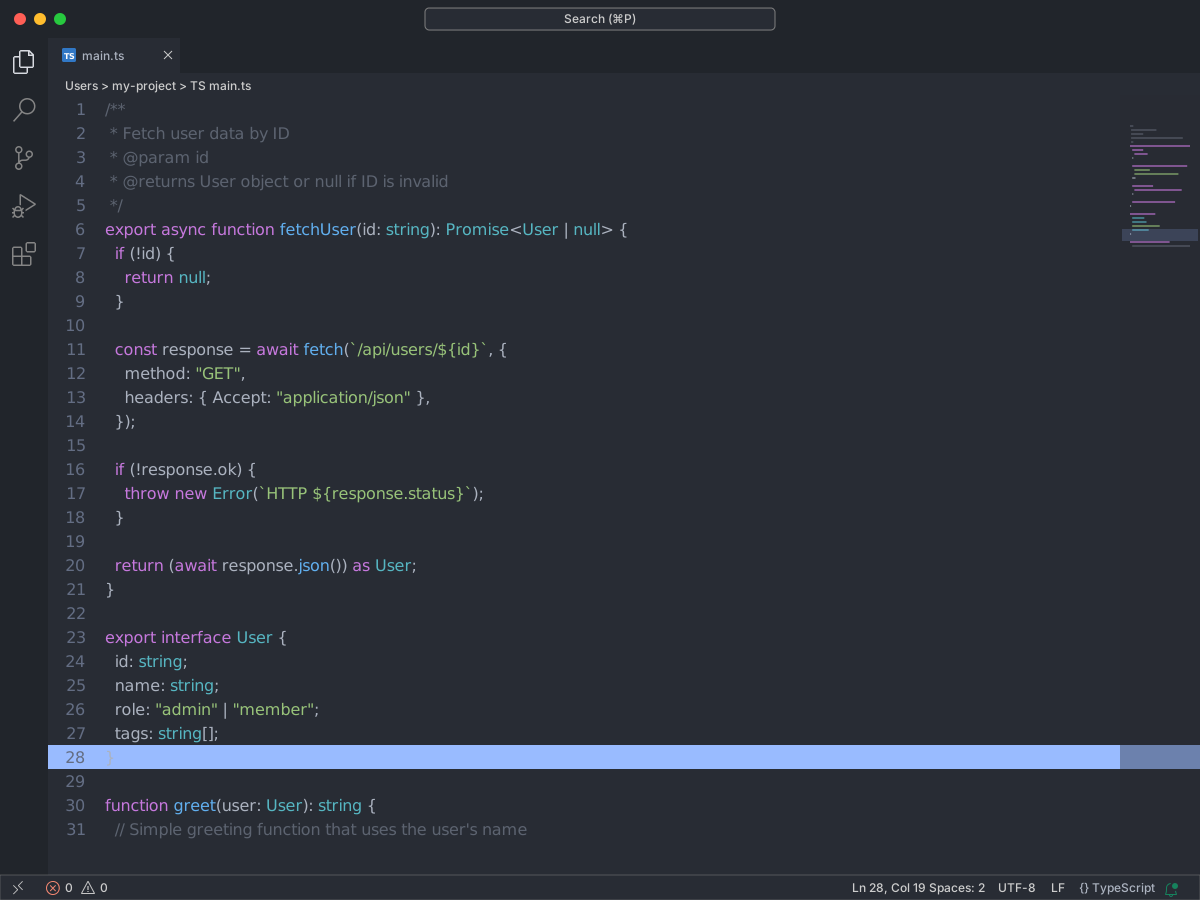
Atom One Dark Theme ports Atom's One Dark theme to VS Code. The README says it themes the whole workbench, not just the syntax colors. This pack has one dark theme. One Light lives in a separate repository.
The background is #282C34. Text is #ABB2BF. Comments are #5C6370. Keywords are #C678DD. Strings are #98C379. Functions are #61AFEF. Types are #E5C07B. Numbers are #D19A66. Variables are #E06C75.
The theme does not ship a custom font. One Dark screenshots often use Fira Mono. Set that with editor.fontFamily if you want the same look.
#7Material Theme — Deprecated
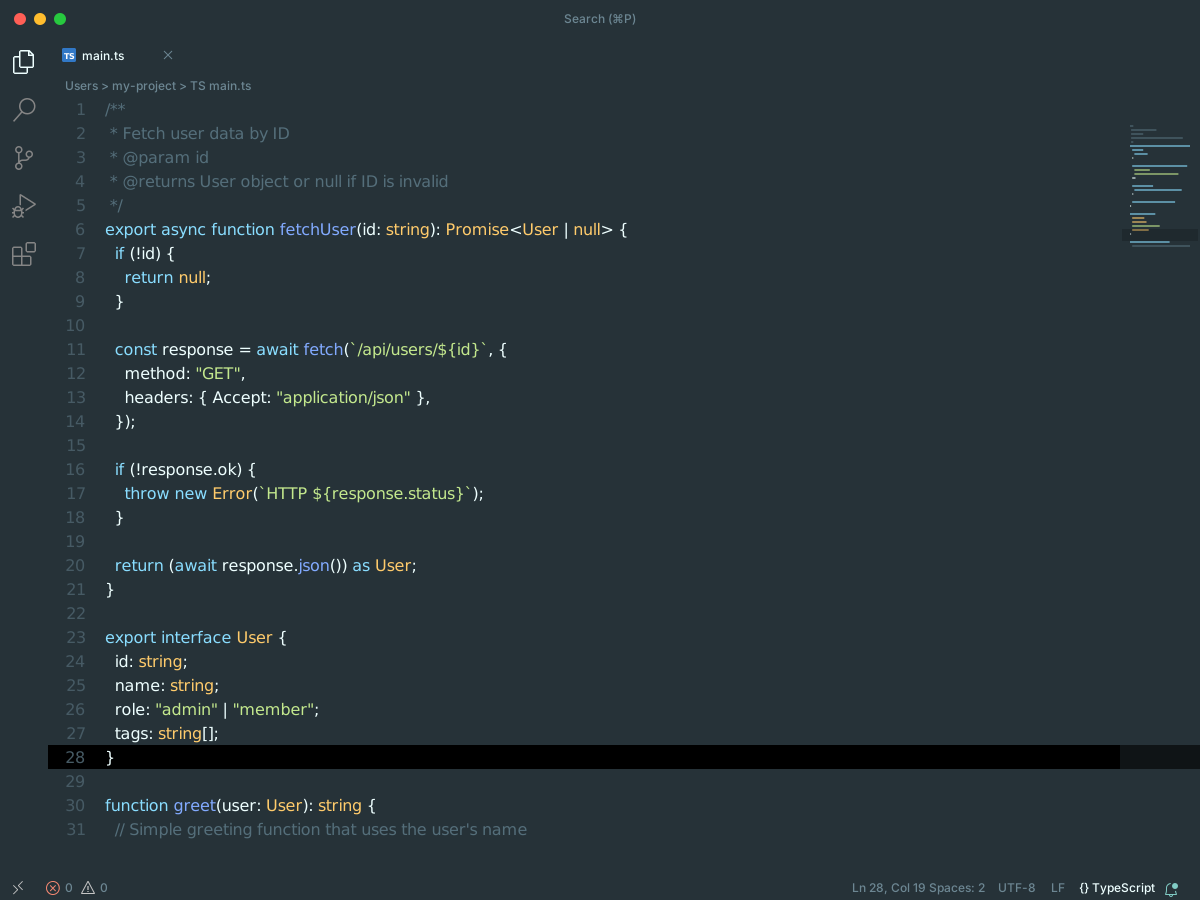
Material Theme is marked deprecated on the marketplace. The linked GitHub repo no longer documents the theme. It now points at Vira assets. The pack still includes the old variants: default, Darker, Ocean, Palenight, Lighter, Deepforest, and high-contrast copies.
The default theme uses background #263238 and text #EEFFFF. Comments are #546E7A. Keywords are #89DDFF. Strings are #C3E88D. Functions are #82AAFF. Types are #FFCB6B. Numbers are #F78C6C.
Darker uses background #212121. Ocean uses #0F111A. Palenight uses #292D3E. Those three keep the same syntax colors. Lighter is a light theme on #FAFAFA. Its keywords are #39ADB5 and its strings are #91B859. Deepforest uses background #141F1D and text #C2EDD3.
#8Ayu
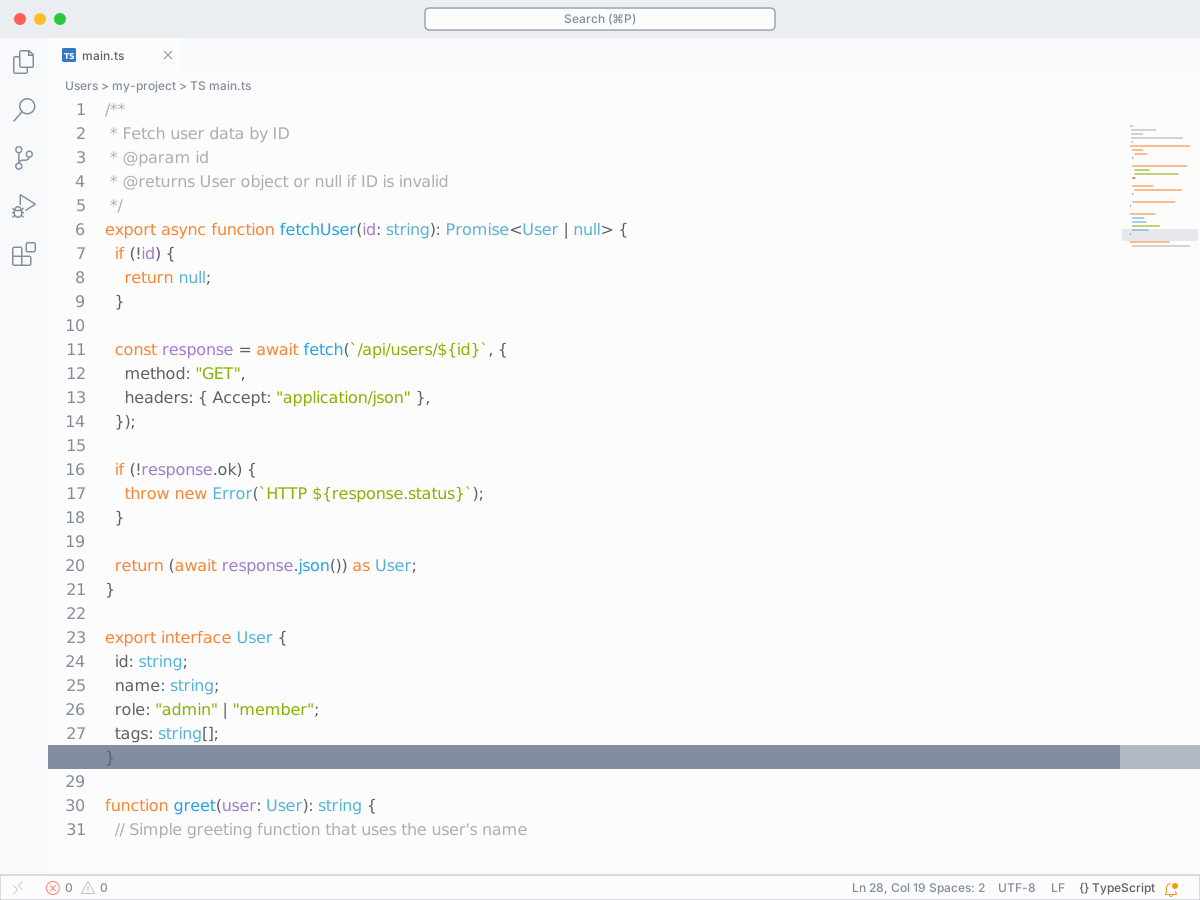
Ayu is a bright theme made for all-day work. It has three bases: Dark, Mirage, and Light. Each base also has an Unbordered copy. Unbordered removes the dividers between the sidebar, editor, panel, title bar, and status bar. The pack also includes Ayu file icons and the Iosevka font.
Dark uses background #10141c and text #bfbdb6. Comments are #5a6673. Keywords are #ff8f40. Strings are #aad94c. Functions are #ffb454. Numbers are #d2a6ff.
Mirage uses background #242936 and text #cccac2. Comments are #6e7c8f. Keywords are #ffa659. Strings are #d5ff80. Functions are #ffcd66.
Light uses background #fcfcfc and text #5c6166. Comments are #adaeb1. Keywords are #fa8532. Strings are #86b300. Functions are #eba400. Unbordered copies keep those syntax colors. They only change the window chrome.
#9Monokai Pro
#10Winter is Coming Theme
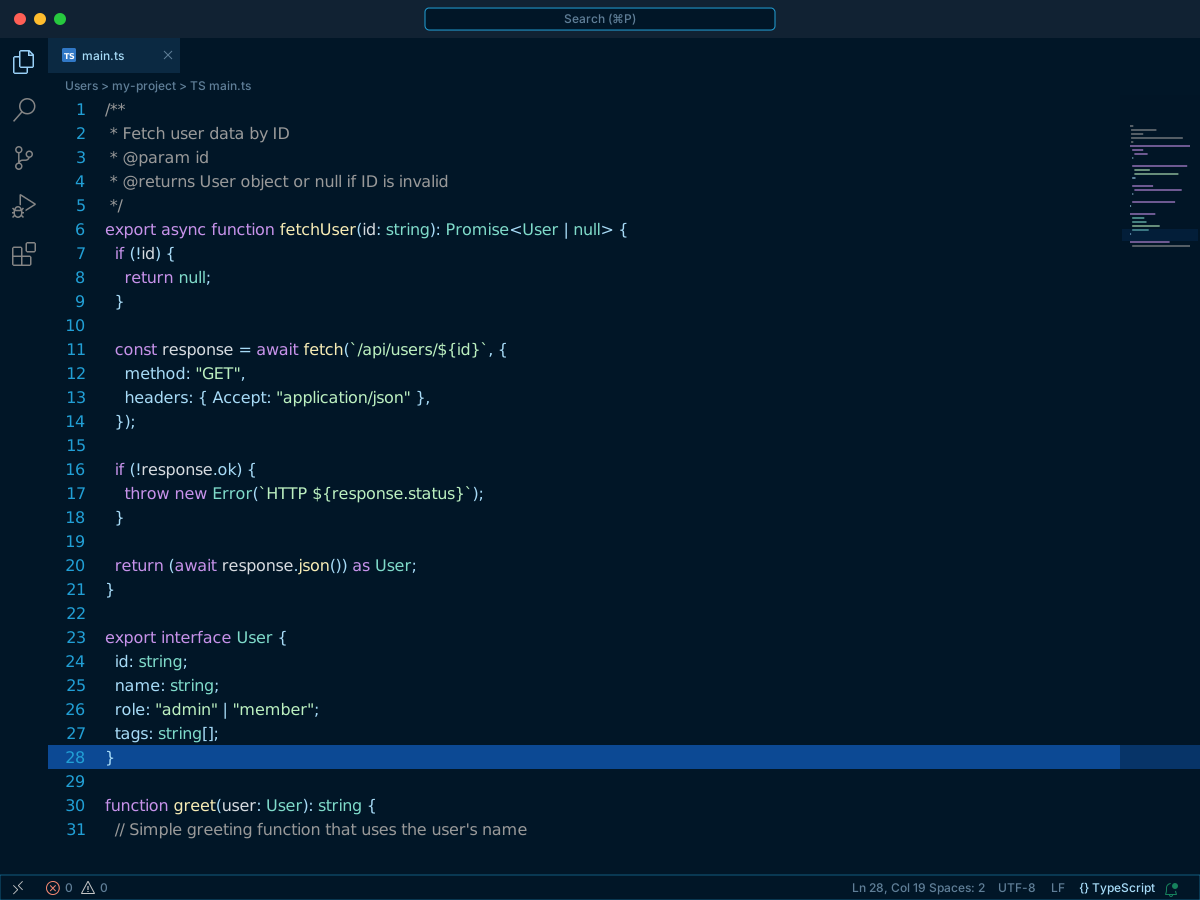
Winter is Coming has six themes. You get Dark Blue, Dark Black, and Light. Each one also has a No Italics copy. The No Italics themes use the same colors and drop italic styling. The author uses the dark themes most of the time, and the light theme on dim projectors.
Dark Blue uses background #011627 and text #a7dbf7. Dark Black uses background #282822 with the same text color. Comments are #999999. Keywords are #00bff9. Strings are #bcf0c0 on Dark Black and #d3eed6 on Dark Blue. Functions are #87aff4. Types are #d29ffc. Variables are #a4ceee. Numbers are #8dec95.
Light uses a white background and text #236ebf. Comments are #357b42. Keywords are #0991b6. Strings are #a44185. Functions are #b1108e. Types are #0444ac. Variables are #2f86d2.
#11Night Owl
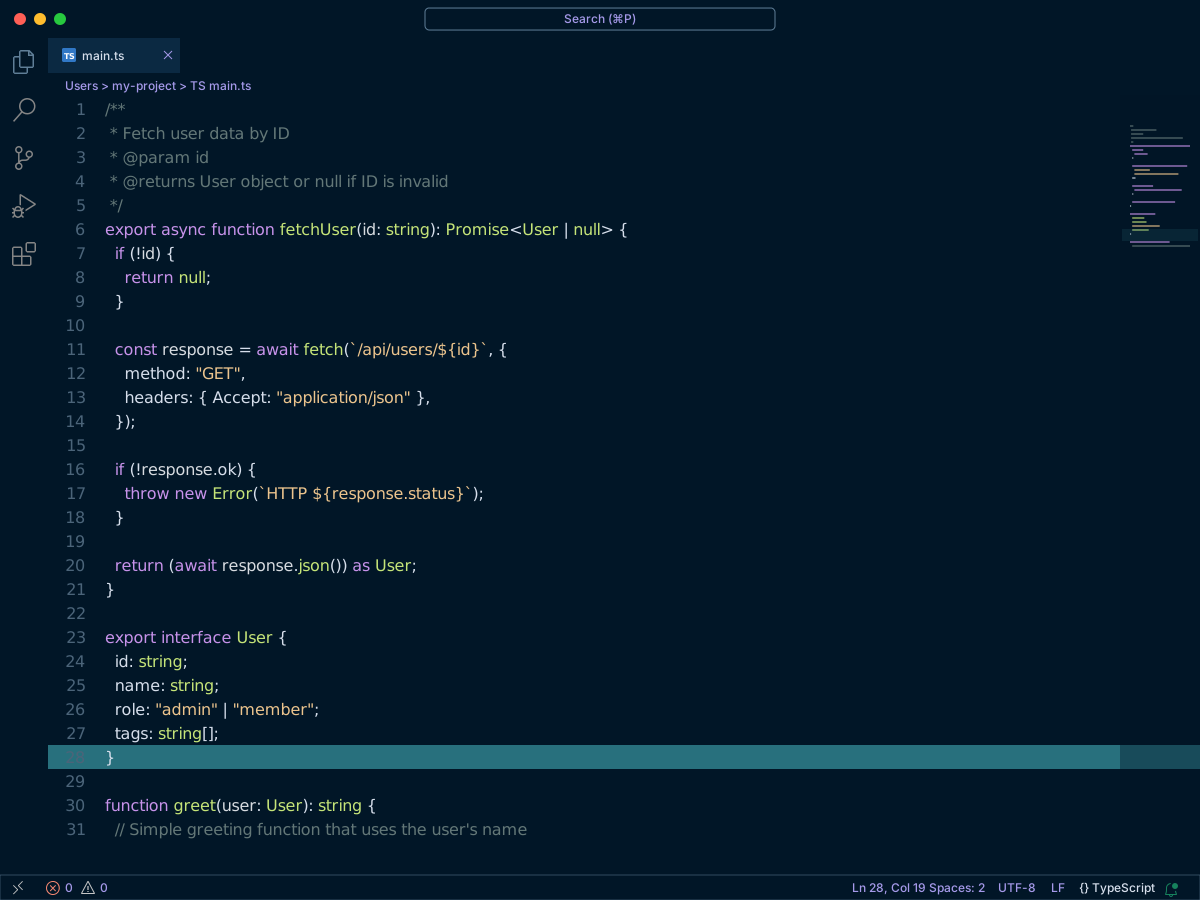
Night Owl is a dark theme tuned for late-night coding. The colors were chosen for contrast in low light, including for colorblind readers. Light Owl is the daylight version of the same idea. Each one also has a No Italics theme. Those copies keep the colors and drop italics.
Night Owl uses background #011627 and text #d6deeb. Comments are #637777. Keywords are #c792ea. Strings are #ecc48d. Functions are #82AAFF. Variables are #c5e478. Numbers are #F78C6C.
Light Owl uses background #FBFBFB and text #403f53. Comments are #989fb1. Keywords are #994cc3. Strings are #4876d6. Functions are #4876d6. Numbers are #aa0982.
#12One Monokai Theme
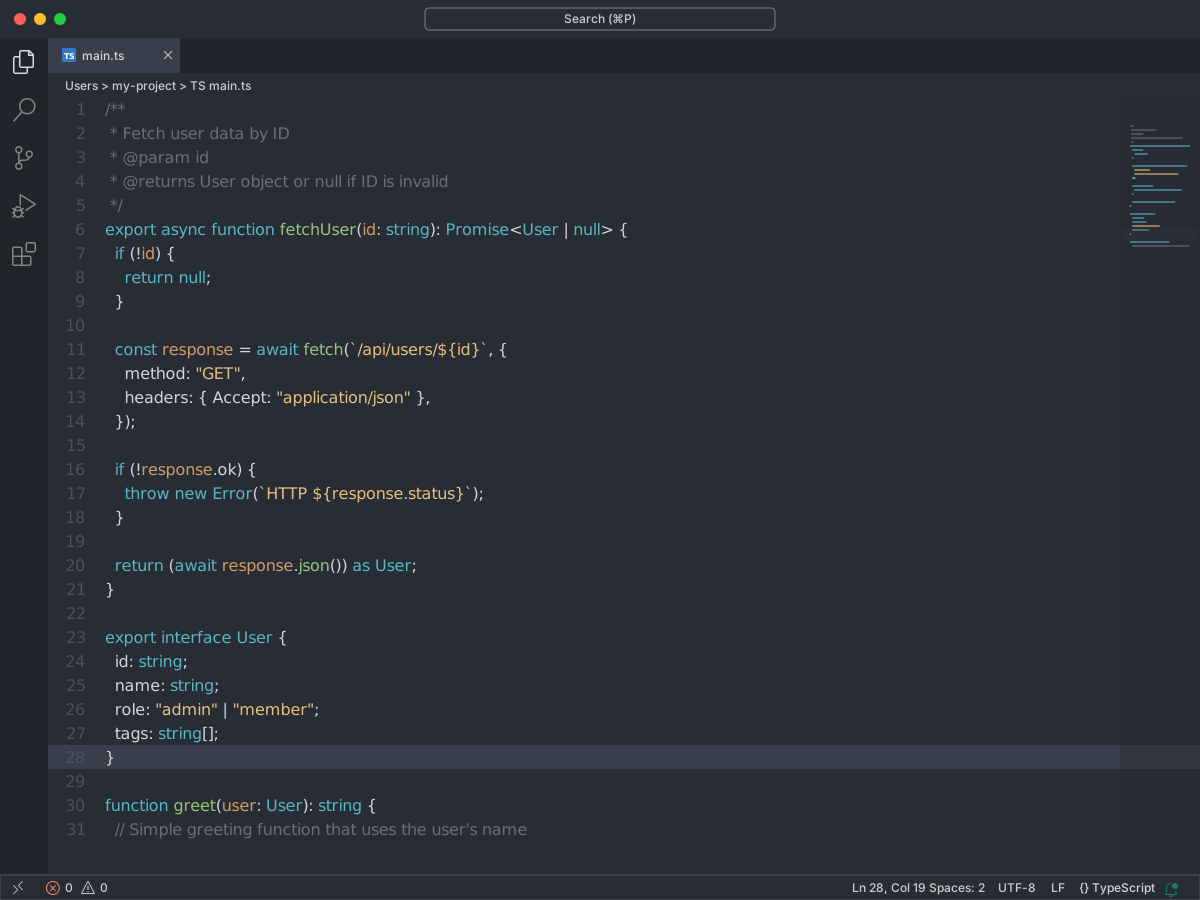
One Monokai sits between Monokai and One Dark. It is one dark theme. You can install it from the marketplace, or run ext install one-monokai.
The background is #282c34. Comments are #676f7d. Keywords are #e06c75. Strings are #e5c07b. Functions are #98c379. Types are #61afef. Numbers are #c678dd. Storage types are #56b6c2. Red keywords and yellow strings come from Monokai. The gray background comes from One Dark.
#13Tokyo Night
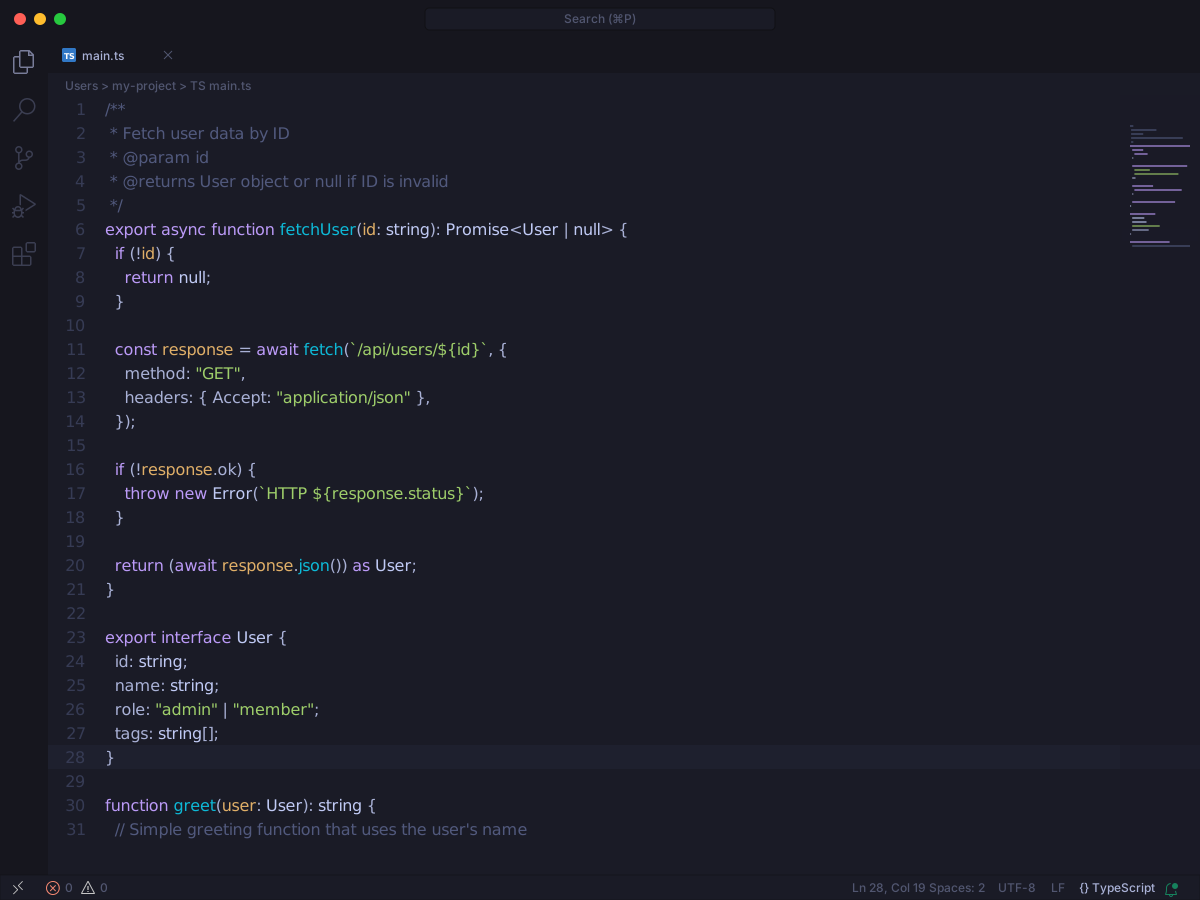
Tokyo Night is a dark theme based on downtown Tokyo at night. The UI contrast is kept low on purpose, so the chrome does not compete with the code. The pack has Tokyo Night, Tokyo Night Storm, and Tokyo Night Light. Italics are on by default. You can turn them off in settings.json.
Tokyo Night uses background #1a1b26 and text #a9b1d6. Storm uses background #24283b with the same text. Comments are #51597d on Night and #5f6996 on Storm. Keywords are #bb9af7. Strings are #9ece6a. Functions are #7aa2f7. Variables are #c0caf5. Numbers are #ff9e64.
Light uses background #e6e7ed and text #343b59. Comments are #888b94. Keywords are #65359d. Strings are #385f0d. Functions are #2959aa. Numbers are #965027.
#14Palenight Theme
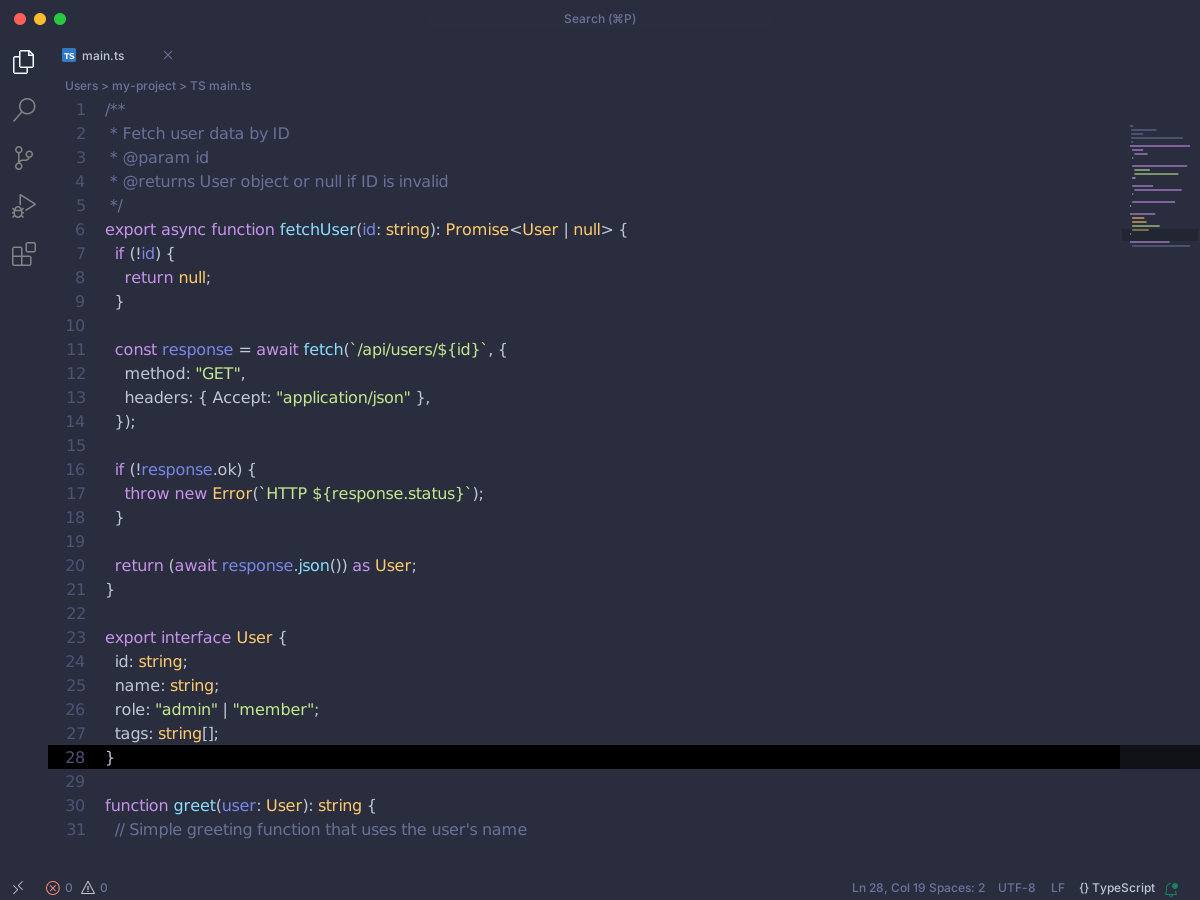
Palenight Theme is a Material-style dark theme. You get four variants: Palenight Theme, Palenight Italic, Palenight Operator, and Palenight (Mild Contrast). Italic adds italics on some keywords. Operator is for the Operator Mono font. Mild Contrast raises the workbench contrast a little. The syntax colors stay the same.
The background is #292D3E. Text is #BFC7D5. Comments are #697098. Keywords are #c792ea. Strings are #C3E88D. Functions are #82AAFF. Variables are #ffcb6b. Numbers are #F78C6C.
#15SynthWave '84
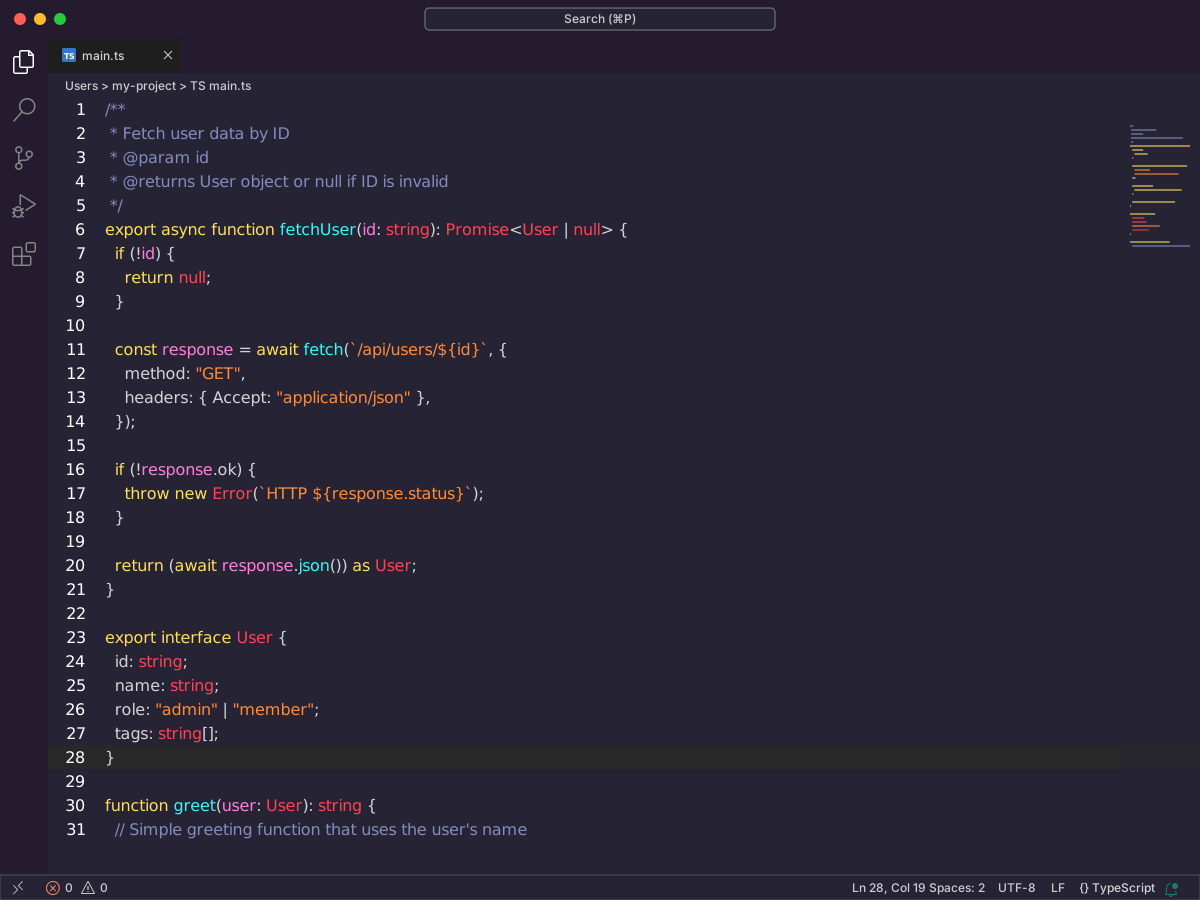
SynthWave '84 is a neon dark theme based on 1980s synthwave art. Use the base theme for normal work. The glow is optional. Run Enable Neon Dreams to turn it on. That command edits VS Code's own files, so VS Code may warn that the install is corrupt. The README says the glow is not meant for long sessions. Disable it with Disable Neon Dreams.
The background is #262335. Comments are #848bbd. Keywords are #fede5d. Functions are #36f9f6. Types are #fe4450. Variables are #ff7edb. Numbers are #f97e72. Yellow keywords, cyan functions, and pink variables are the neon split.
#16Shades of Purple
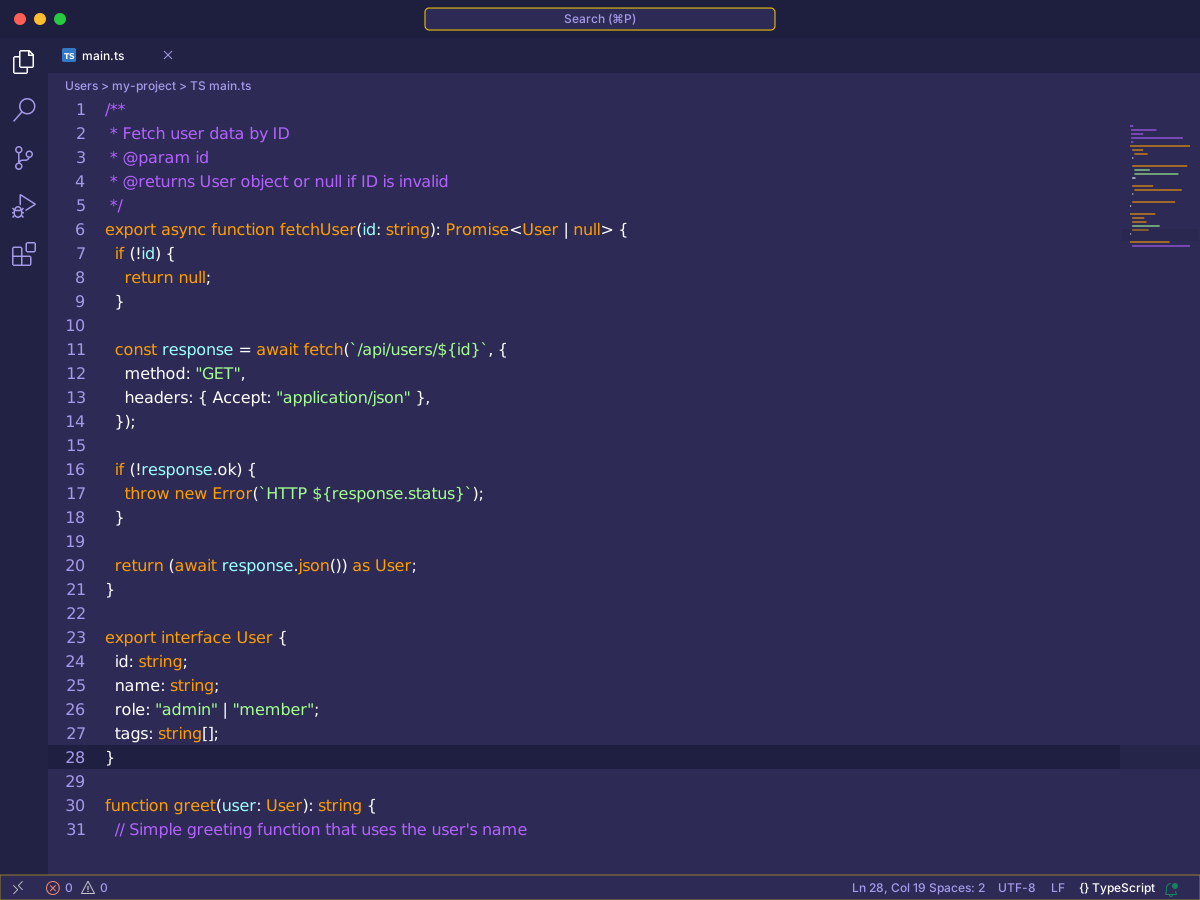
Shades of Purple has two dark themes: Shades of Purple and Shades of Purple (Super Dark). The syntax colors match. Only the background changes.
The main theme uses background #2D2B55 and white text. Super Dark uses background #191830. Comments are #B362FF. Strings are #A5FF90. Variables are #E1EFFF. Storage types are #FF9D00. Purple comments and green strings are the easy pair to scan.
#17Cobalt2 Theme Official
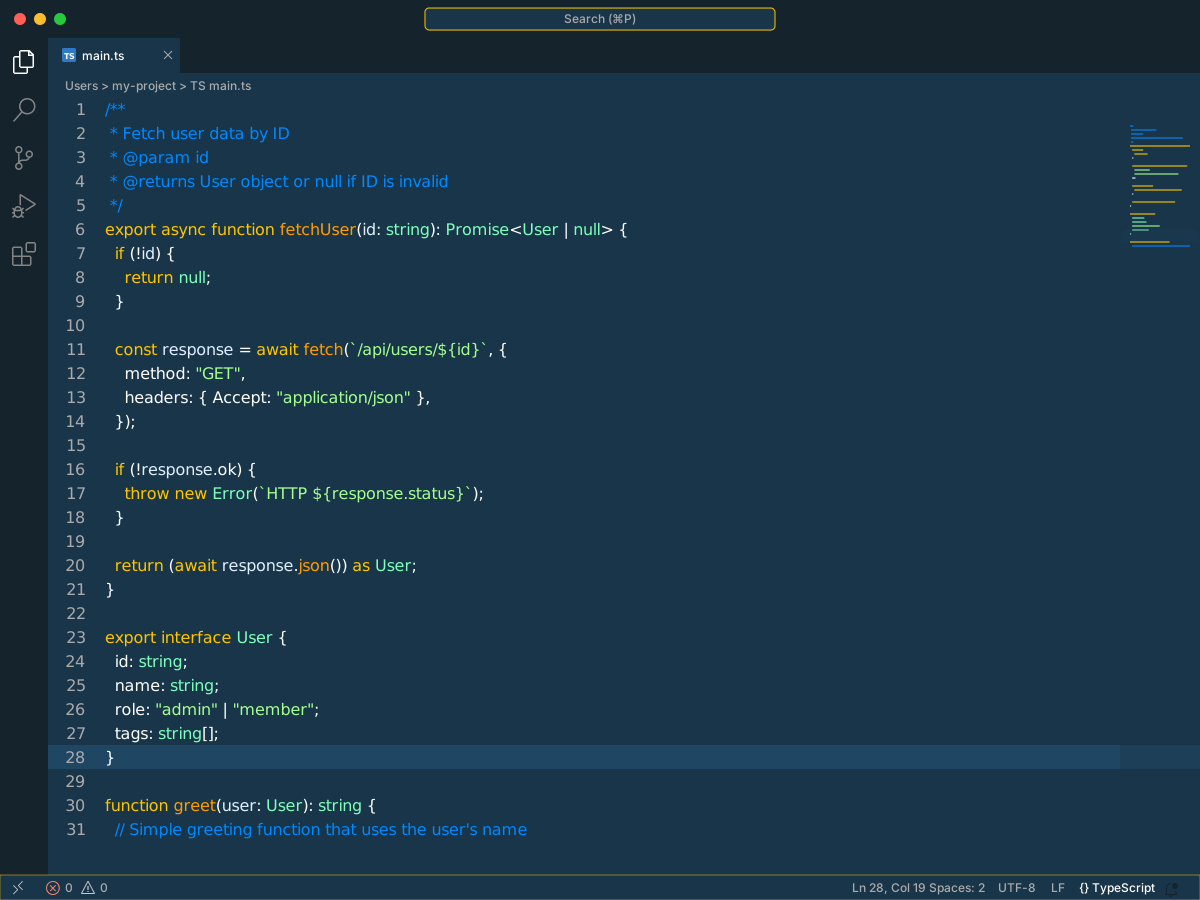
Cobalt2 is Wes Bos's blue dark theme for VS Code. Pick the one published by Wes Bos. Other Cobalt2 packs exist. The README's recommended font is Operator Mono. Dank Mono and Victor Mono are the free-leaning stand-ins if you do not want to buy that font.
The background is #193549. Text is #fff. Comments are #0088ff. Keywords are #ff9d00. Strings are #a5ff90. Variables are #e1efff. Blue comments, orange keywords, and green strings sit on the cobalt background.
#18Andromeda
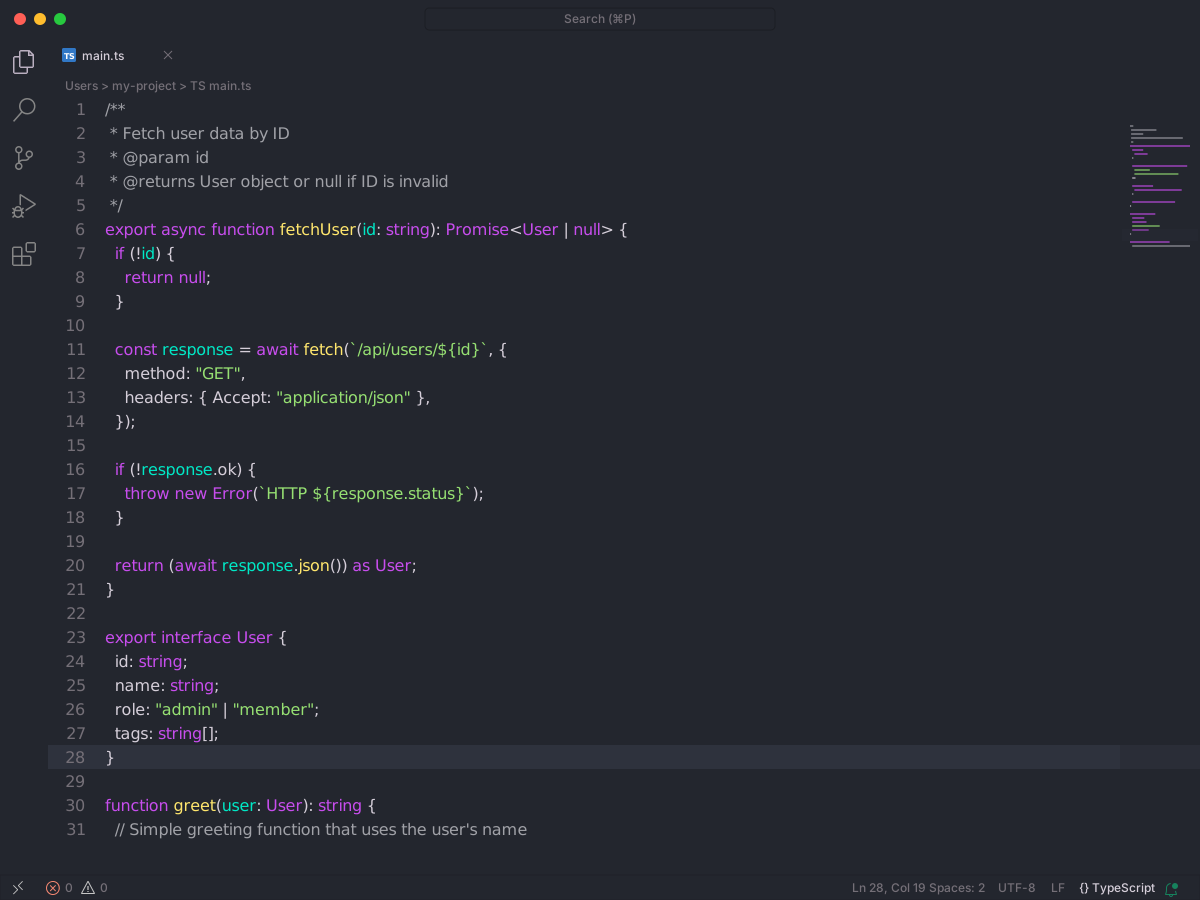
Andromeda is a dark theme. You get the base theme, a bordered copy, an italic copy, and an italic bordered copy. The italic variants turn keywords italic. They look better with a font like Operator Mono. The syntax colors stay the same. Bordered only changes the window edges.
The base background is #23262E. Text is #D5CED9. The bordered background is #262A33. Comments are #A0A1A7. Keywords are #c74ded. Strings are #96E072. Functions and types are #FFE66D. Variables are #00e8c6. Numbers are #f39c12.
#19Theme
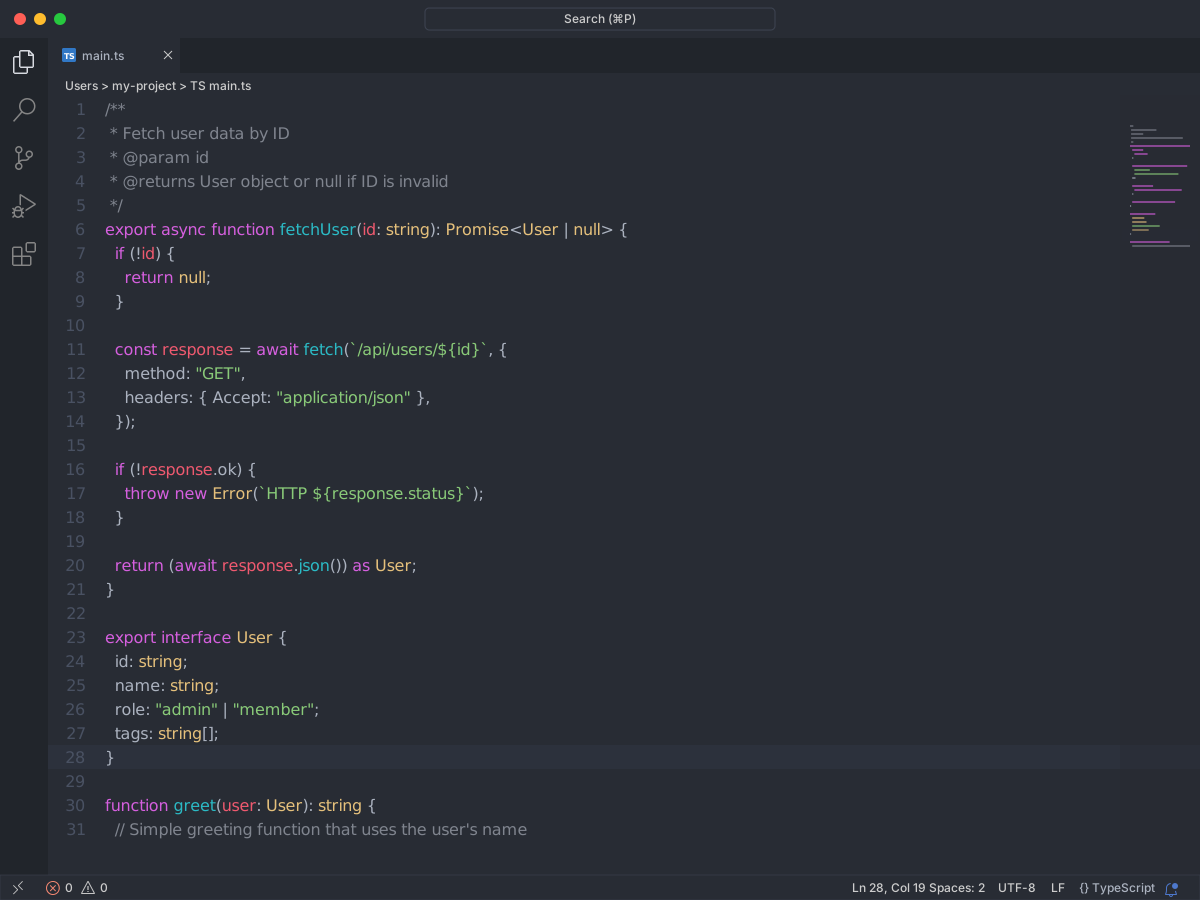
Theme is a dark pack for late-night coding. It has four variants: Theme, Theme Darker, Theme Flat, and Theme Mix. The syntax colors stay the same. Darker only drops the background. The README shows how to turn italics on in settings.json.
The default background is #282c34. Darker is #23272e. Text is #abb2bf. Comments are #7f848e. Keywords are #d55fde. Strings are #89ca78. Functions are #61afef. Types are #e5c07b. Variables are #ef596f. Numbers are #d19a66.
#20Bearded Theme
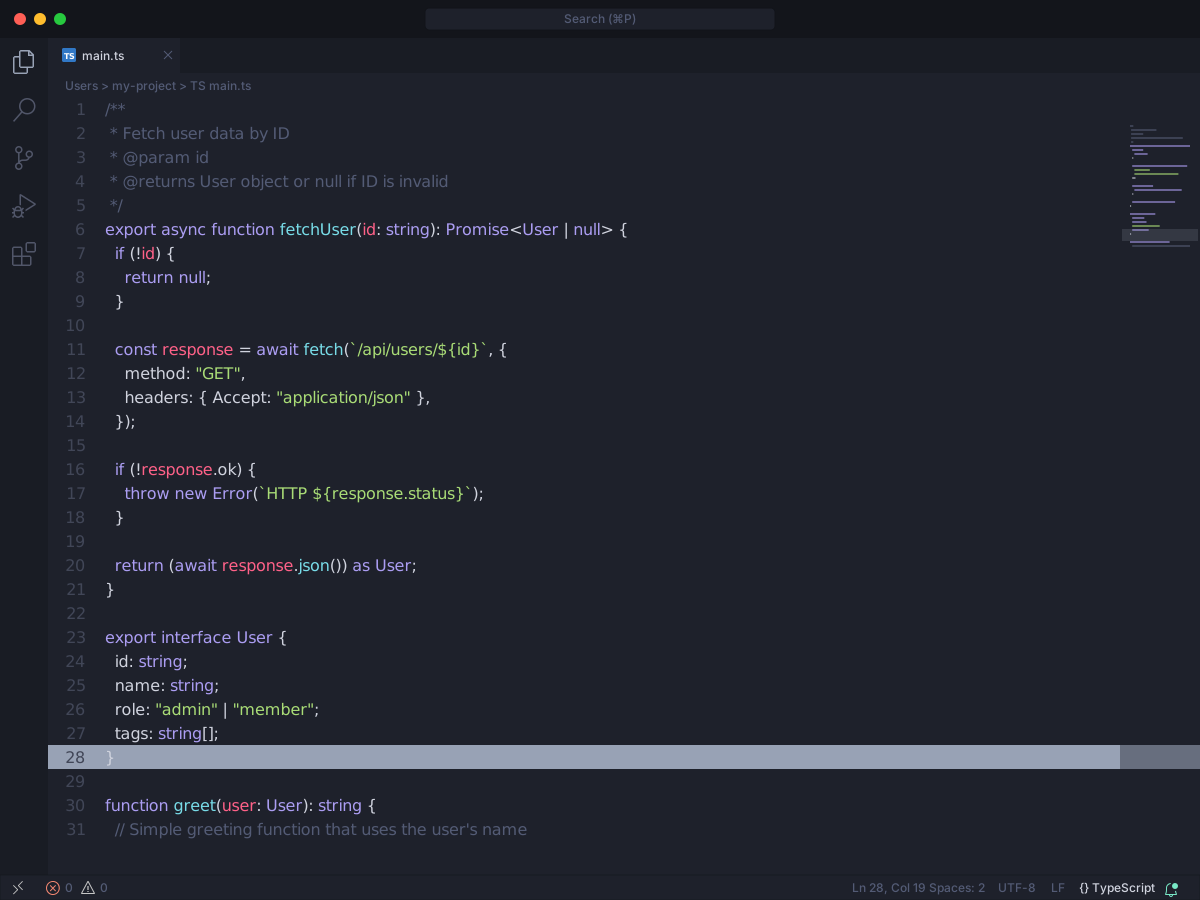
Bearded Theme is a large pack. The README says it has 60 or more variants for VS Code and Zed. You get dark, light, high-contrast, and accessibility options. Pick one from the color theme list. The syntax roles stay in the same places. Each variant retints them.
On Bearded Theme Arc Blueberry the background is #111422. Comments are #3c4776. Strings are #3CEC85. Functions are #69C3FF. Types are #B78AFF. Variables are #FF738A. On the light Milkshake Raspberry theme the background is #f1e8eb. Strings are #008b17. Functions are #0076c5. Types are #7522d3. Variables are #da2a5f.
#21Atom One Light Theme
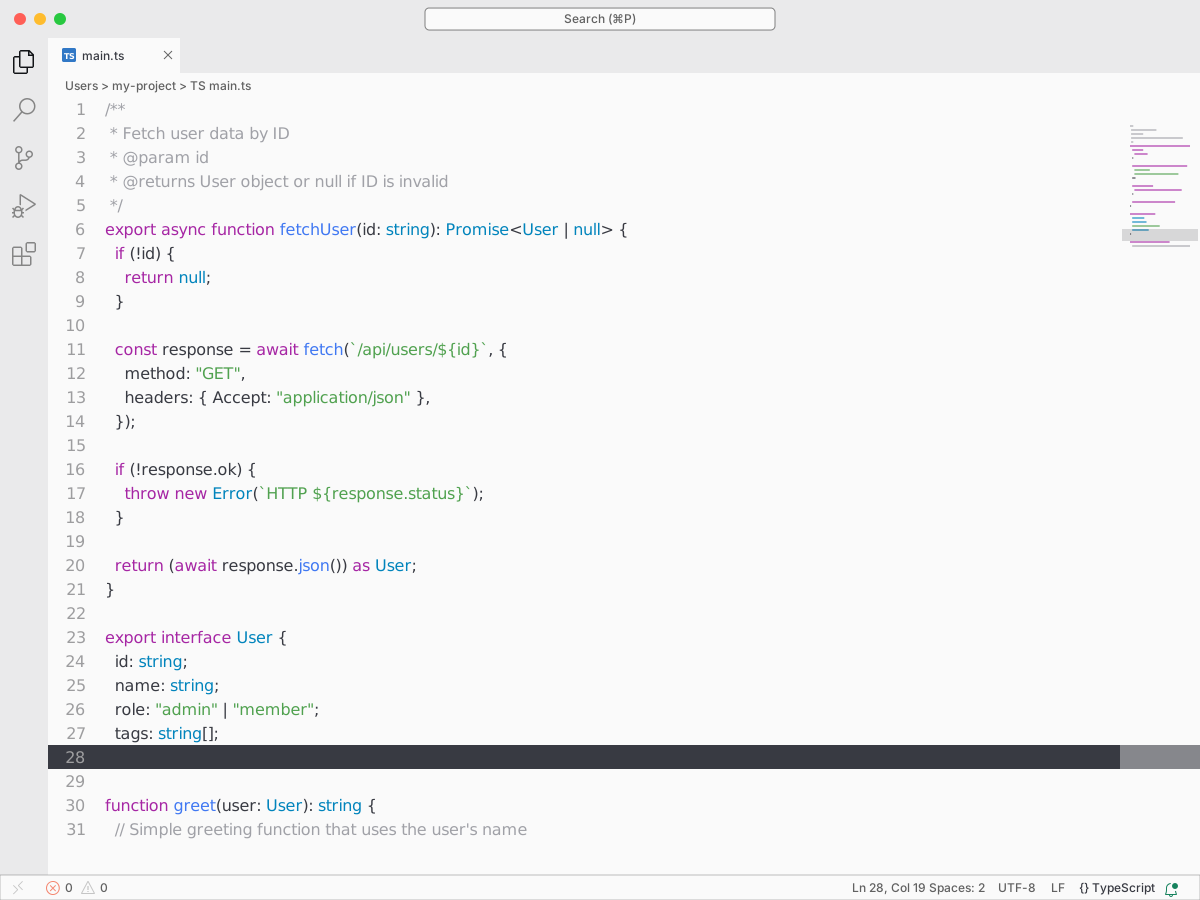
Atom One Light Theme is the light pair of Atom One Dark. It themes the whole workbench, not just the syntax colors. This pack has one light theme. One Dark lives in a separate repository.
The background is #FAFAFA. Text is #383A42. Comments are #A0A1A7. Keywords are #A626A4. Strings are #50A14F. Functions are #4078F2. Types are #C18401. Variables are #E45649. Numbers are #986801. The theme does not ship a font. One Light screenshots often use Fira Mono. Set that with editor.fontFamily if you want the same look.
#22Catppuccin for VSCode
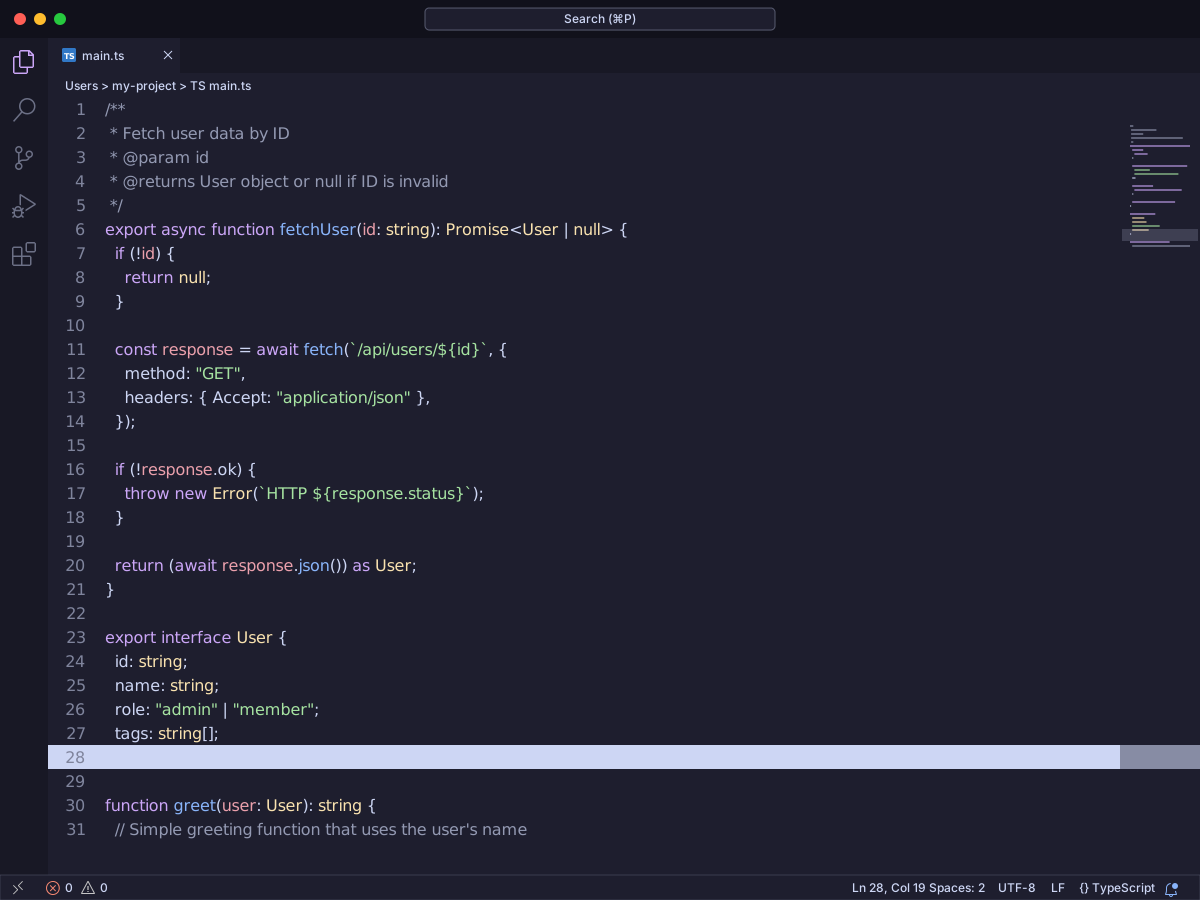
Catppuccin for VS Code is a pastel theme with four flavors. Latte is light. Frappé, Macchiato, and Mocha get darker in that order. You can change the accent, italics, bold keywords, and workbench depth in settings. Workbench modes are default, flat, and minimal.
Mocha uses background #1e1e2e and text #cdd6f4. Comments are #9399b2. Keywords are #cba6f7. Strings are #a6e3a1. Functions are #89b4fa. Types are #f9e2af. Numbers are #fab387.
Latte uses background #eff1f5 and text #4c4f69. Comments are #7c7f93. Keywords are #8839ef. Strings are #40a02b. Functions are #1e66f5. Types are #df8e1d. Numbers are #fe640b. Macchiato sits between Frappé and Mocha. The roles stay the same. Only the shades change.
#23Noctis
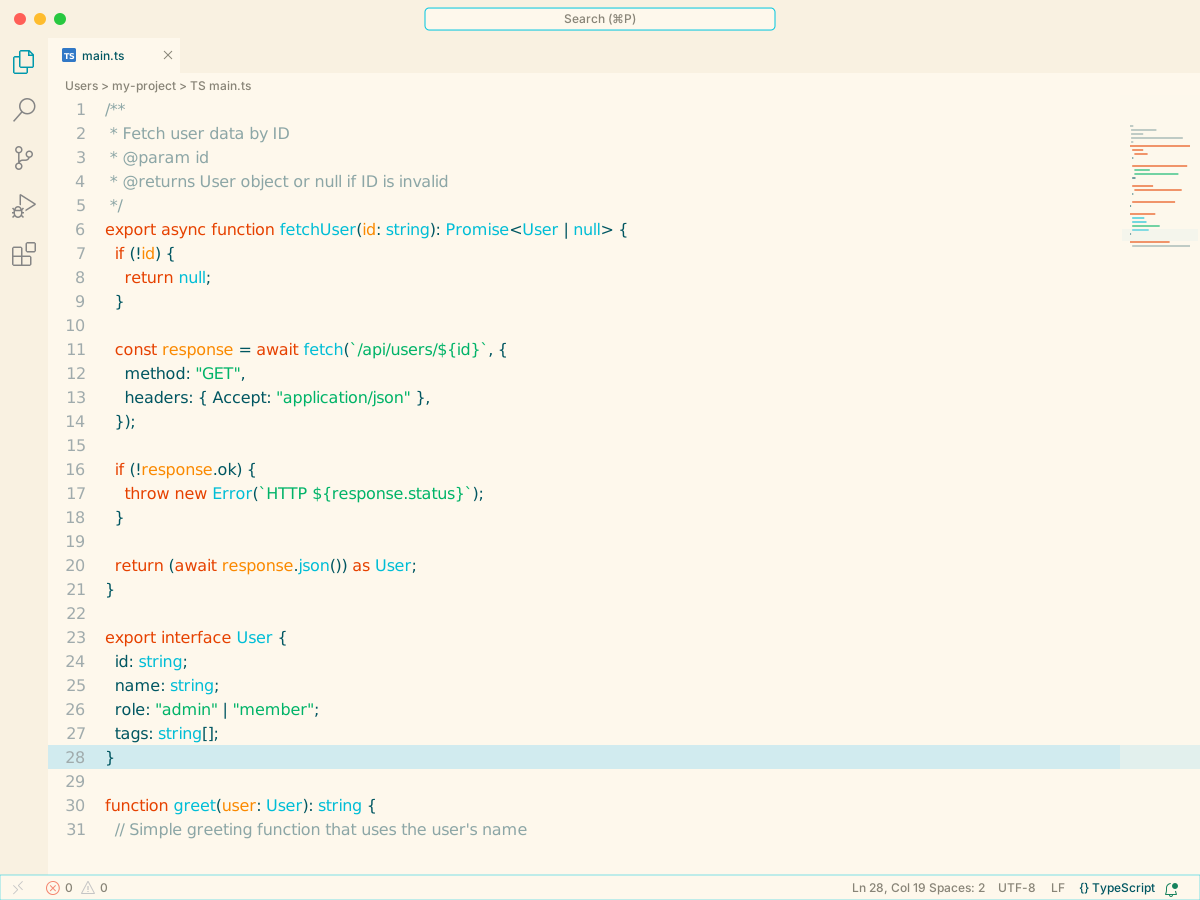
Noctis is a set of medium-contrast themes. Eight are dark and three are light. The dark ones change the background: cyan, azure, rose, violet, and a lower-saturation Minimus. The light ones are Lux, Hibernus, and Lilac. Most dark variants share one syntax palette. The light variants share another.
Noctis uses background #052529 and text #b2cacd. Comments are #5b858b. Keywords are #df769b. Strings are #49e9a6. Functions are #16a3b6. Types are #d67e5c. Variables are #e4b781. Numbers are #7060eb.
Noctis Lux uses background #fef8ec. Hibernus uses #f4f6f6. Lilac uses #f2f1f8. On those light themes, comments are #8ca6a6 or #9995b7. Keywords are #ff5792. Strings are #00b368. Functions are #0095a8. Variables are #fa8900.
#24Nord
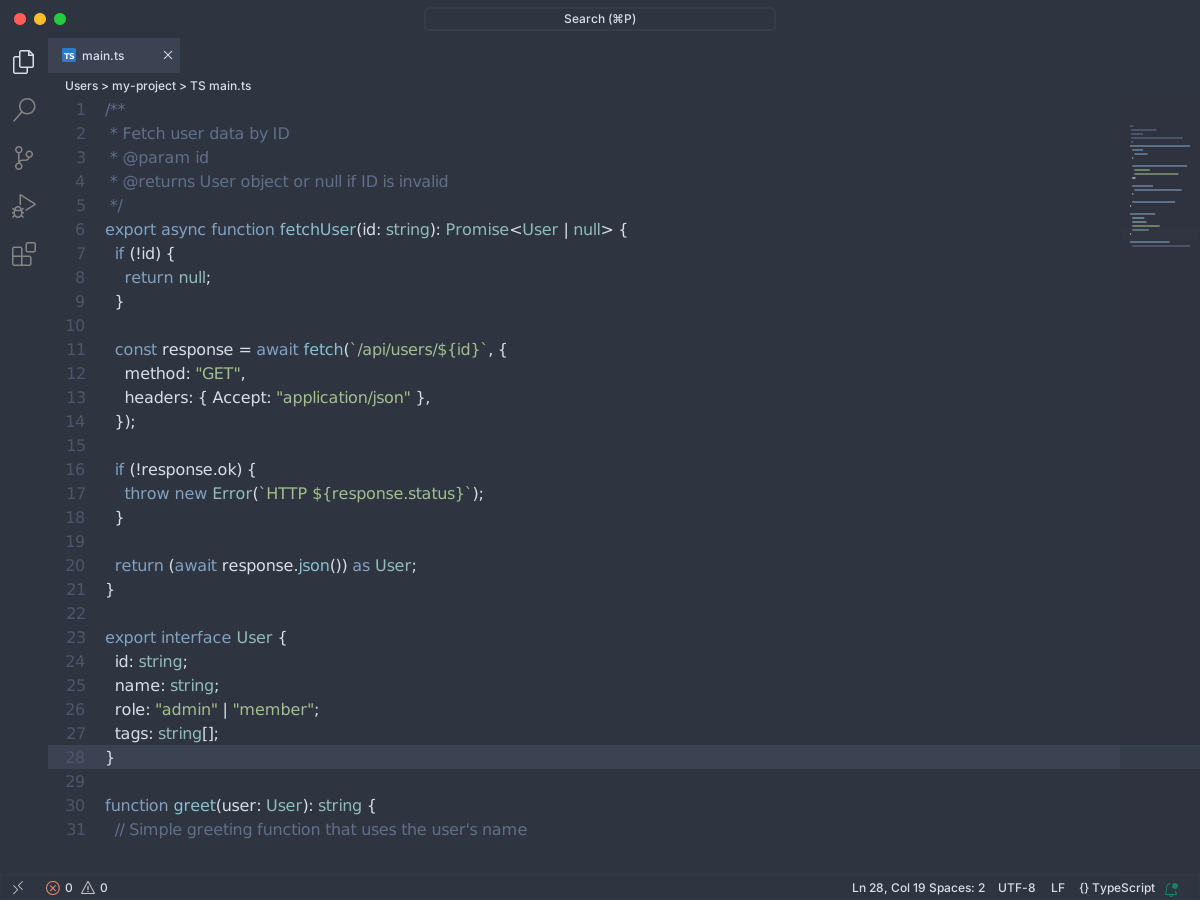
Nord is a dark theme with a cold blue-gray palette. The package description calls it arctic and north-bluish. This pack has one theme.
The background is #2e3440. Text is #d8dee9. Comments are #616E88. Keywords are #81A1C1. Strings are #A3BE8C. Functions are #88C0D0. Numbers are #B48EAD. Blue-gray keywords and green strings stay quiet on the dark background.
#25Panda Theme
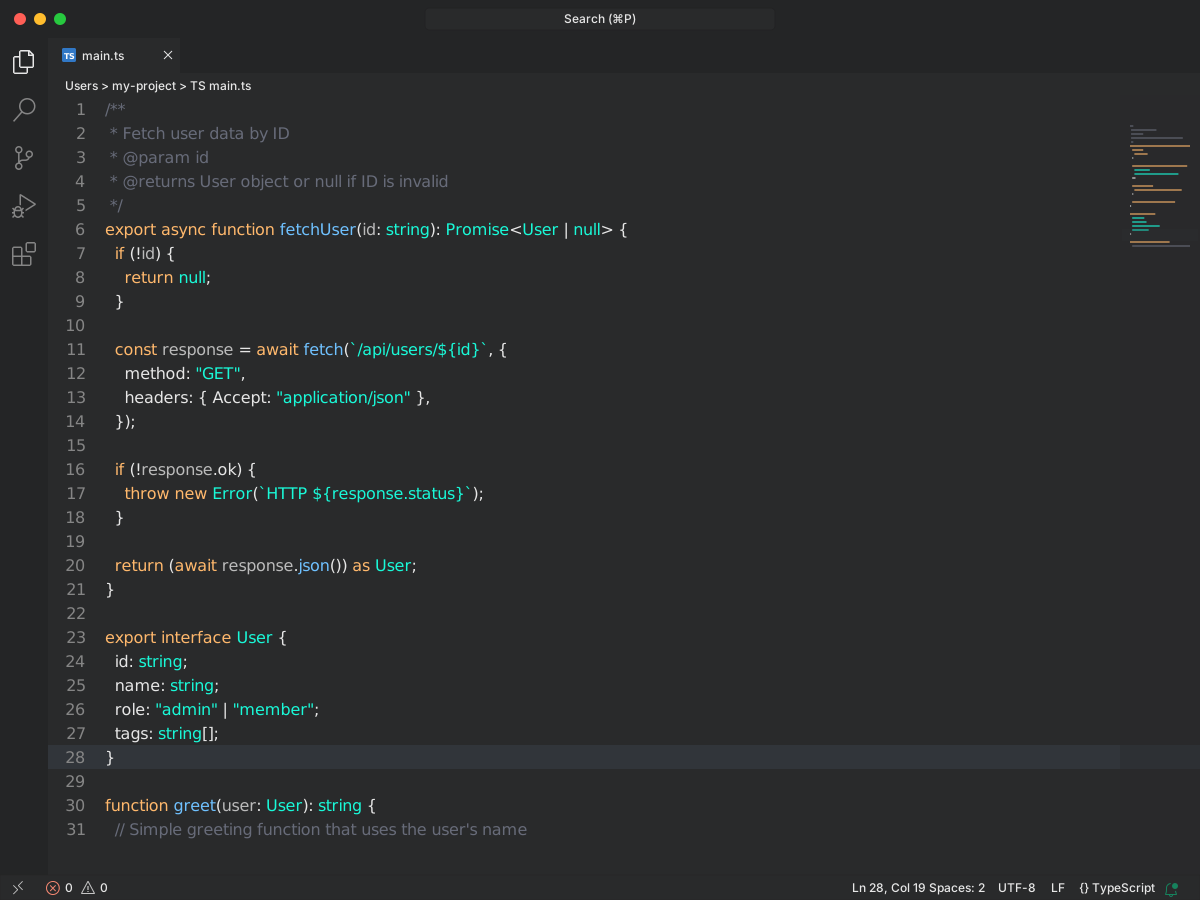
Panda Syntax is a minimal dark theme. The README says the colors are meant to be easy on the eyes. It is tuned for HTML, Markdown, CSS, Sass, and JavaScript. The screenshot font is Operator Mono. The theme does not ship that font.
The background is #292A2B. Text is #E6E6E6. Comments are #676B79. Keywords are #FF75B5. Strings and types are #19f9d8. Functions are #6FC1FF. Pink keywords and cyan strings are the two colors you scan first.
#26Gruvbox Theme
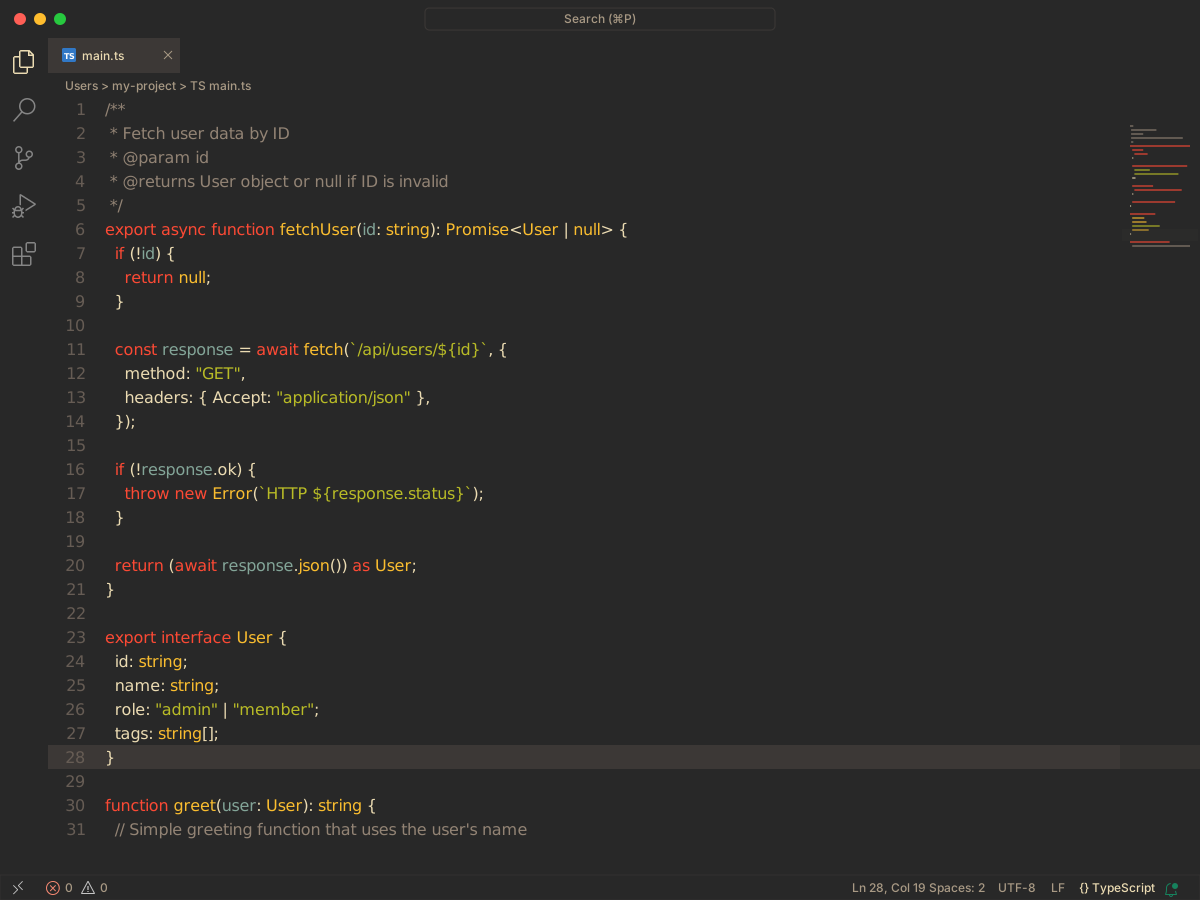
Gruvbox is a port of Pavel Pertsev's gruvbox theme. It ships six variants. Dark Hard, Dark Medium, and Dark Soft. Light Hard, Light Medium, and Light Soft. Syntax stays the same inside each group. Only the background contrast changes.
Dark Medium uses background #282828 and text #ebdbb2. Comments are #928374. Keywords are #fb4934. Strings are #b8bb26. Functions and types are #fabd2f. Variables are #83a598. Storage types are #fe8019.
Dark Hard drops the background to #1d2021. Dark Soft lifts it to #32302f.
Light Medium uses background #fbf1c7 and text #3c3836. Comments stay #928374. Keywords are #9d0006. Strings are #79740e. Functions and types are #b57614. Variables are #076678. Storage types are #af3a03. Light Hard is #f9f5d7. Light Soft is #f2e5bc.
#27Sublime Material Theme
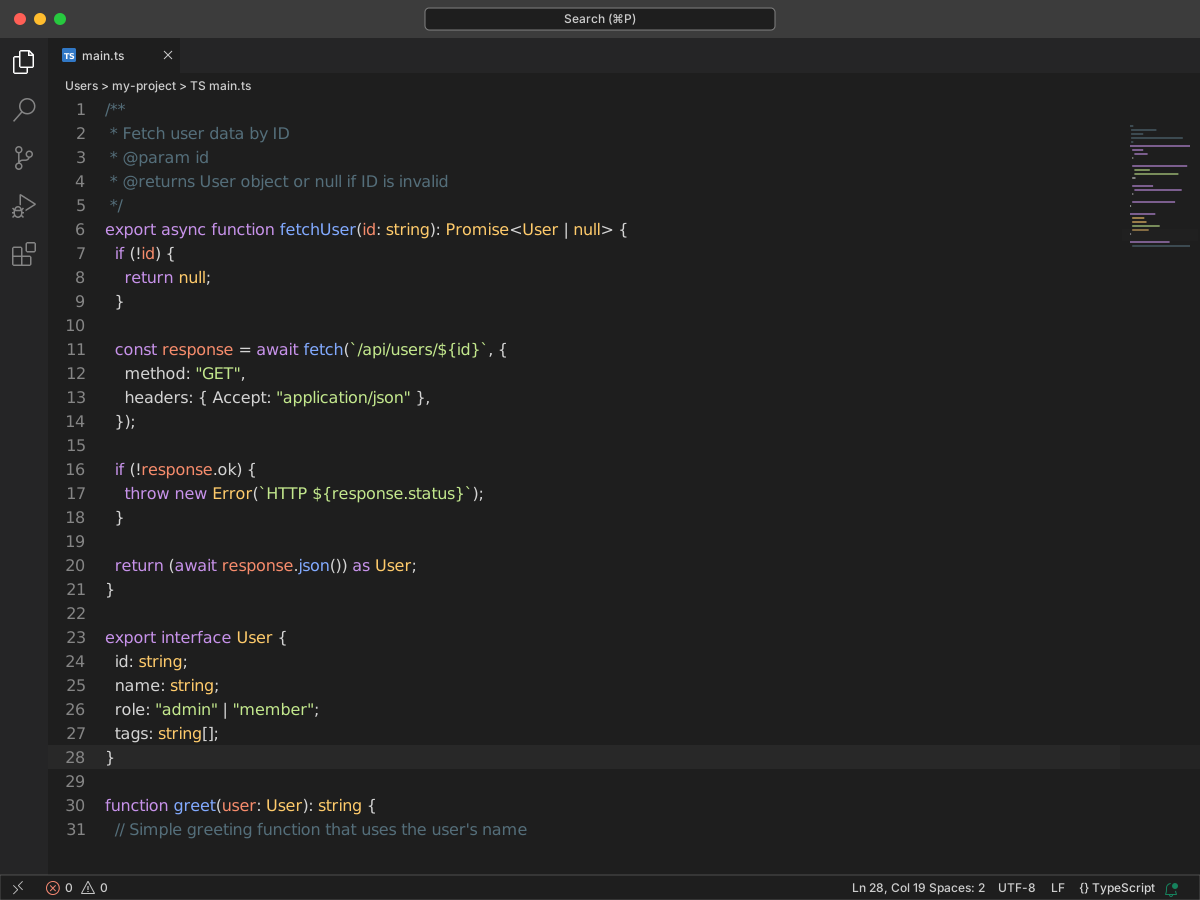
Sublime Material Theme is a port of Mattia Astorino's Material Theme for Sublime Text. It keeps the syntax colors and fits the default VS Code chrome. There is a dark theme and a light theme.
On the dark theme, comments are #546E7A. Keywords are #C792EA. Strings are #C3E88D. Functions are #82AAFF. Variables are #eeffff. Numbers are #F78C6C.
On the light theme, comments are #CCD7DA. Keywords are #7C4DFF. Strings are #91B859. Functions are #6182B8. Variables are #80CBC4. Numbers are #F76D47.
#28Omni Theme
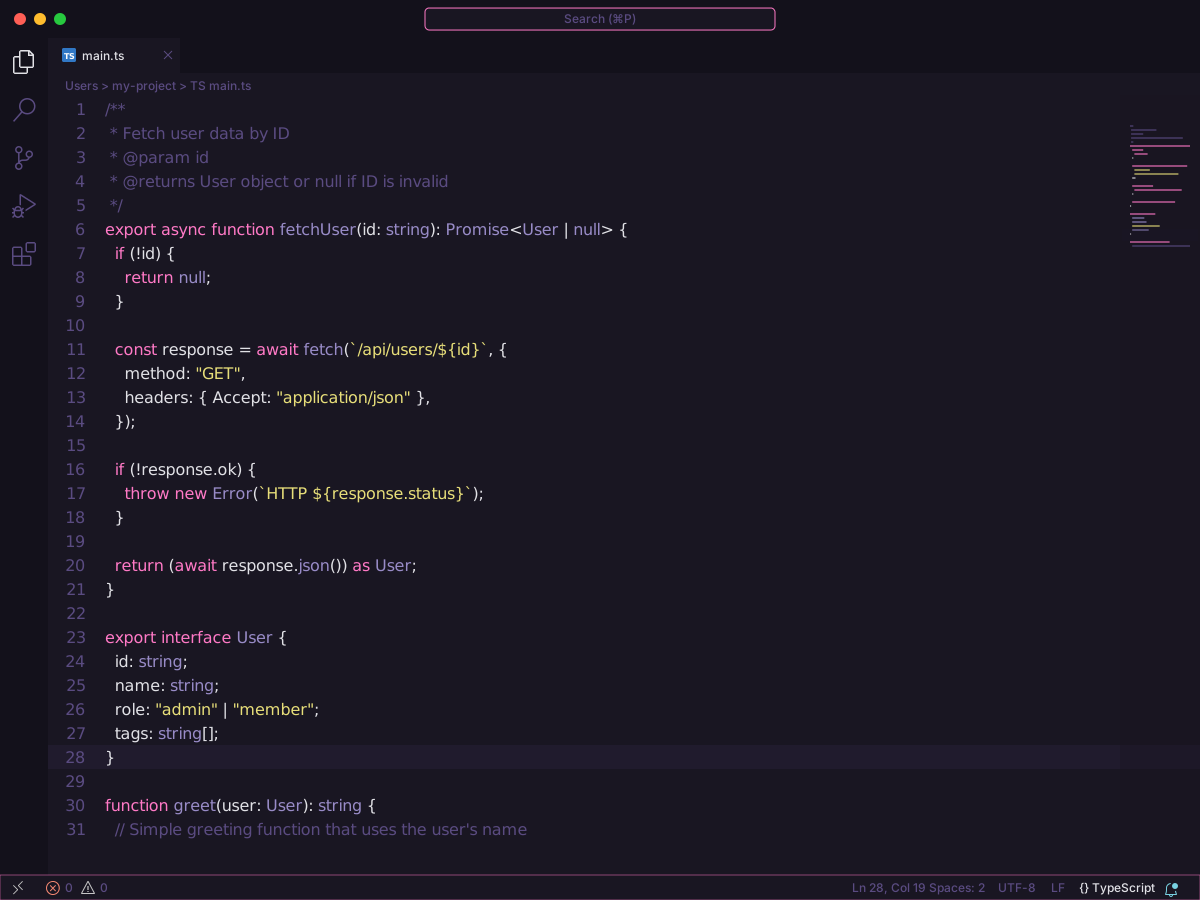
Omni is a dark theme from Rocketseat. Background is #191622. Text is #E1E1E6.
Comments are #5A4B81. Keywords are #FF79C6. Strings are #e7de79. Functions are #67e480. Types are #988bc7. Variables use the same #E1E1E6 as the text.
#29JellyFish Theme
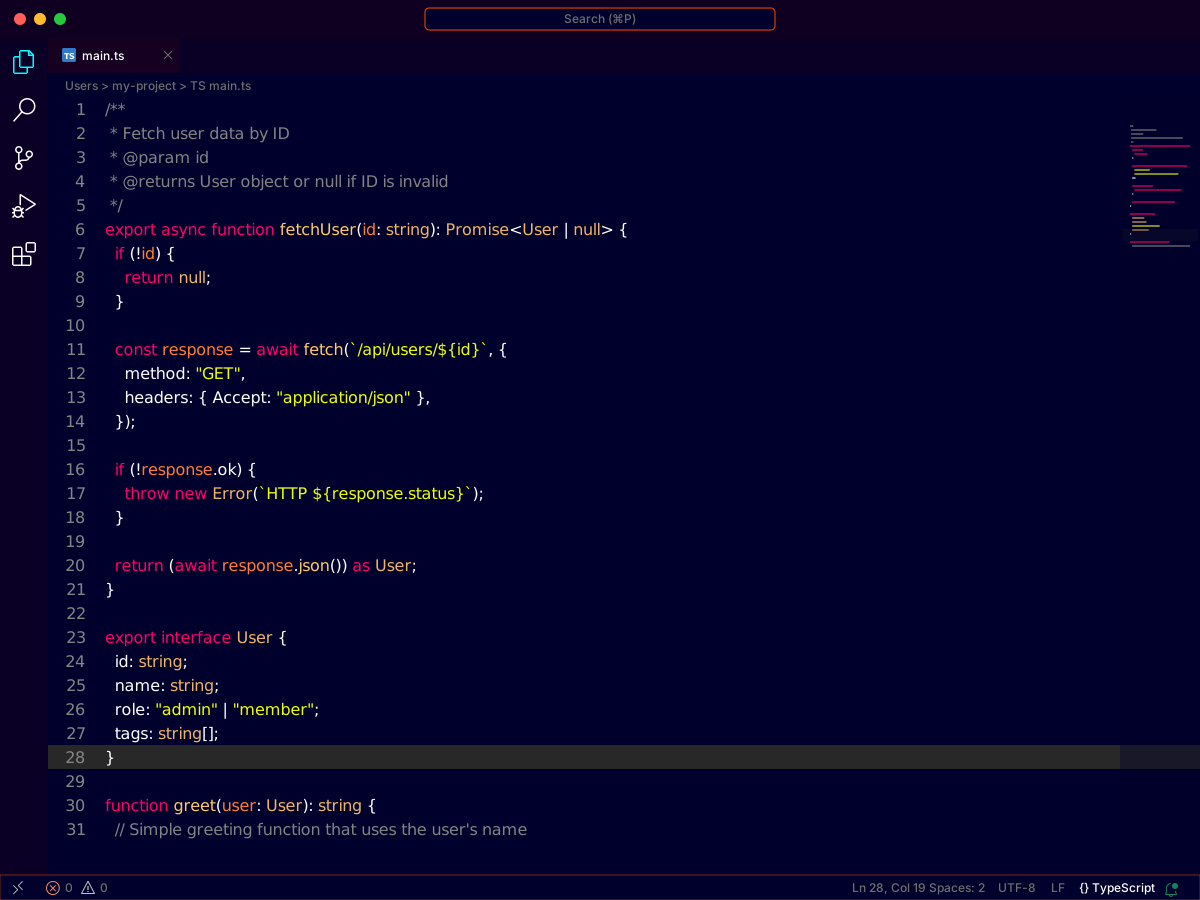
JellyFish is a dark theme by Pawel Borkar. Background is #00002c. Text is white.
Comments are #838383. Keywords are #ff0062. Strings are #eeff00. Functions are #00ffff. Numbers are #ff7e34. Variables are #EEFFFF.
#30Darcula Theme
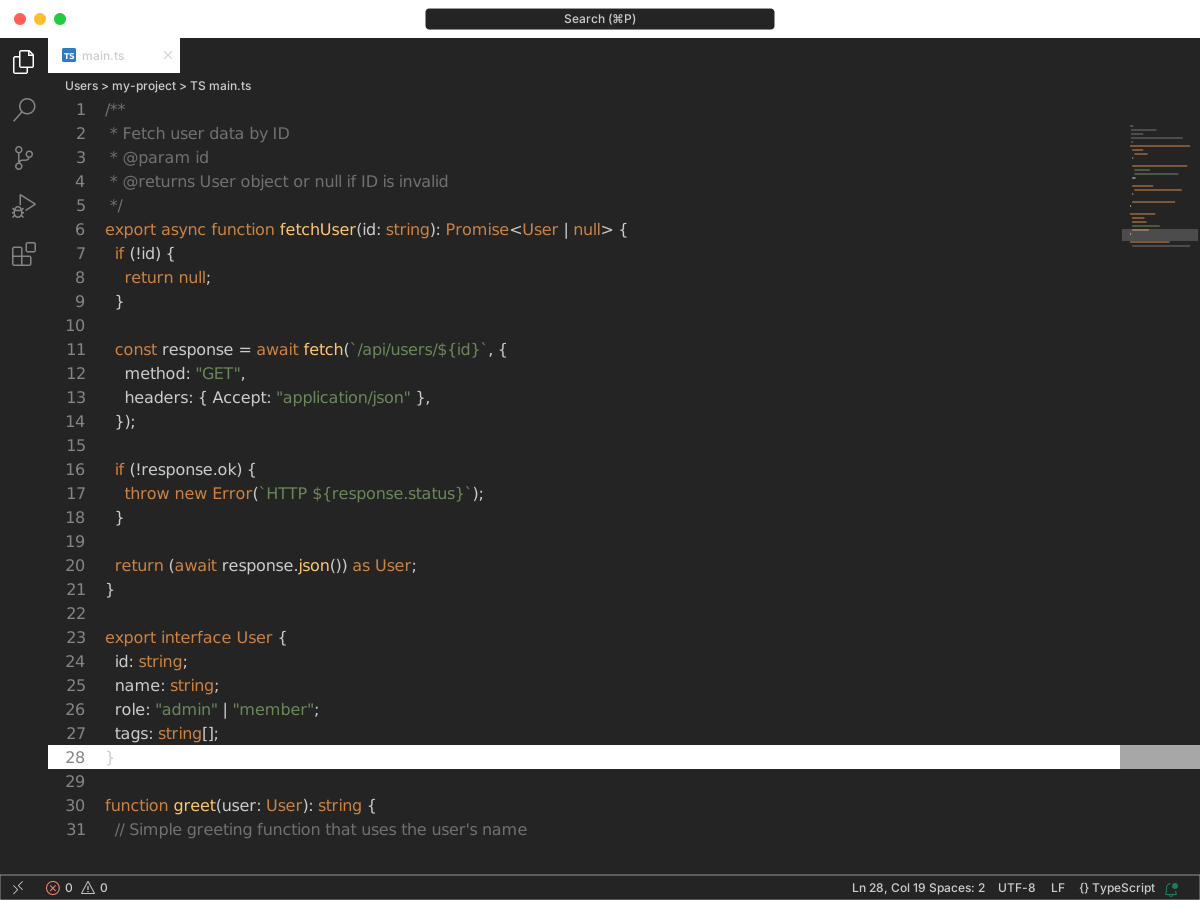
Darcula brings the JetBrains look to VS Code. It is tuned for HTML, CSS, and JavaScript. It is not a pixel copy of the IDE theme.
Background is #242424. Text is #cccccc. Comments are #707070. Keywords are #CC8242. Strings are #6A8759. Functions are #FFC66D. Types and numbers are #7A9EC2.
#31Eva Theme
#32Linux Themes for VS Code
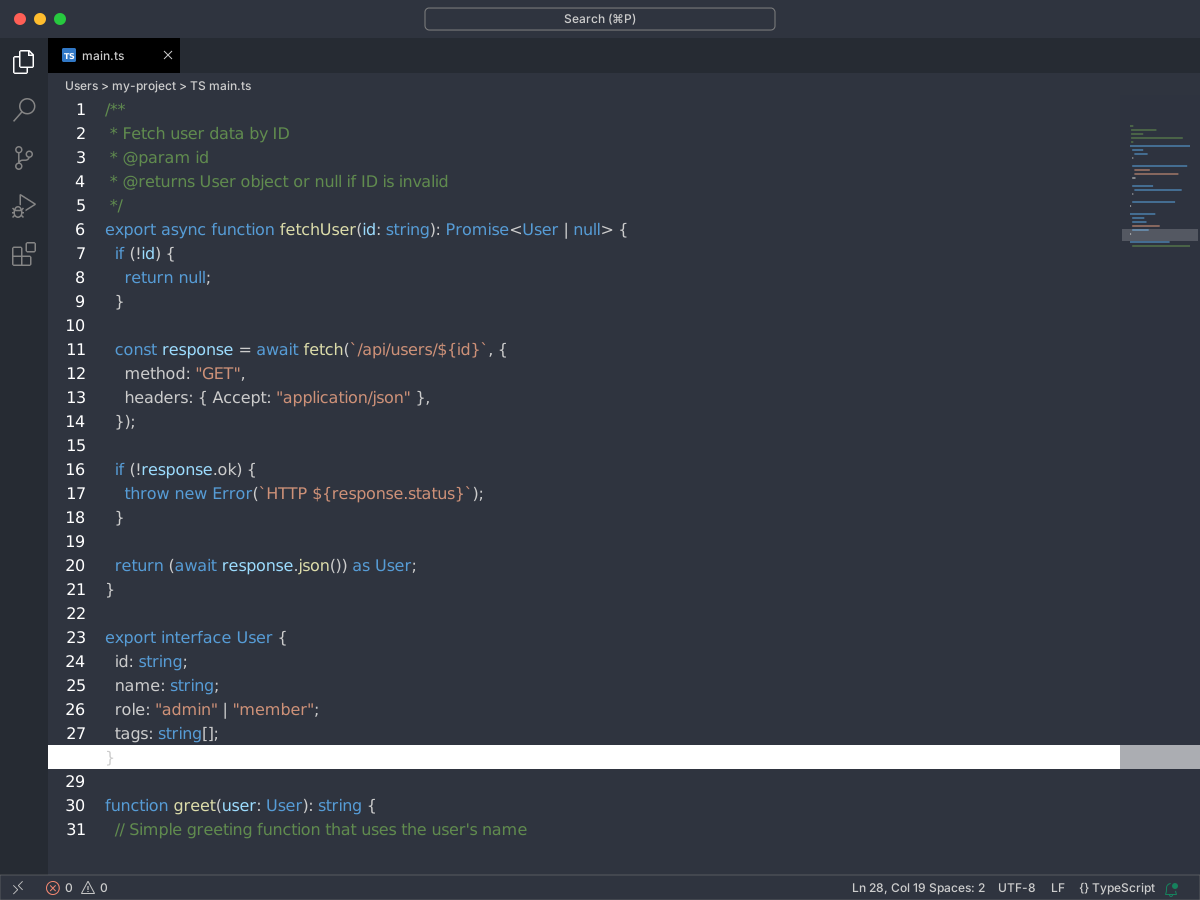
Linux Themes match popular Ubuntu desktop looks. This pack has four dark themes. They share one syntax palette. Backgrounds differ.
Adapta Nokto and Arc Dark use background #2f343f and text #CCC. Ambiance uses #31312e and #dddddd. United Ubuntu uses #1e1e1e and #dddddd.
Comments are #608b4e. Keywords are #569cd6. Strings are #ce9178. Functions are #DCDCAA. Types are #4EC9B0. Variables are #9CDCFE. Numbers are #b5cea8.
#33Ruby
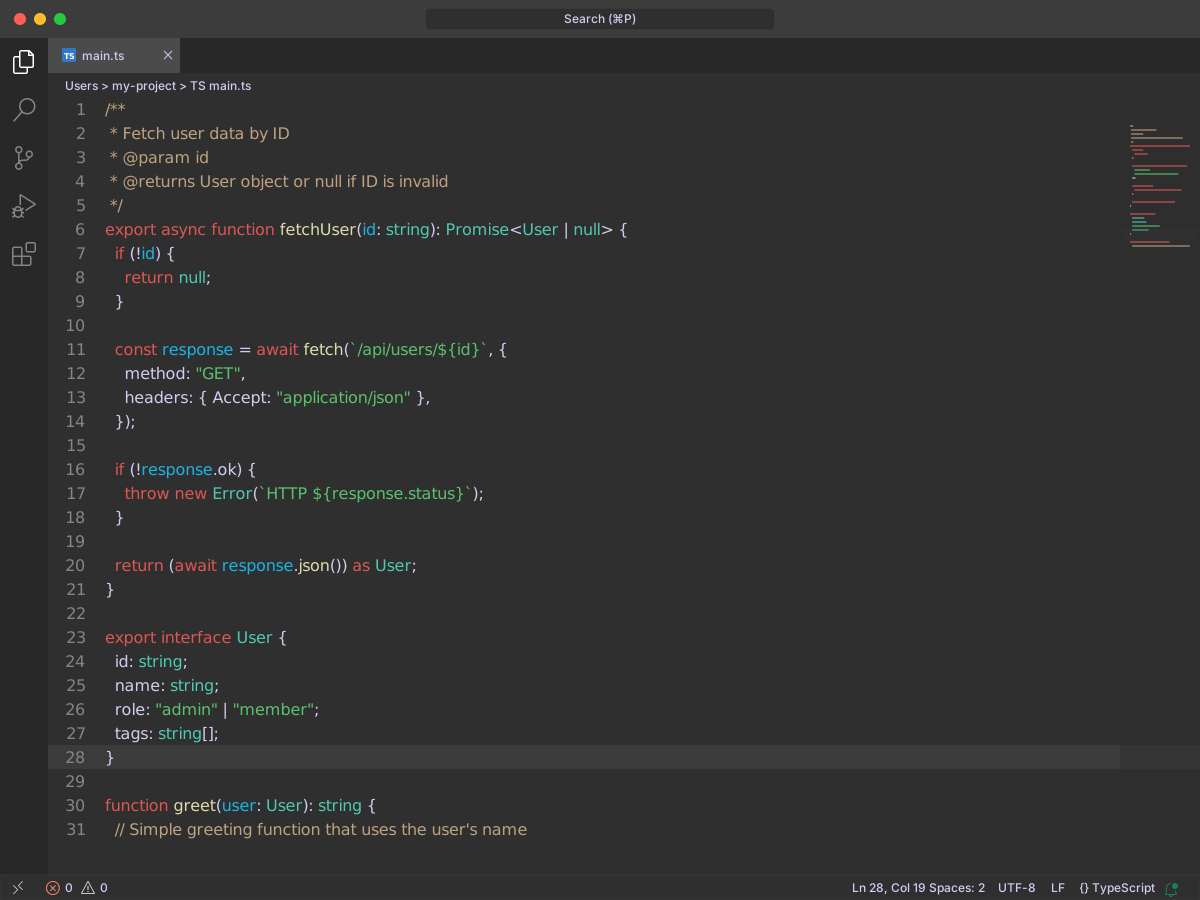
The Shopify Ruby extension pack includes two Spinel themes. One is dark. One is light.
Spinel uses background #2f2f2f and text #d1ccf1. Comments are #bea17f. Strings are #5ac16c. Variables are #18b5e4. Numbers are #eee385.
Spinel Light uses background #e3e2ec and text #595959. Comments are #9c8262. Strings are #158927. Variables are #01a3e3. Numbers are #bfb23b.
#34Vue Theme
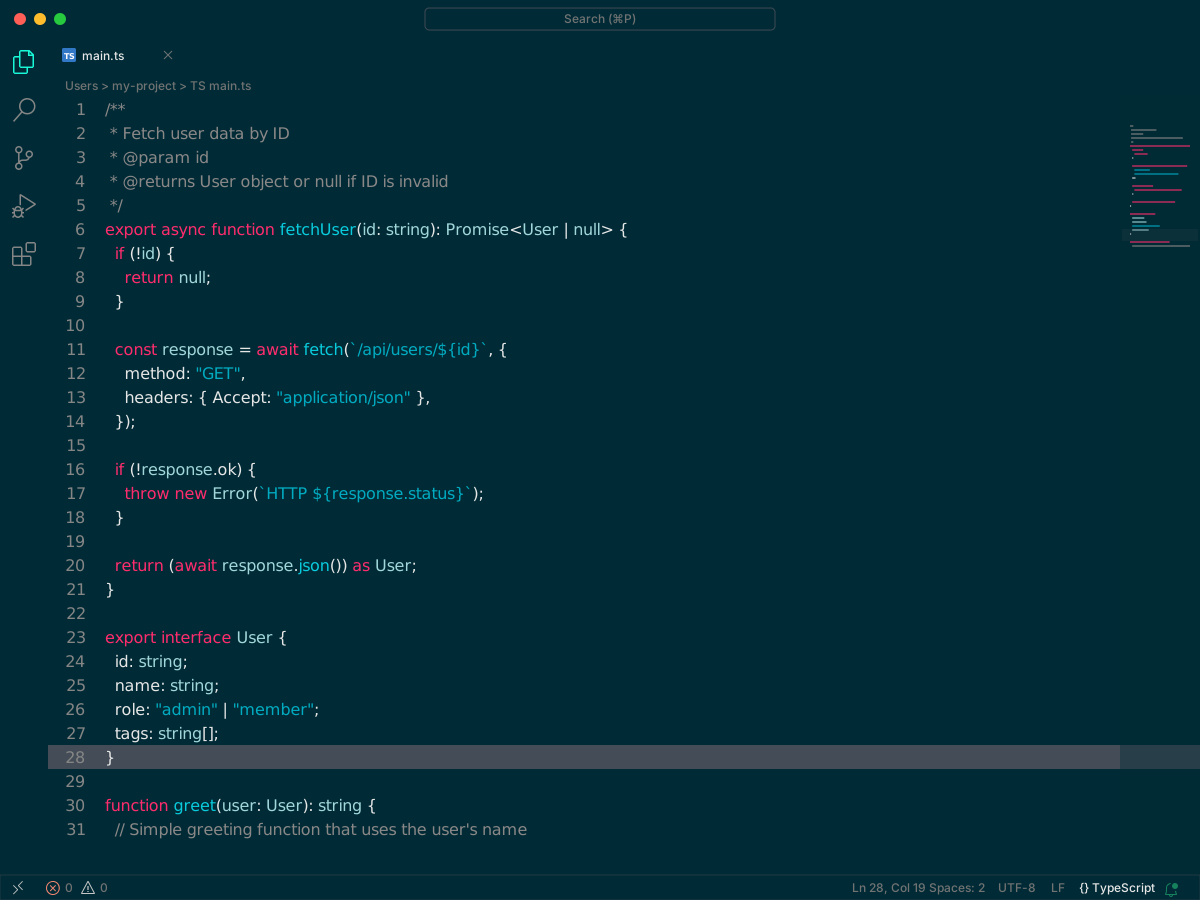
Vue Theme is a dark theme by Mario Rodeghiero. It also ships a high contrast variant.
The main theme uses background #002b36 and text #E6E6E6. Comments are #8a8787. Functions are #09cbdd. Types are #a1d7da. Storage types are #FF2C6D.
High contrast keeps the same function color. Background is #002933. Comments are #9e9e9e. Types are #8be1f7. Storage types are #ff0e56.
#352077 theme
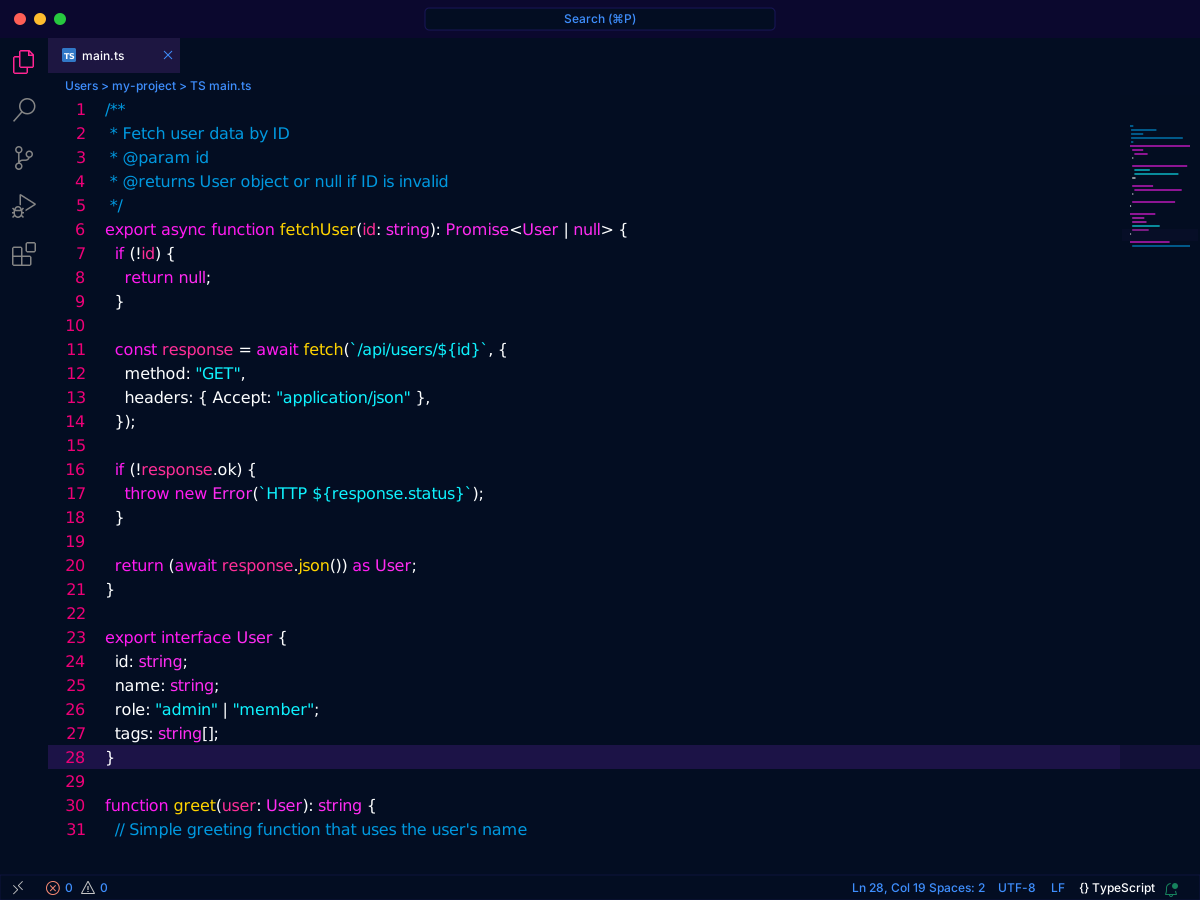
2077 is a dark theme inspired by Cyberpunk 2077. It started from an outrun theme and was reworked from there.
Background is #030d22. Text is #fdfeff. Comments are #0098df. Keywords are #ff2cf1. Strings are #0ef3ff. Numbers are #ffd400.
#36Doki Theme
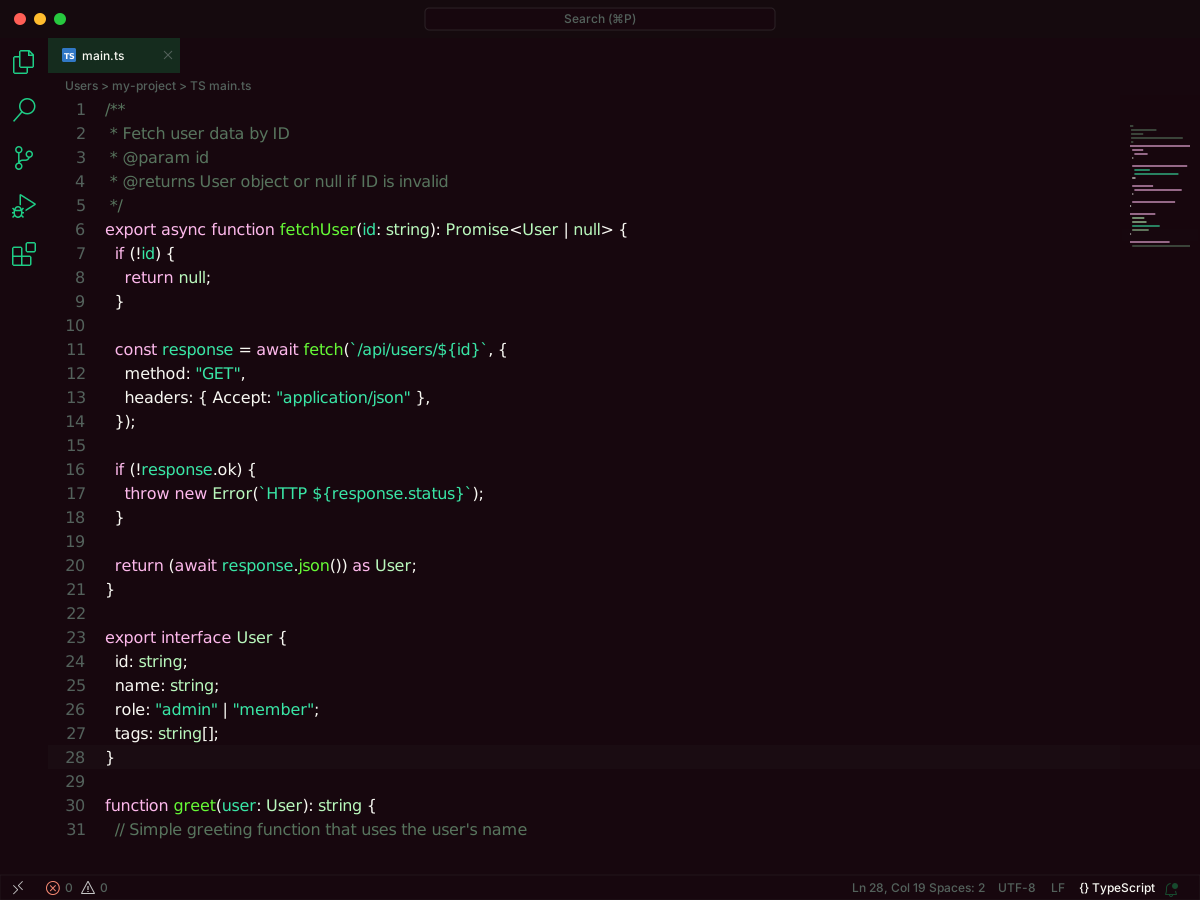
Doki Theme is a pack of anime character themes. There are 88 variants. 64 are dark. 24 are light. Each character has its own palette.
Most dark themes use text #F8F8F2. Zero Two Dark Obsidian uses background #17070e. Comments are #57745D. Keywords are #FDB8EB. Strings are #39e6a6. Functions are #66FA36.
Mai Light uses background #FAF2F1 and text #4D4D4A. Comments are #64757d. Keywords are #7C75EF. Strings are #d27f2d. Functions are #BA2BB2.
#37Monokai Night Theme
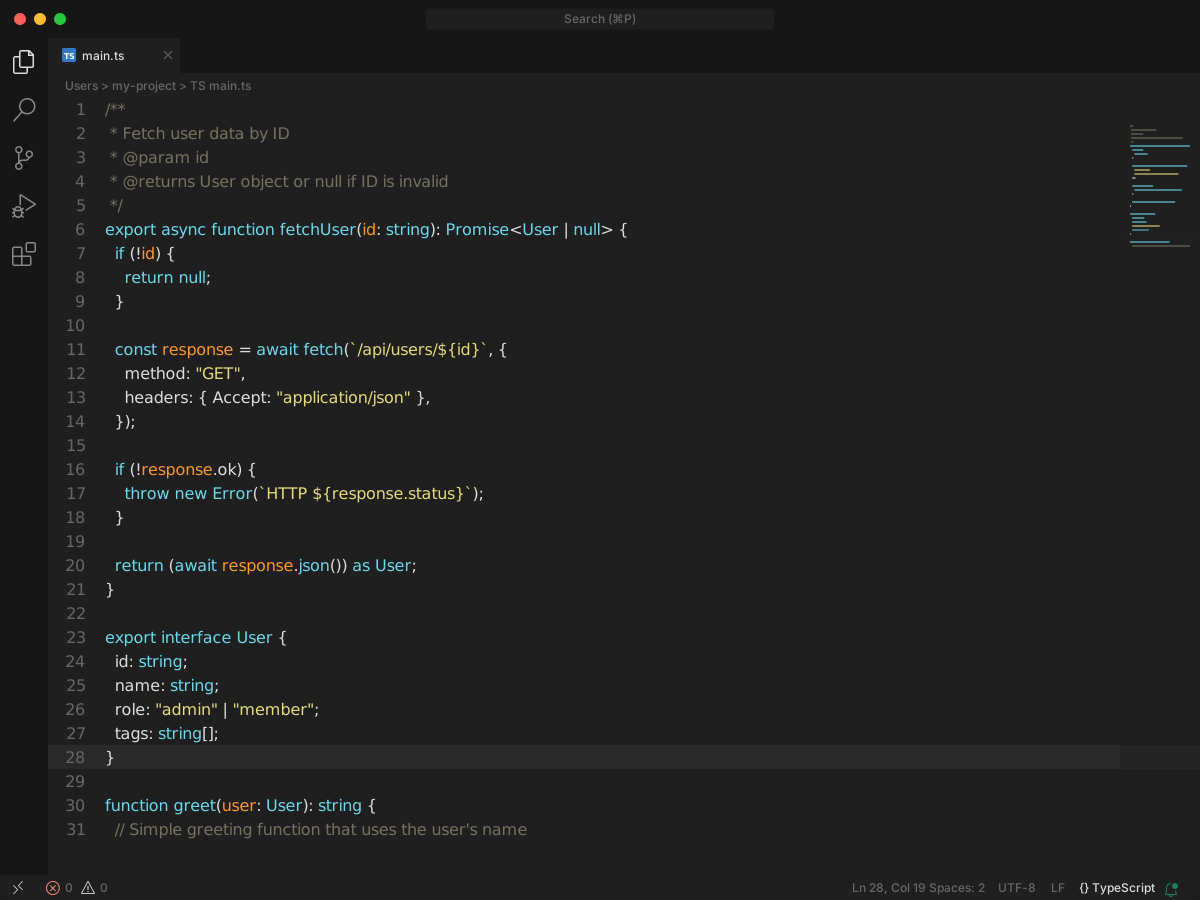
Monokai Night is a dark, minimal Monokai. Background is #1f1f1f. Text is #dddddd.
Comments are #75715E. Keywords are #F92672. Strings are #E6DB74. Functions and types are #A6E22E. Numbers are #AE81FF. Storage types are #66D9EF.
#38Min Theme
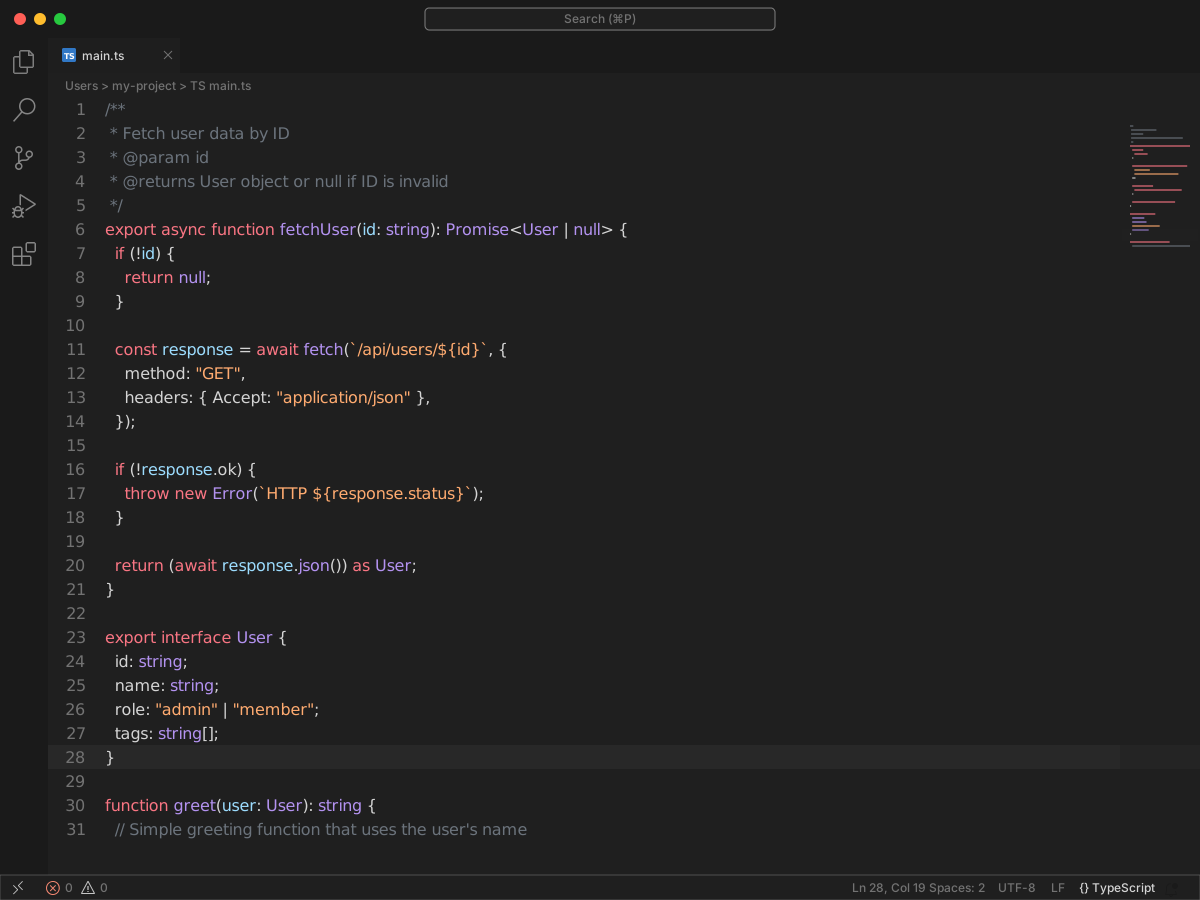
Min is a small theme with a dark variant and a light variant.
Min Dark uses background #1f1f1f. Comments are #6b737c. Keywords are #f97583. Strings are #9db1c5. Functions and types are #b392f0.
Min Light uses a white background and text #212121. Comments are #c2c3c5. Keywords are #D32F2F. Strings are #2b5581. Functions and types are #6f42c1.
#39Copilot Theme
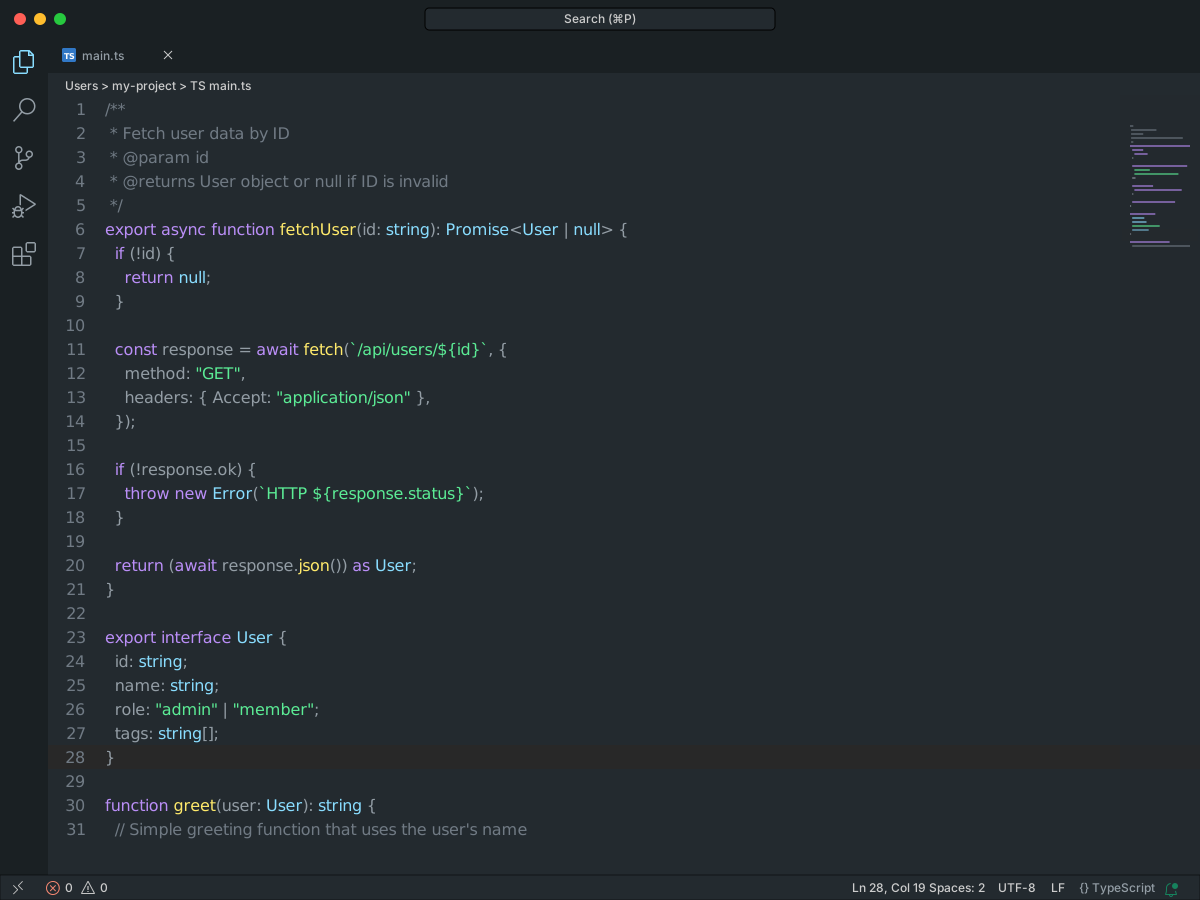
Copilot Theme copies the colors from the GitHub Copilot site. Both variants are dark. They share background #232a2f and text #939da5.
Comments are #707a84. Keywords are #ba8ef7. Strings are #5bec95. Functions are #ffea6b. Types and numbers are #89ddff.
The higher contrast variant changes variables from #939da5 to #a8b2ba.
#40Aura Theme
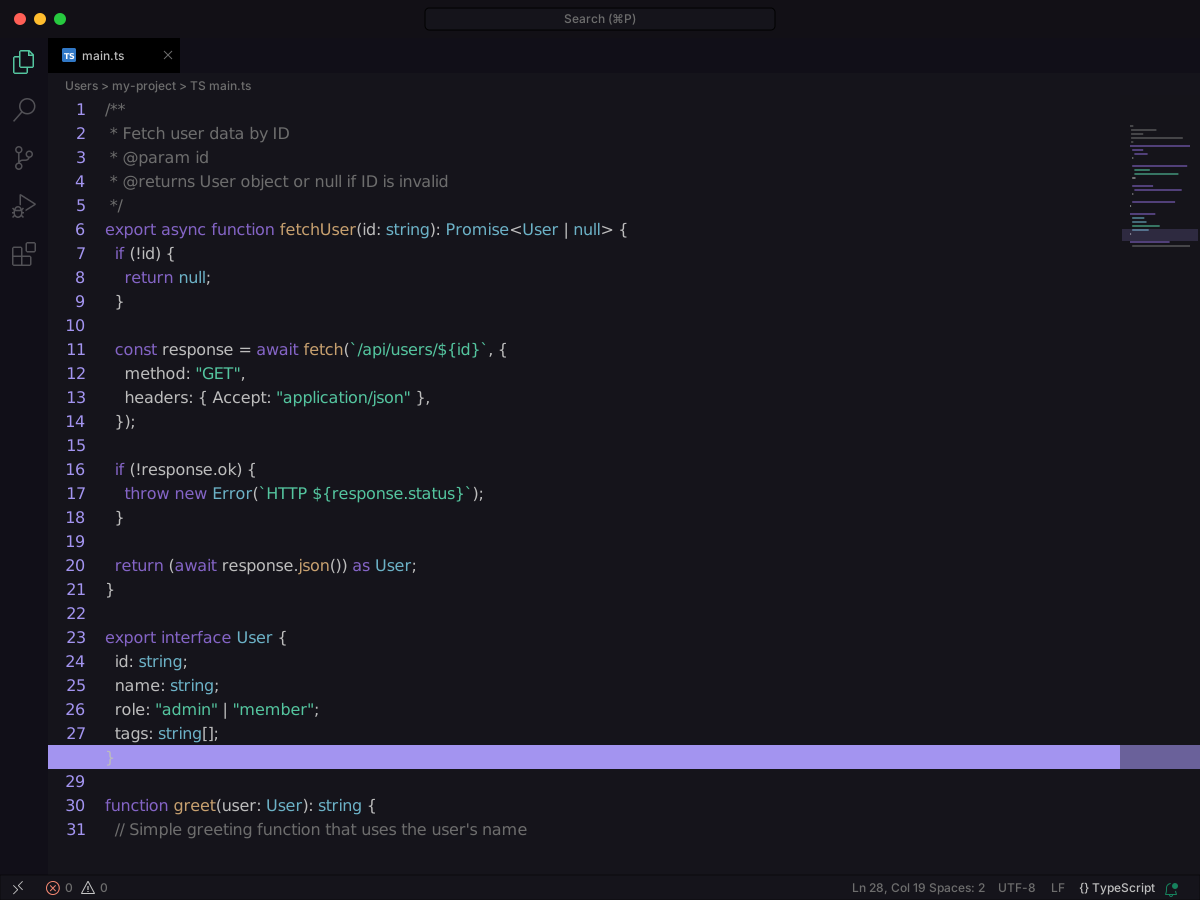
Aura is a dark theme with four variants. Dark and Soft Dark change the background. Each one also has a soft-text option.
Aura Dark uses background #15141b. Comments are #6d6d6d. Keywords are #a277ff. Strings are #61ffca. Functions are #ffca85.
Soft Text keeps those backgrounds and quiets the syntax. Keywords are #8464c6. Strings are #54c59f. Functions are #c7a06f. Aura Soft Dark uses background #21202e.
#41Markdown Theme Kit
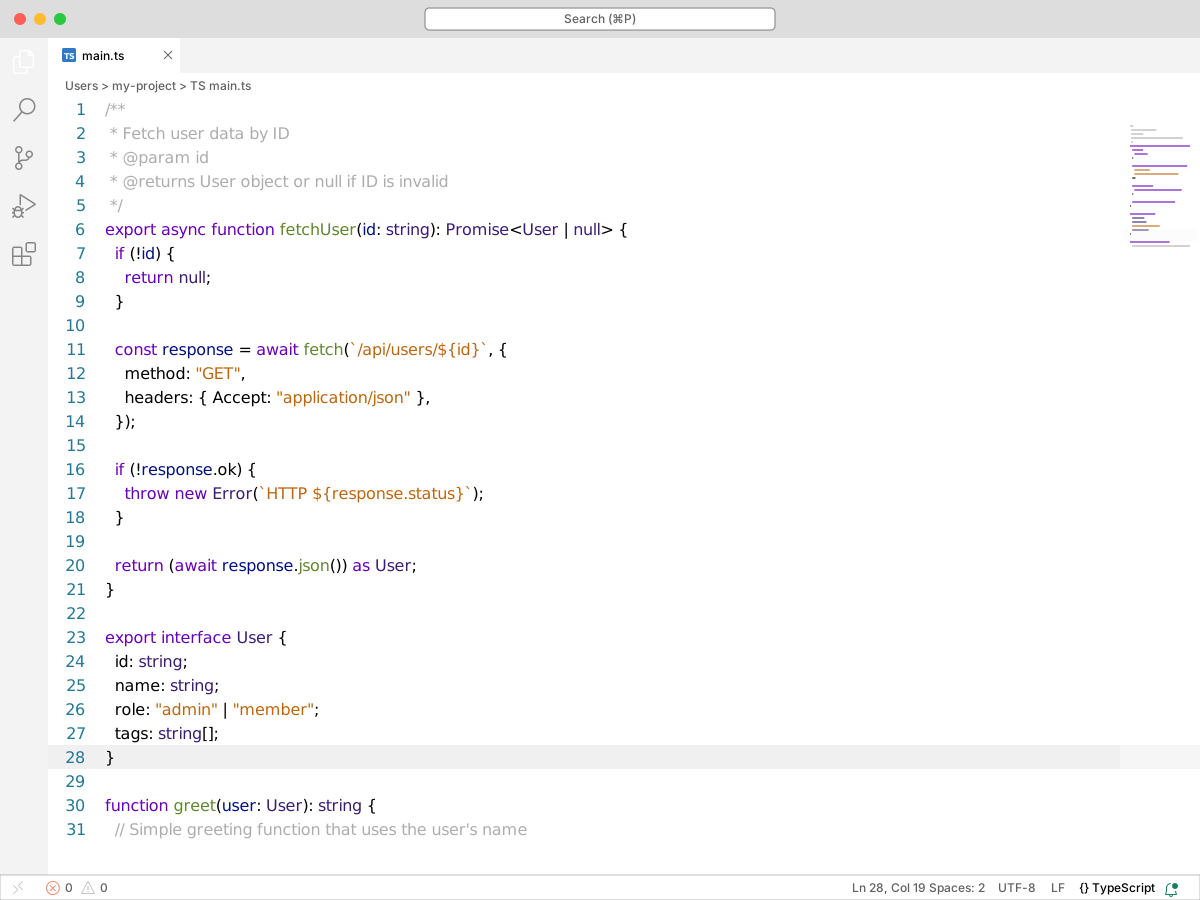
Markdown Theme Kit is a small TextMate-based set aimed at Markdown. The theme files do not set an editor background.
Markdown Editor Dark uses comments #525252, keywords #9e79d0, strings #4398f0, and types #c5e28d.
The light Markdown Editor uses comments #ADADAD, keywords #61862F, strings #BC670F, and types #3A1D72. Focus uses that same syntax and sets variables to #4C8FC7.
#42Dracula At Night
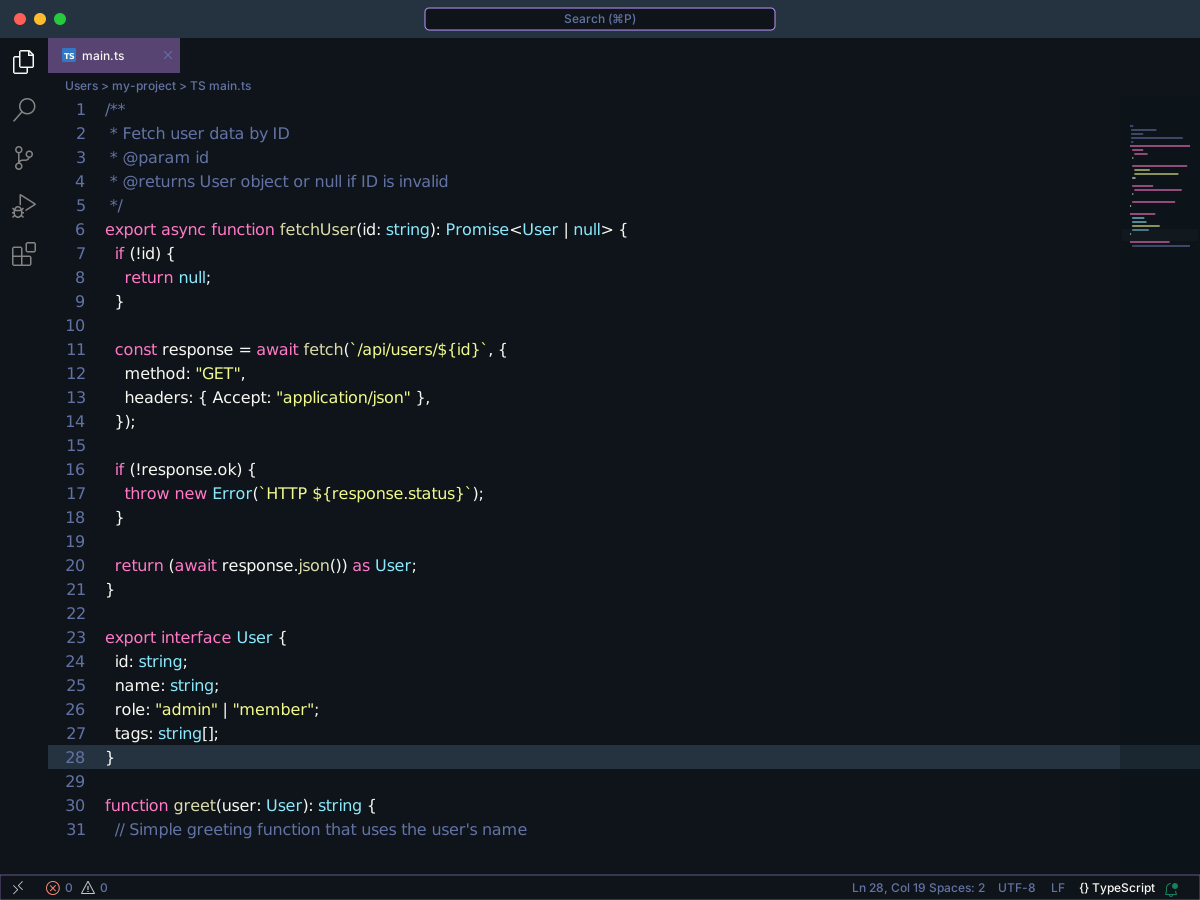
Dracula At Night is a darker fork of official Dracula. Background is #0E1419. Text is #F8F8F2.
Comments are #6272A4. Keywords are #FF79C6. Strings are #F1FA8C. Types are #8BE9FD. Variables use the same #F8F8F2 as the text.
#43Atom Material Theme
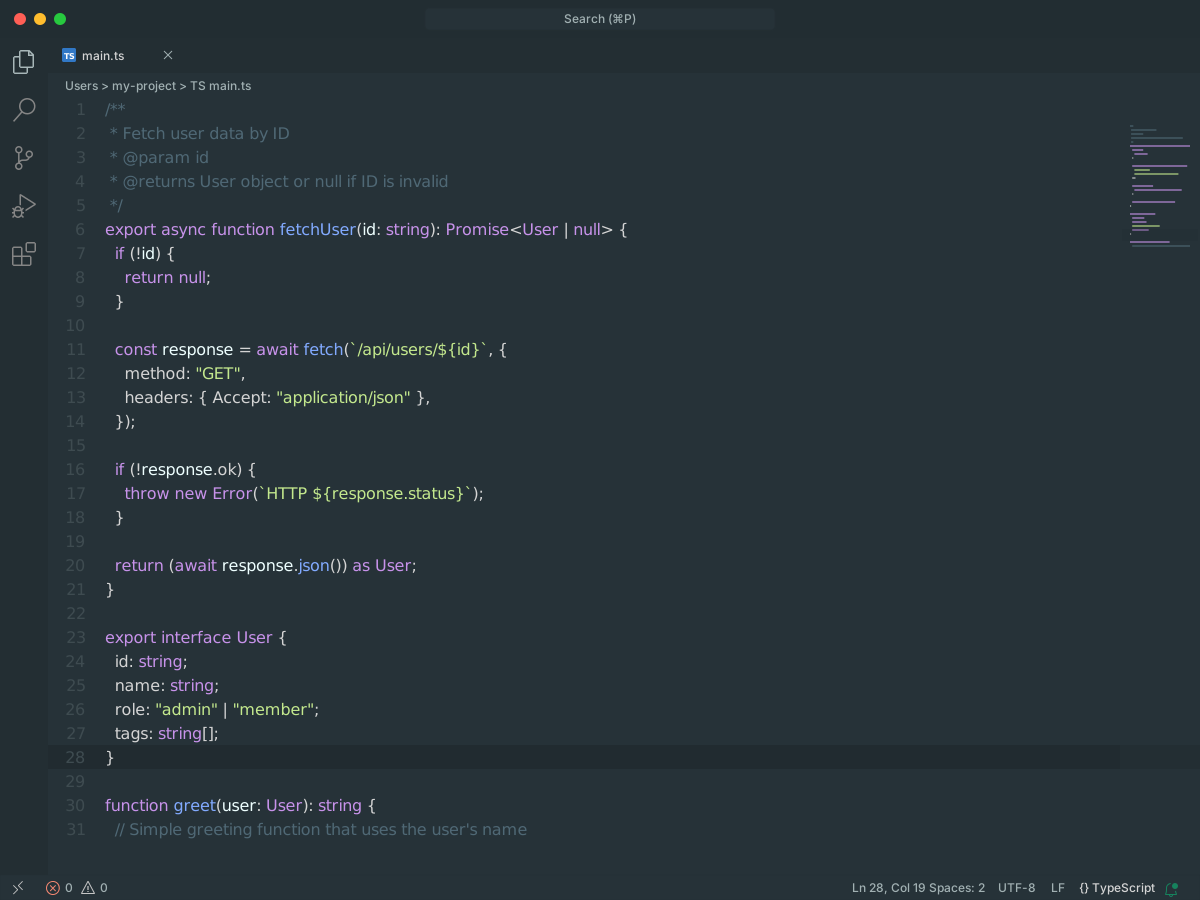
Atom Material Theme ports Atom Material UI and Atom Material Syntax. It is a dark theme.
Background is #263238. Text is #d4d4d4. Comments are #4f6875. Functions are #82AAFF. Numbers are #F78C6A. Storage types are #C792EA.
#44Rainglow
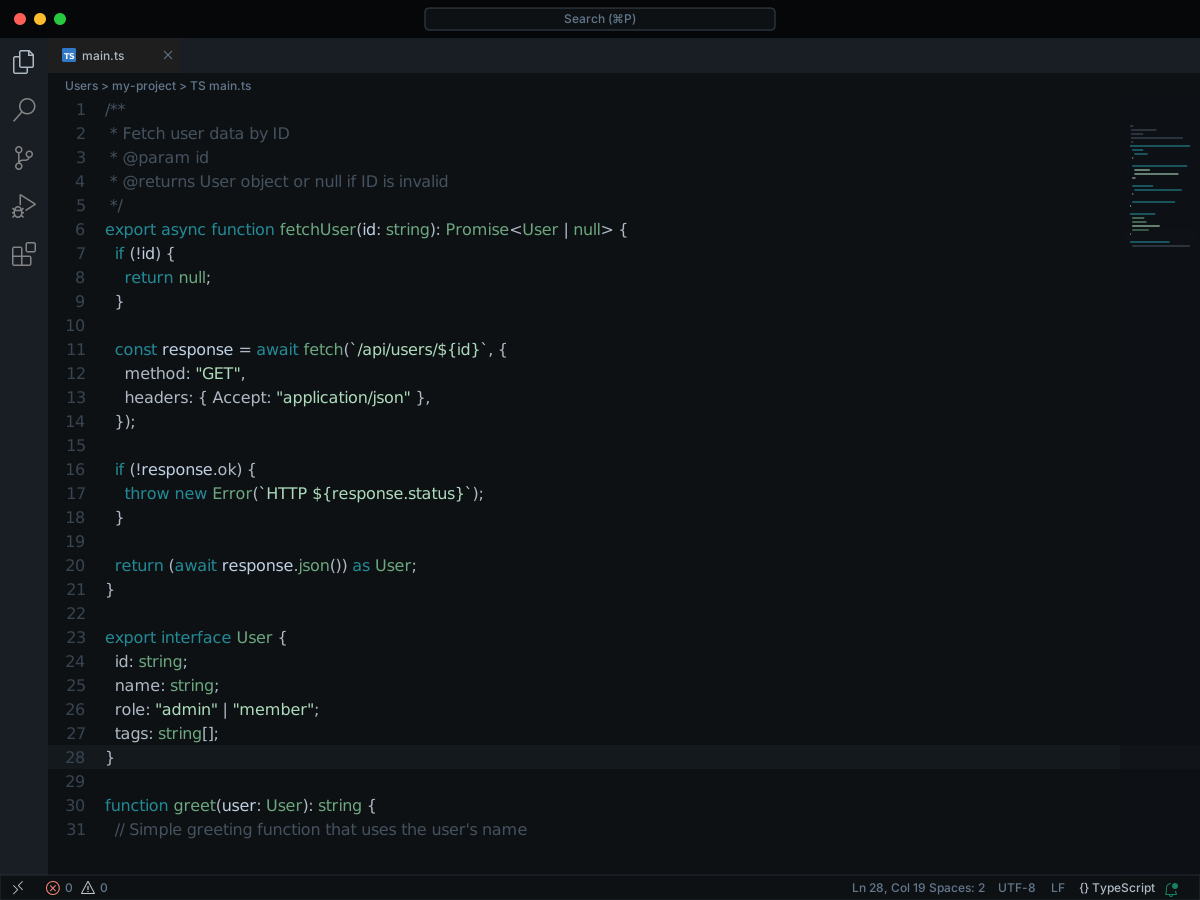
Rainglow is Dayle Rees's theme collection. This pack has more than 300 themes. They do not share one syntax palette.
Brave is dark. Background is #333846. Text is #d6dbdb. Comments are #64617a. Keywords are #abaab7. Strings are #63a5a5. Functions are #91b9c9.
Azure is a darker blue. Background is #181d26. Text is white. Comments are #414d62. Keywords and functions are #508aaa. Strings are #64aeb3. Azure Light puts that palette on a white background.
#45Bluloco Dark Theme
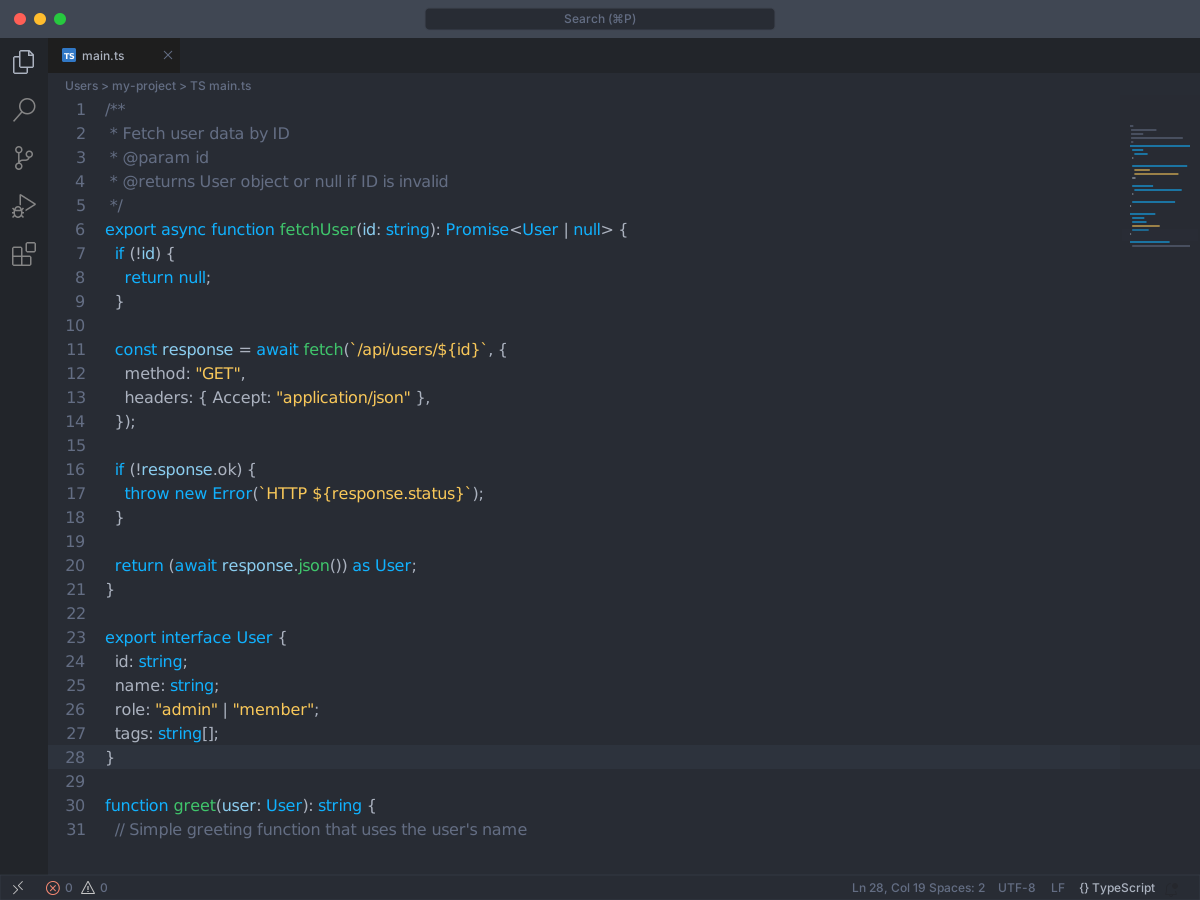
Bluloco Dark started from One Dark and was recolored with the Bluloco palette. An italic variant uses the same colors.
Background is #282c34. Text is #abb2bf. Comments are #636d83. Keywords are #10b1fe. Strings are #f9c859. Functions are #3fc56b. Types are #ff6480. Numbers are #ff78f8.
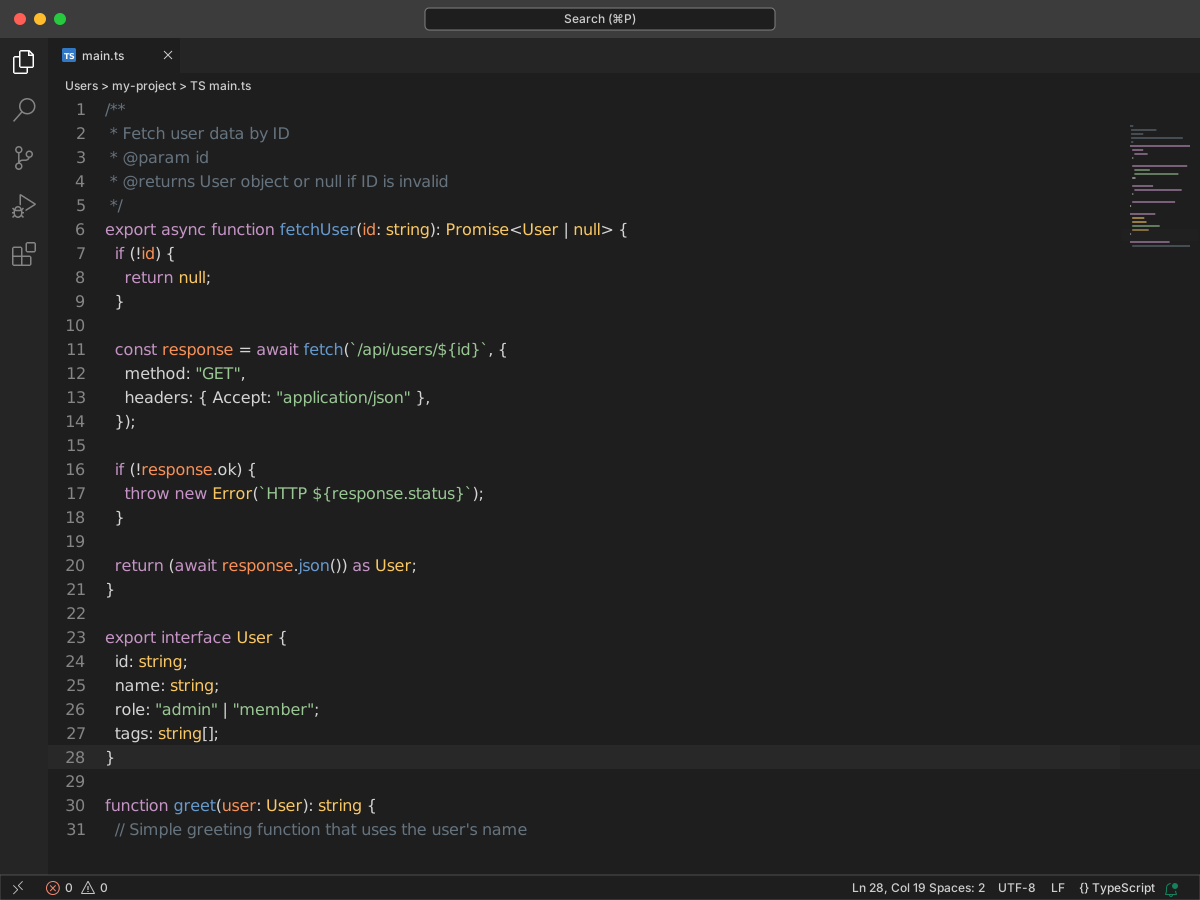
#46Theme - Oceanic Next
#47Slack Theme
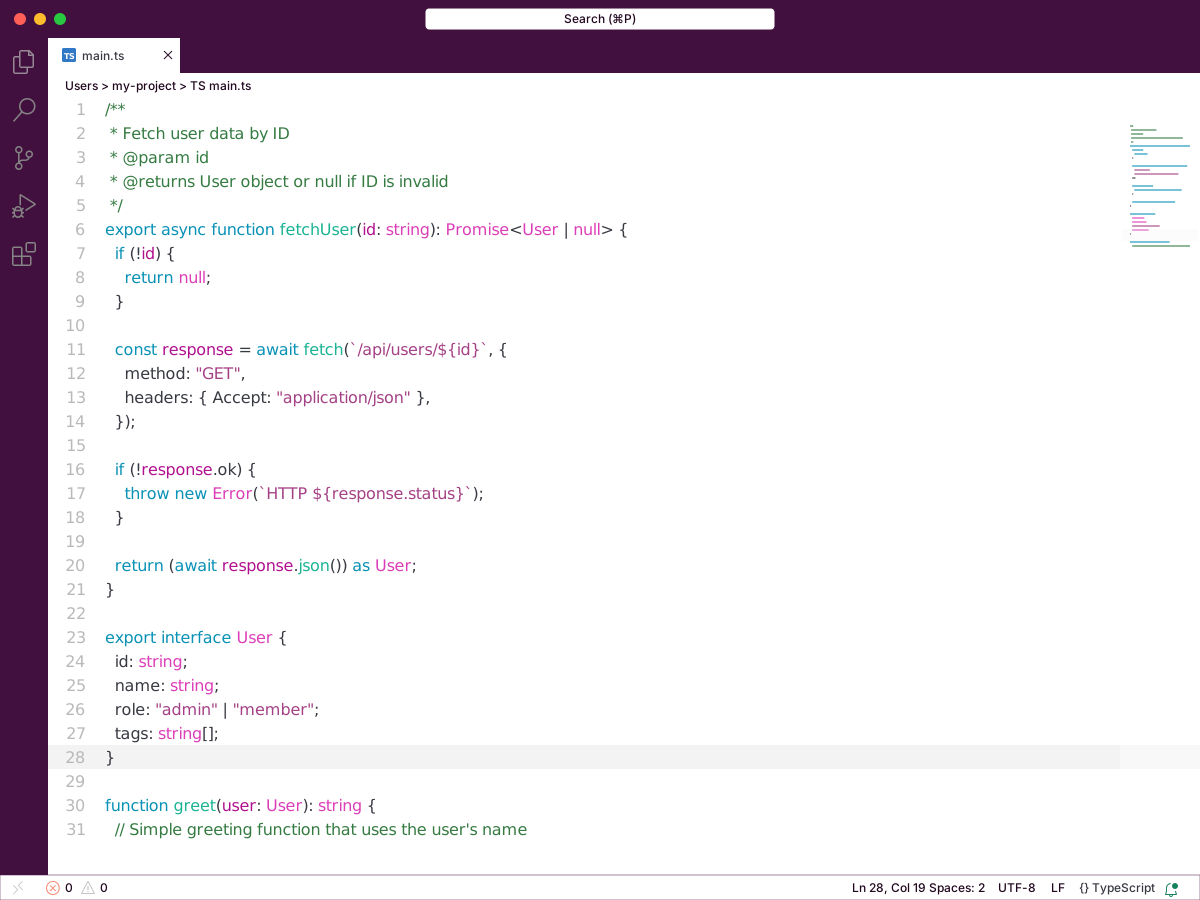
Slack Theme copies Slack's default colors. The classic variants keep a white editor and share one syntax palette.
On those light editors, comments are #357b42. Keywords are #7b30d0. Strings are #a44185. Functions are #7eb233. Types are #0444ac.
Aubergine Dark uses background #3E313C and text #f6f6f4. Comments are #697098. Keywords are #c792ea. Strings are #C3E88D. Functions are #82AAFF. Dark Mode uses background #222222, with comments #6A9955, keywords #569cd6, strings #ce9178, and functions #DCDCAA.
#48Vira Theme
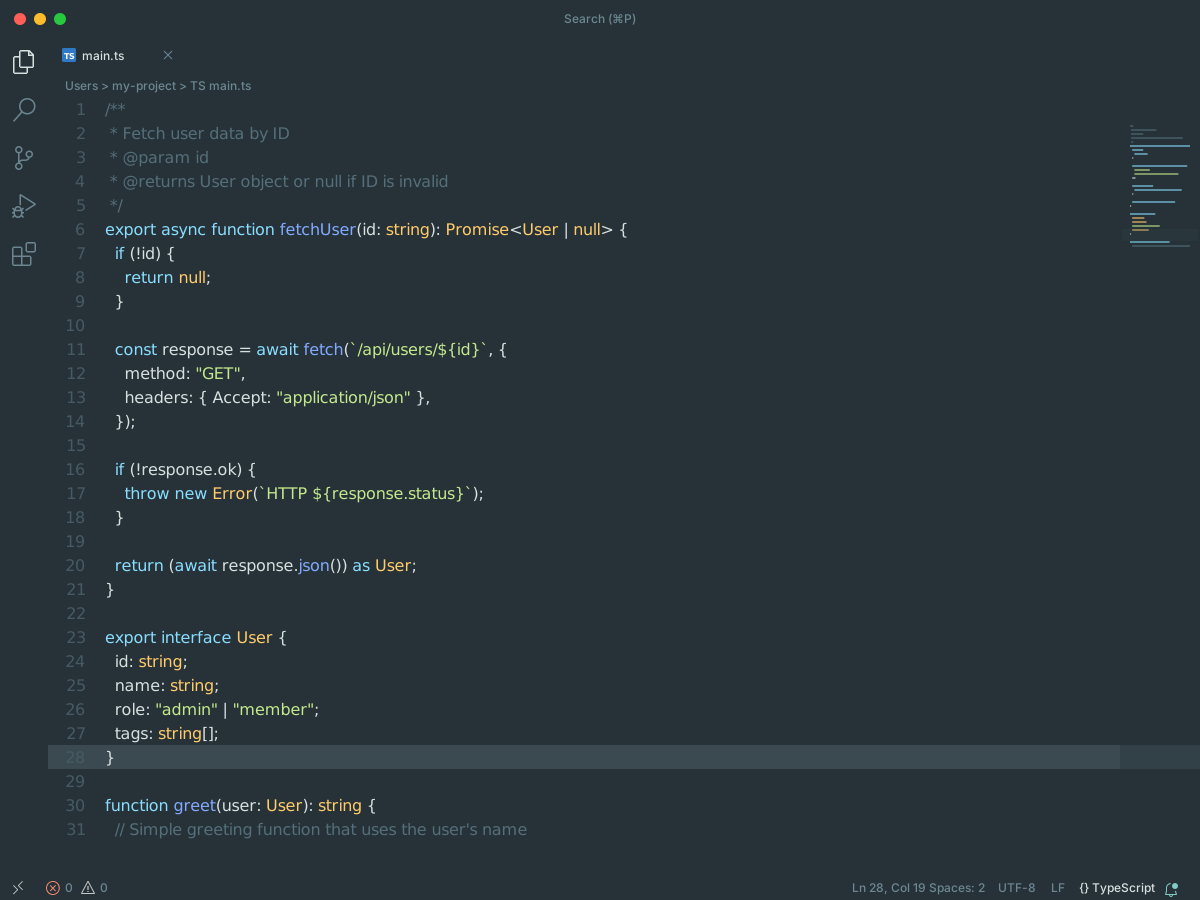
Vira Theme is a Material-style pack with 20 themes. Ten accents each have a high contrast twin. Syntax stays close. Backgrounds and comment grays change.
Vira Teal uses background #263238 and text #D8DFDF. Comments are #546E7A. Keywords are #89DDFF. Strings are #C3E88D. Functions are #82AAFF. Types are #FFCB6B.
Graphene moves the background to #212121. Ocean goes to #0F111A. Carbon is nearly black at #0A0A0A and shifts functions to #6a90d0.
#49Bluloco Light Theme
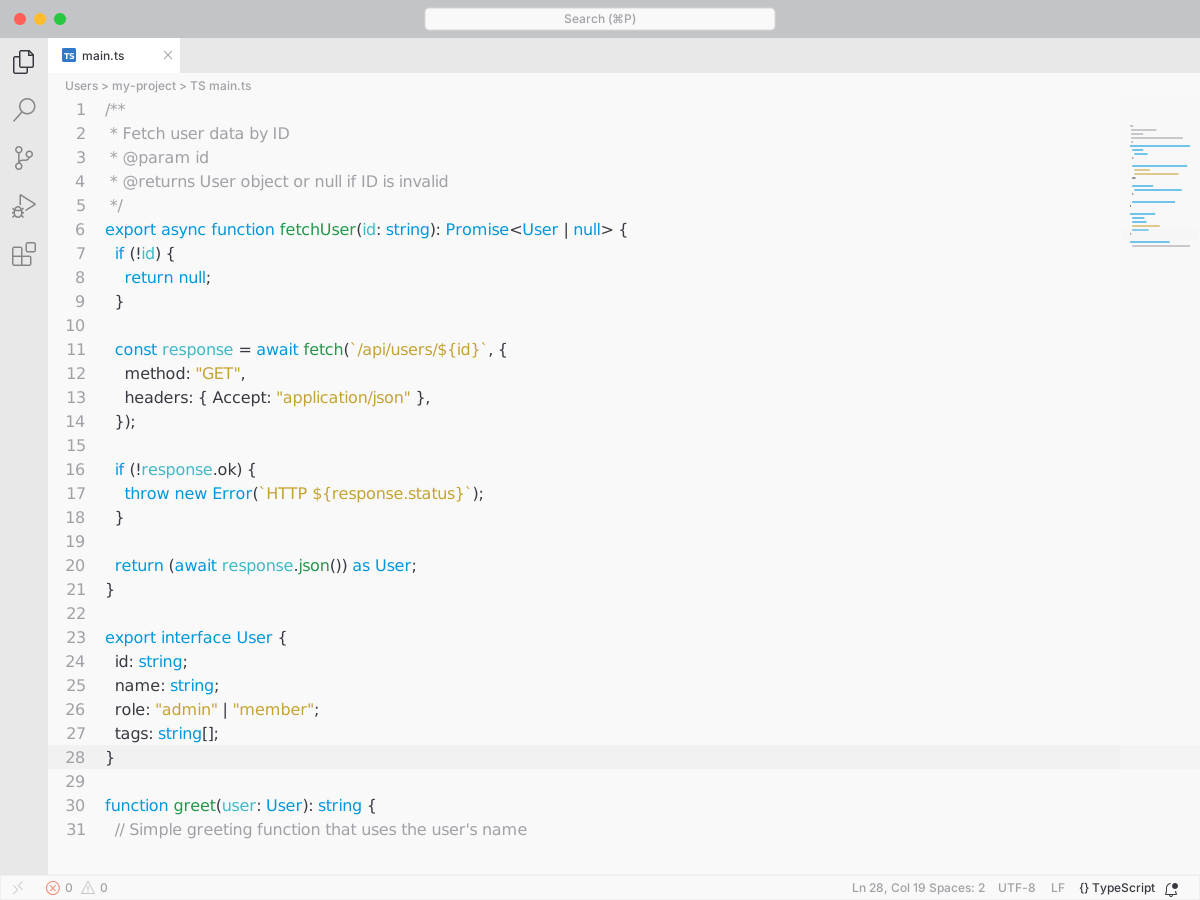
Bluloco Light is the light partner of Bluloco. It started from One Light and uses the Bluloco palette. The italic variant shares these colors.
Background is #f9f9f9. Text is #383a42. Comments are #a0a1a7. Keywords are #0098dd. Strings are #c5a332. Functions are #23974a. Types are #d52753. Numbers are #ce33c0.
#50Electron Color Theme
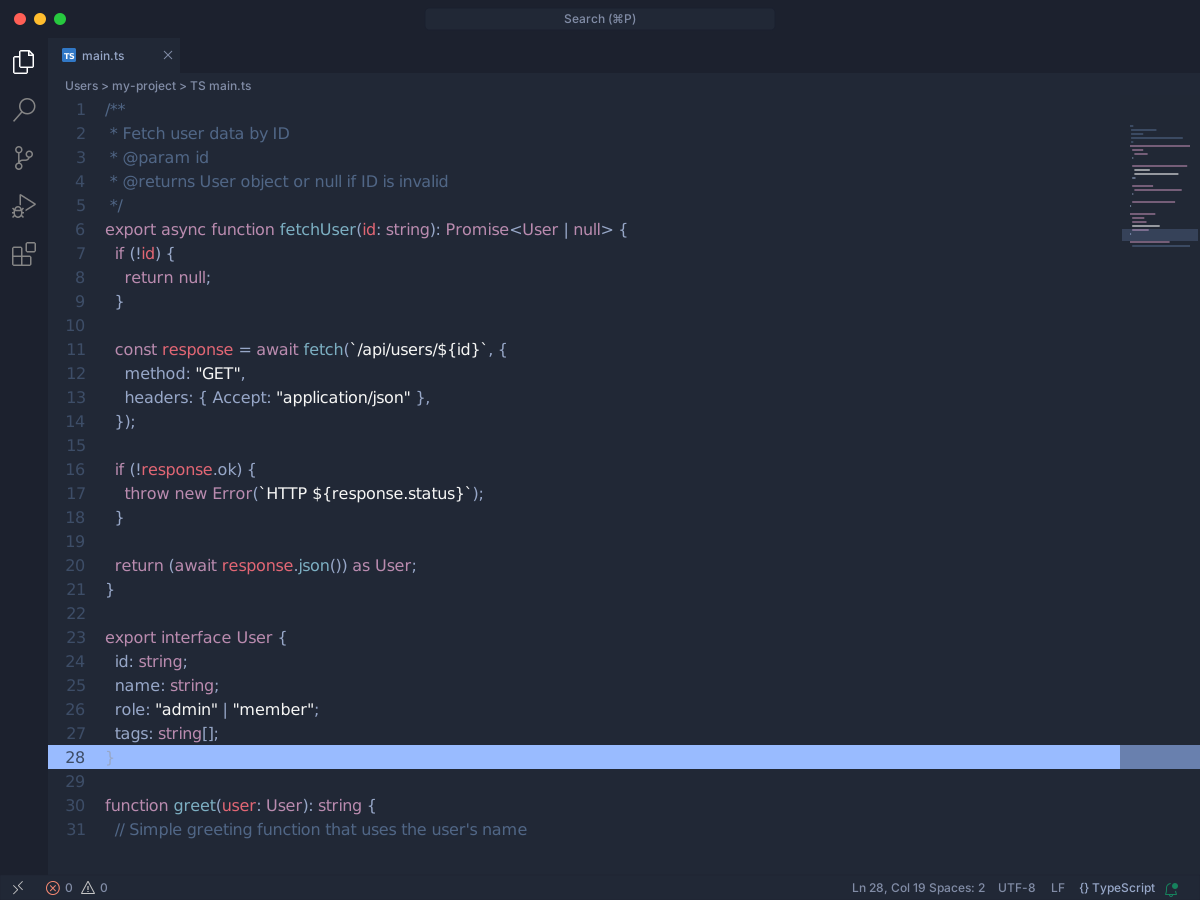
Electron is a dark theme based on Electron Highlighter for Atom.
Background is #212836. Text is #97a7c8. Comments are #506686. Keywords are #D59DF6. Strings are #f6f6f5. Functions are #7cafc2. Types are #eab780. Variables are #E26674.