darkBuilt-in16 ANSI colors
Catppuccin Mocha for Ghostty
Mocha is Catppuccin’s darkest flavor and the most popular one for terminals. The #1e1e2e background and #cdd6f4 text are low-contrast compared with black-and-white themes, while pastel red, green, yellow, and blue keep output distinguishable. Catppuccin Frappe, Catppuccin Macchiato, and Catppuccin Latte are separate built-ins, not modes of Catppuccin Mocha.
Preview
Terminal preview
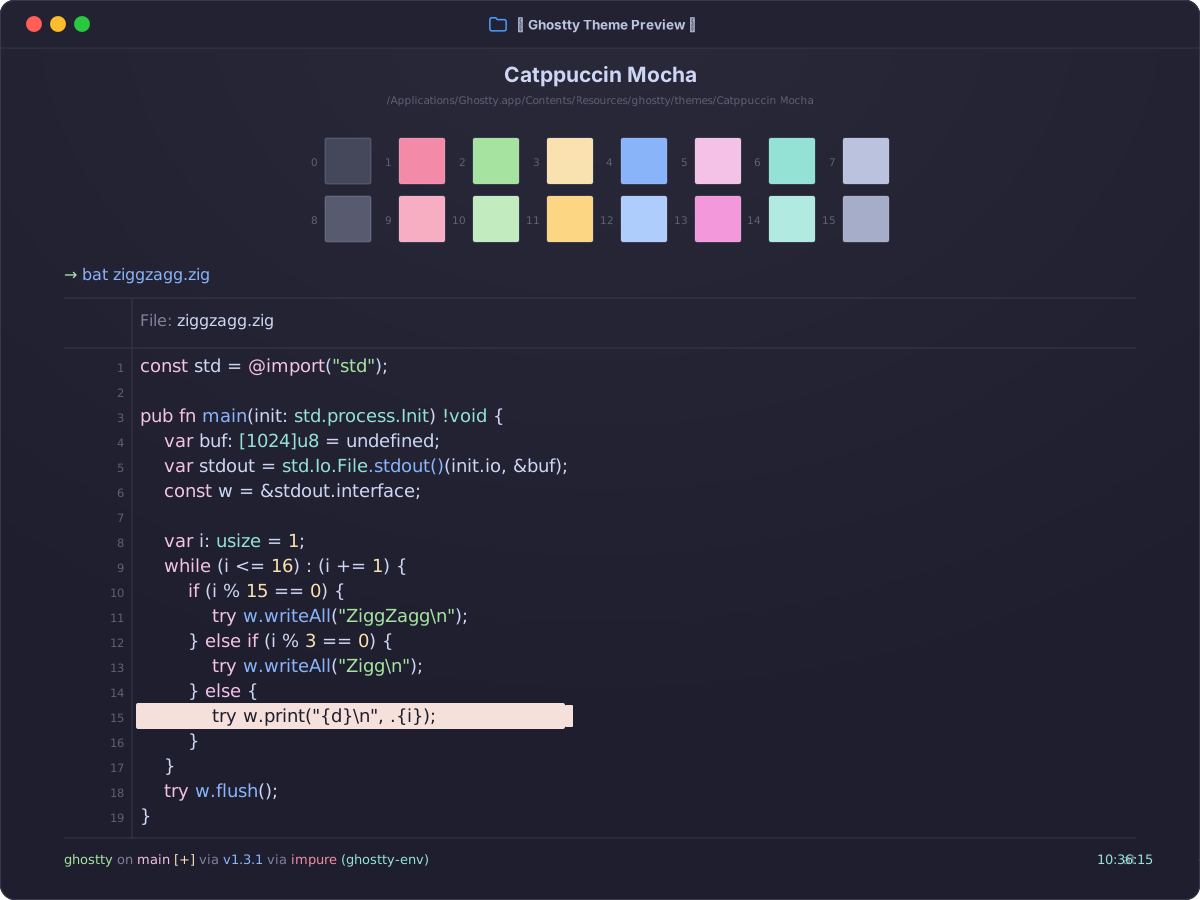
Install
Install in Ghostty
~/.config/ghostty/config.ghostty
theme = Catppuccin Mocha
Save the file, then reload with Cmd+Shift+, on macOS or Ctrl+Shift+, on Linux.
Light / dark
Automatic appearance switching
Ghostty switches to Catppuccin Mocha in dark mode and Catppuccin Latte in light mode.
~/.config/ghostty/config.ghostty
theme = dark:Catppuccin Mocha,light:Catppuccin Latte
Colors
Palette
Every color from the bundled theme file.
ANSI palette
0
Black#45475a
1
Red#f38ba8
2
Green#a6e3a1
3
Yellow#f9e2af
4
Blue#89b4fa
5
Magenta#f5c2e7
6
Cyan#94e2d5
7
White#a6adc8
8
Bright Black#585b70
9
Bright Red#f37799
10
Bright Green#89d88b
11
Bright Yellow#ebd391
12
Bright Blue#74a8fc
13
Bright Magenta#f2aede
14
Bright Cyan#6bd7ca
15
Bright White#bac2de
Terminal UI
Background#1e1e2e
Foreground#cdd6f4
Cursor#f5e0dc
Cursor text#1e1e2e
Selection#585b70
Selection text#cdd6f4