lightBuilt-in16 ANSI colors
GitHub Light Default for Ghostty
GitHub Light Default uses a pure #ffffff background and #1f2328 text. Its ANSI colors are noticeably darker than the dark theme’s, which keeps red and green readable on white instead of washing them out. Ghostty has no theme named GitHub Light; the built-in is GitHub Light Default.
Preview
Terminal preview
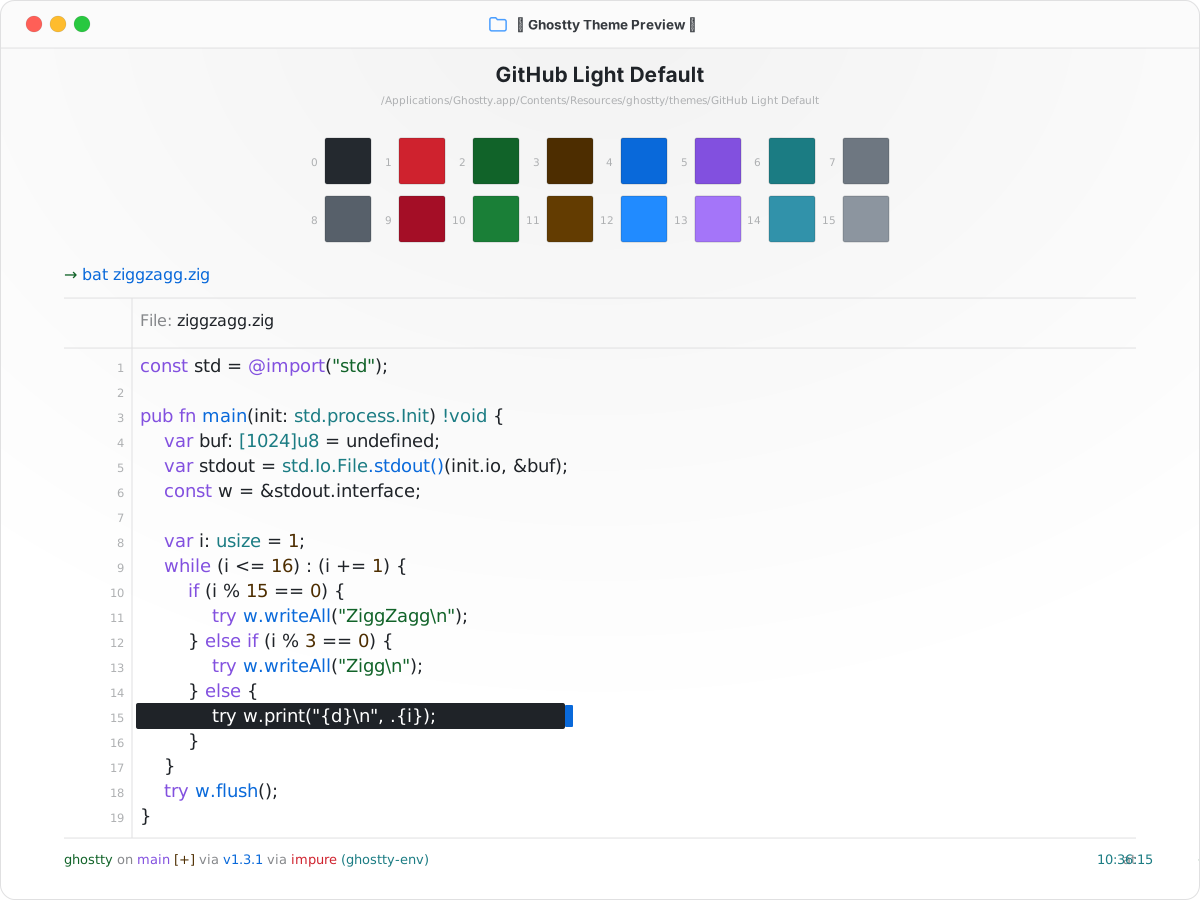
Install
Install in Ghostty
~/.config/ghostty/config.ghostty
theme = GitHub Light Default
Save the file, then reload with Cmd+Shift+, on macOS or Ctrl+Shift+, on Linux.
Light / dark
Automatic appearance switching
Ghostty switches to GitHub Dark Default in dark mode and GitHub Light Default in light mode.
~/.config/ghostty/config.ghostty
theme = dark:GitHub Dark Default,light:GitHub Light Default
Colors
Palette
Every color from the bundled theme file.
ANSI palette
0
Black#24292f
1
Red#cf222e
2
Green#116329
3
Yellow#4d2d00
4
Blue#0969da
5
Magenta#8250df
6
Cyan#1b7c83
7
White#6e7781
8
Bright Black#57606a
9
Bright Red#a40e26
10
Bright Green#1a7f37
11
Bright Yellow#633c01
12
Bright Blue#218bff
13
Bright Magenta#a475f9
14
Bright Cyan#3192aa
15
Bright White#8c959f
Terminal UI
Background#ffffff
Foreground#1f2328
Cursor#0969da
Cursor text#3c9cff
Selection#1f2328
Selection text#ffffff