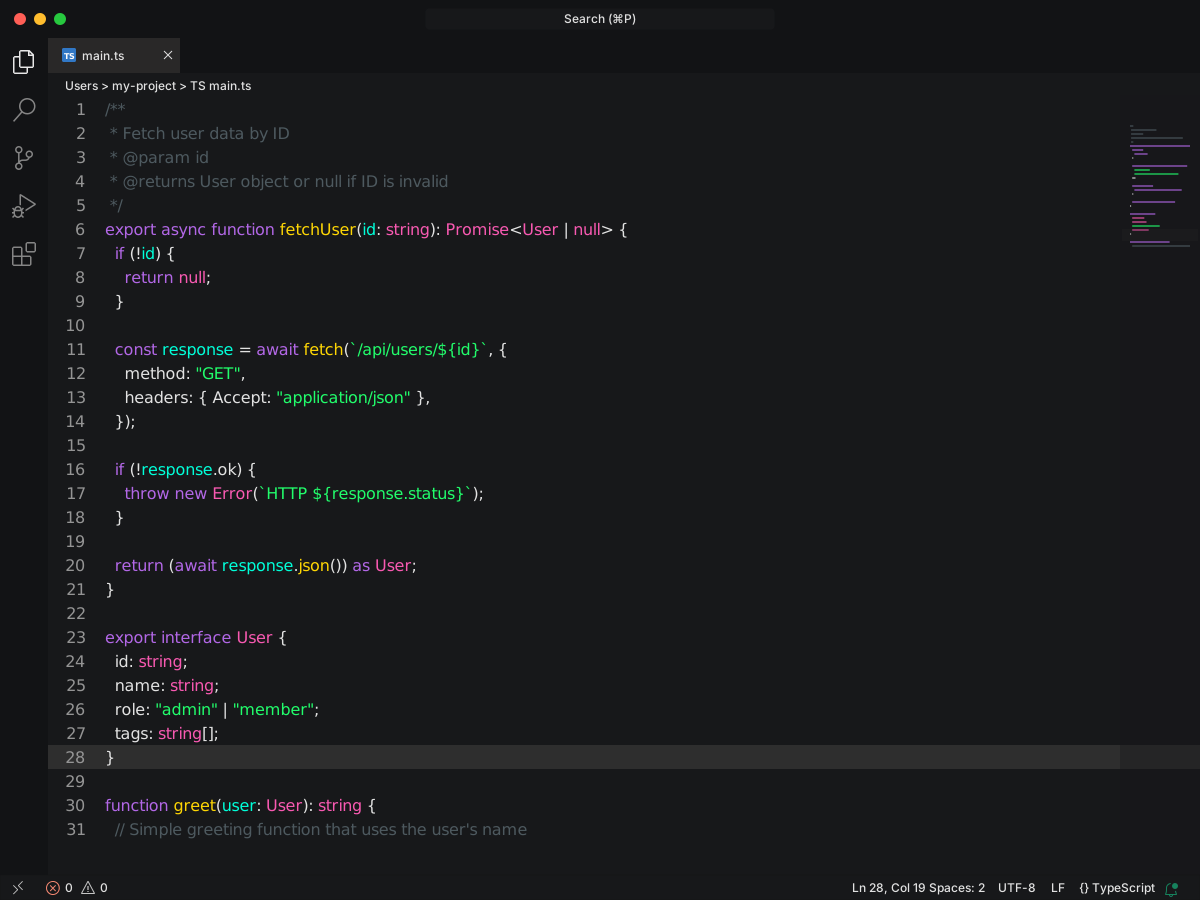
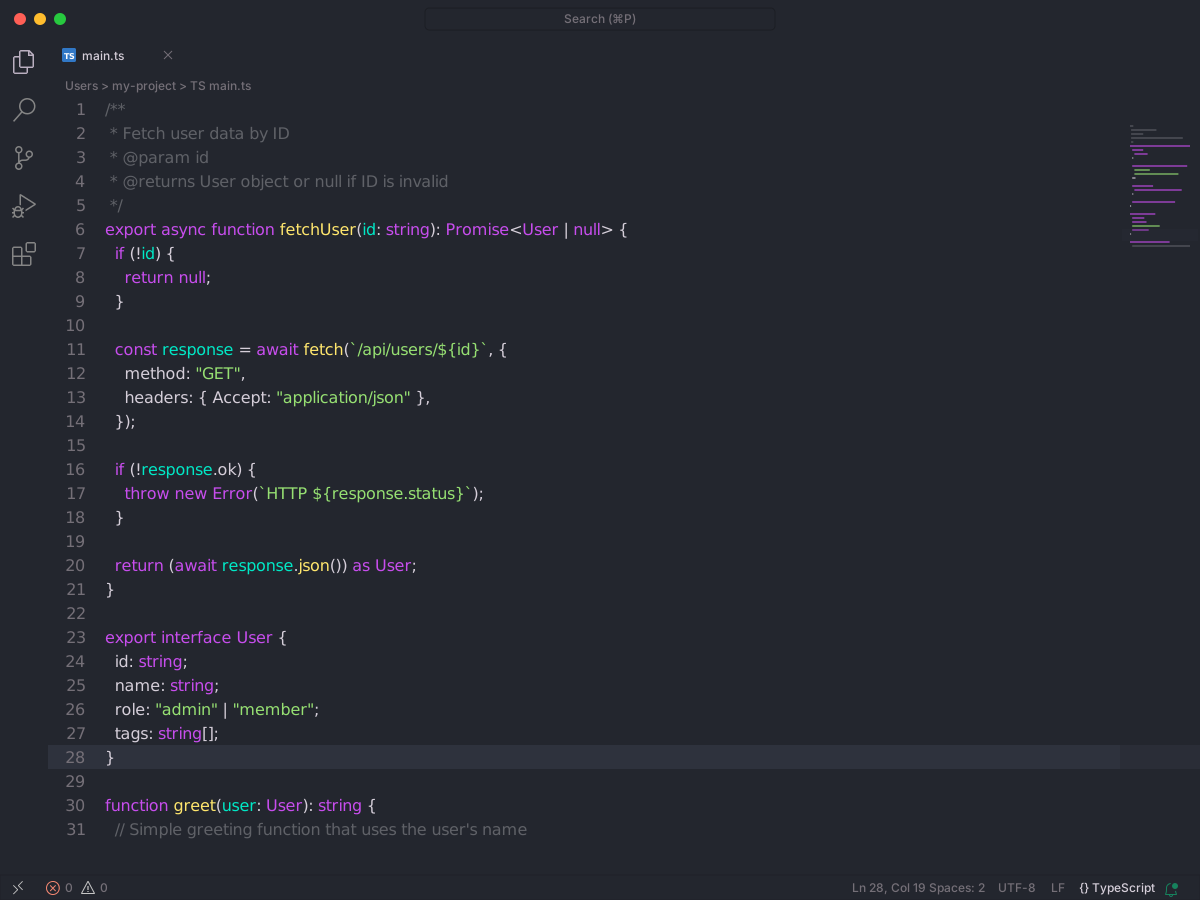
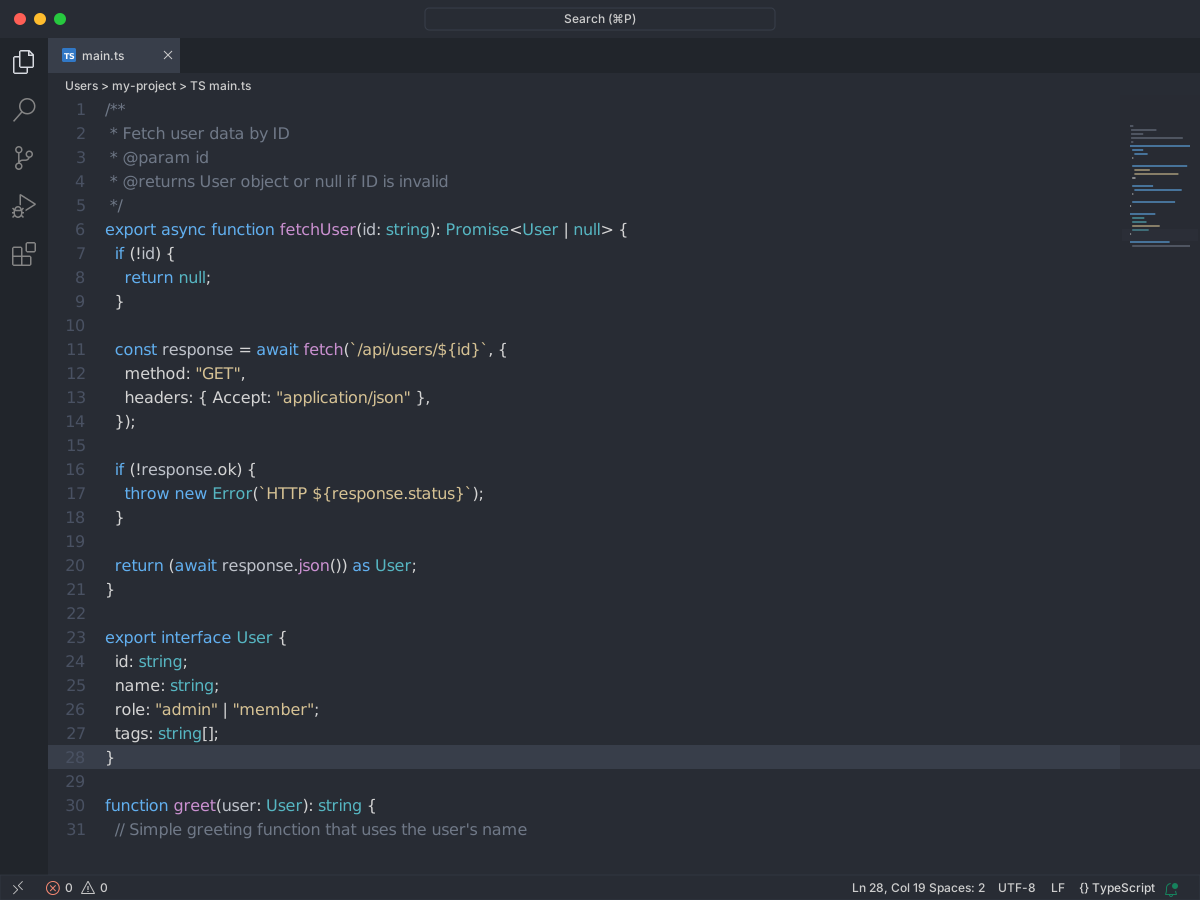
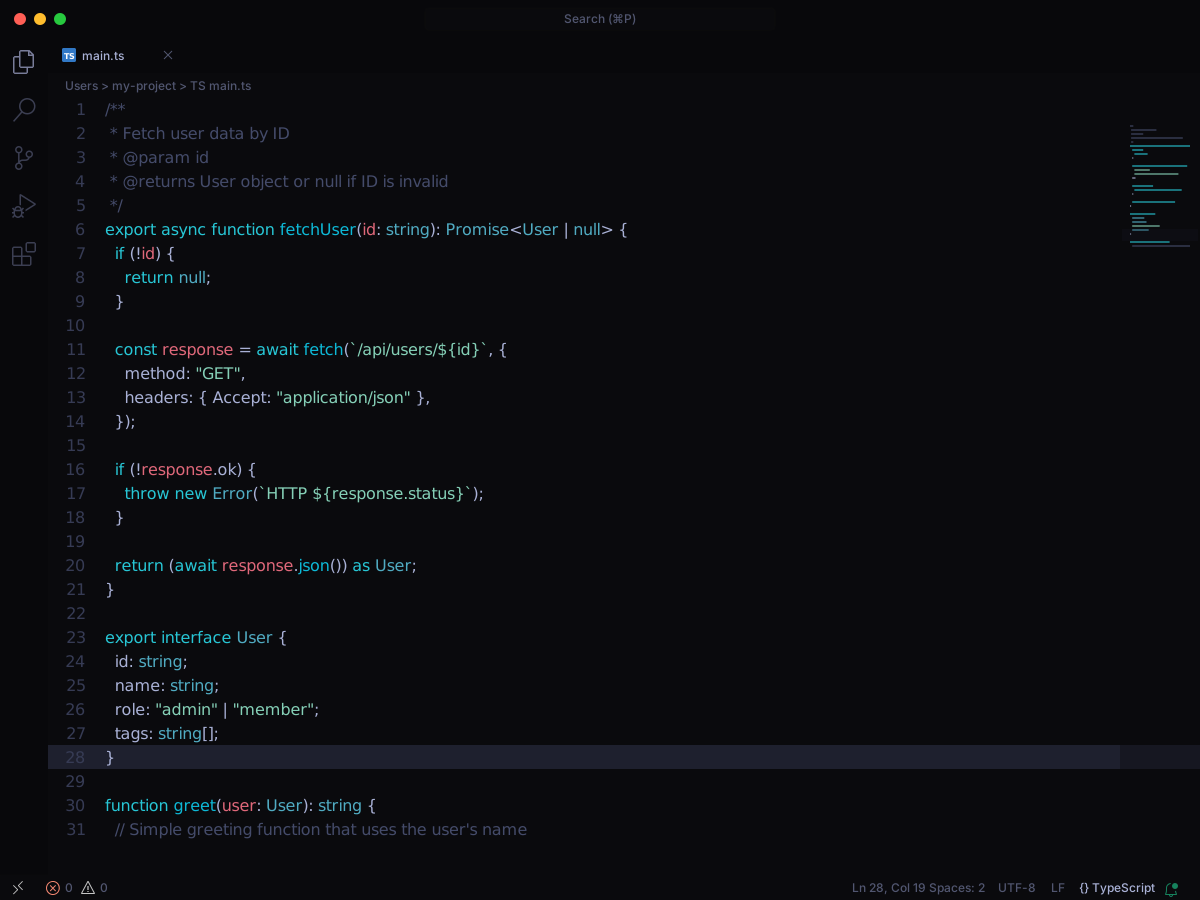
A dark theme based on VS Code's built-in Dark Modern, redesigned to give every distinct syntax element its own color — making code structure visible at a glance. Optimized especially for C#, with dedicated colors for classes, structs, interfaces, enums, methods, properties, modifiers, and more.
Full workbench mockup using this variant's colors and tokenColors.
Loading...
colors
Workbench UI color keys from the theme JSON colors map.
key
HEX
RGB
RGBA
actionBar.toggledBackground
activityBar.activeBorder
activityBar.background
activityBar.border
activityBar.foreground
activityBar.inactiveForeground
activityBarBadge.background
activityBarBadge.foreground
badge.background
badge.foreground
button.background
button.border
button.foreground
button.hoverBackground
button.secondaryBackground
button.secondaryForeground
button.secondaryHoverBackground
chat.editedFileForeground
chat.slashCommandBackground
chat.slashCommandForeground
checkbox.background
checkbox.border
debugToolBar.background
descriptionForeground
dropdown.background
dropdown.border
dropdown.foreground
dropdown.listBackground
editor.background
editor.findMatchBackground
editor.foreground
editor.inactiveSelectionBackground
editor.lineHighlightBackground
editor.lineHighlightBorder
editor.selectionHighlightBackground
editor.wordHighlightBackground
editor.wordHighlightBorder
editor.wordHighlightStrongBackground
editor.wordHighlightStrongBorder
editorBracketHighlight.foreground1
editorBracketHighlight.foreground2
editorBracketHighlight.foreground3
editorBracketHighlight.foreground4
editorBracketHighlight.foreground5
editorBracketHighlight.foreground6
editorGroup.border
editorGroupHeader.tabsBackground
editorGroupHeader.tabsBorder
editorGutter.addedBackground
editorGutter.deletedBackground
editorGutter.modifiedBackground
editorIndentGuide.activeBackground1
editorIndentGuide.background1
editorLineNumber.activeForeground
editorLineNumber.foreground
editorOverviewRuler.border
editorWidget.background
errorForeground
focusBorder
foreground
icon.foreground
input.background
input.border
input.foreground
input.placeholderForeground
inputOption.activeBackground
inputOption.activeBorder
keybindingLabel.foreground
list.activeSelectionIconForeground
list.dropBackground
list.hoverBackground
menu.background
menu.border
menu.foreground
menu.selectionBackground
menu.separatorBackground
menubar.selectionBackground
notificationCenterHeader.background
notificationCenterHeader.foreground
notifications.background
notifications.border
notifications.foreground
panel.background
panel.border
panelInput.border
panelTitle.activeBorder
panelTitle.activeForeground
panelTitle.inactiveForeground
peekViewEditor.background
peekViewEditor.matchHighlightBackground
peekViewResult.background
peekViewResult.matchHighlightBackground
pickerGroup.border
ports.iconRunningProcessForeground
progressBar.background
quickInput.background
quickInput.foreground
settings.dropdownBackground
settings.dropdownBorder
settings.headerForeground
settings.modifiedItemIndicator
sideBar.background
sideBar.border
sideBar.foreground
sideBarSectionHeader.background
sideBarSectionHeader.border
sideBarSectionHeader.foreground
sideBarTitle.foreground
statusBar.background
statusBar.border
statusBar.debuggingBackground
statusBar.debuggingForeground
statusBar.focusBorder
statusBar.foreground
statusBar.noFolderBackground
statusBarItem.focusBorder
statusBarItem.hoverBackground
statusBarItem.hoverForeground
statusBarItem.prominentBackground
statusBarItem.remoteBackground
statusBarItem.remoteForeground
tab.activeBackground
tab.activeBorder
tab.activeBorderTop
tab.activeForeground
tab.border
tab.hoverBackground
tab.inactiveBackground
tab.inactiveForeground
tab.lastPinnedBorder
tab.selectedBackground
tab.selectedBorderTop
tab.selectedForeground
tab.unfocusedActiveBorder
tab.unfocusedActiveBorderTop
tab.unfocusedHoverBackground
terminal.foreground
terminal.inactiveSelectionBackground
terminal.tab.activeBorder
textBlockQuote.background
textBlockQuote.border
textCodeBlock.background
textLink.activeForeground
textLink.foreground
textPreformat.background
textPreformat.foreground
textSeparator.foreground
titleBar.activeBackground
titleBar.activeForeground
titleBar.border
titleBar.inactiveBackground
titleBar.inactiveForeground
welcomePage.progress.foreground
welcomePage.tileBackground
widget.border
tokenColors
Foregrounds this theme assigns to the token scope catalog. A rule with only a font style is skipped, and a longer matching scope wins. Italic and bold rules are not listed — the preview above shows them in the code.
export interface User { id: string; name: string; role: "admin" | "member"; tags: string[];}/** * Fetch user data by ID * @param id * @returns User object or null if ID is invalid */export async function fetchUser(id: string): Promise<User | null> { if (!id) { return null; } const response = await fetch(`/api/users/${id}`, { method: "GET", headers: { Accept: "application/json" }, }); if (!response.ok) { throw new Error(`HTTP ${response.status}`); } return (await response.json()) as User;}function greet(user: User): string { // Simple greeting function that uses the user's name return `Hello, ${user.name}!`;}