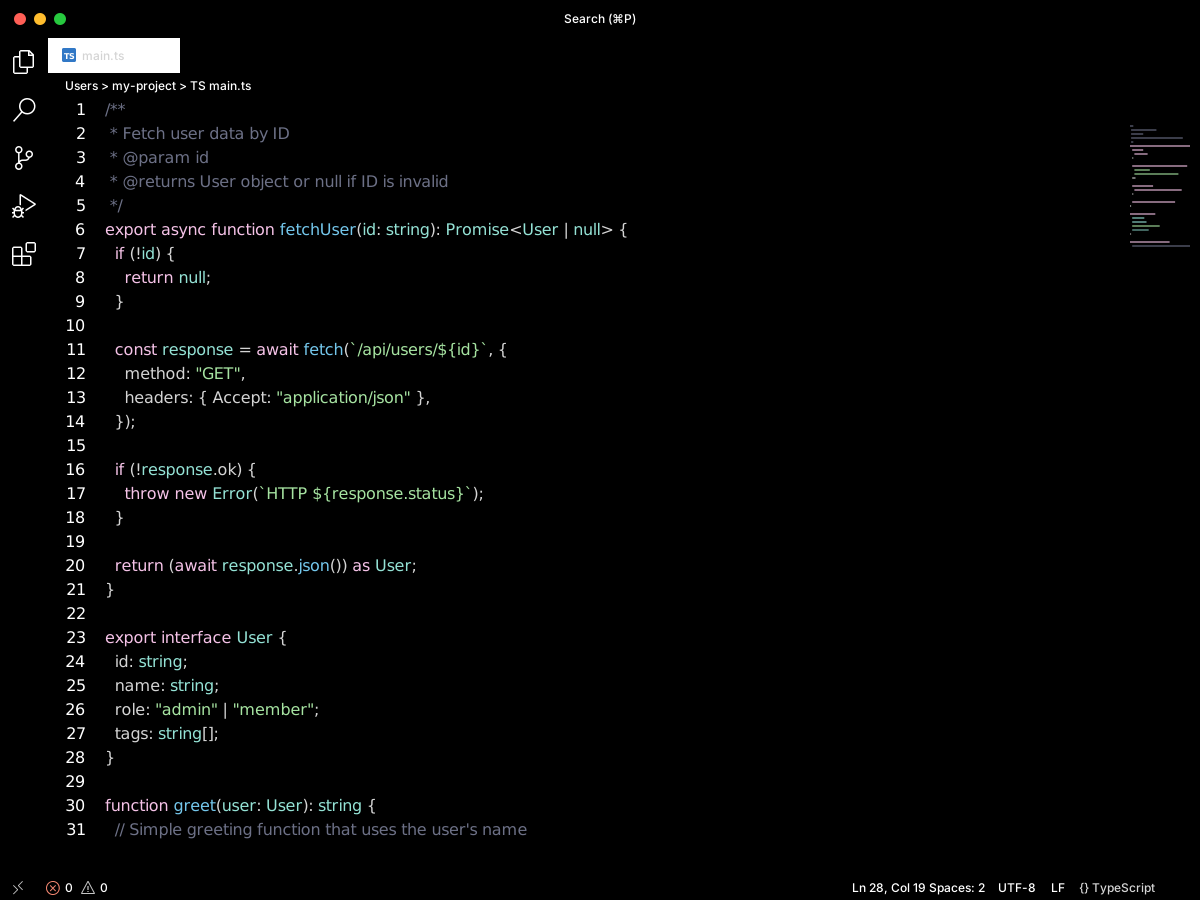
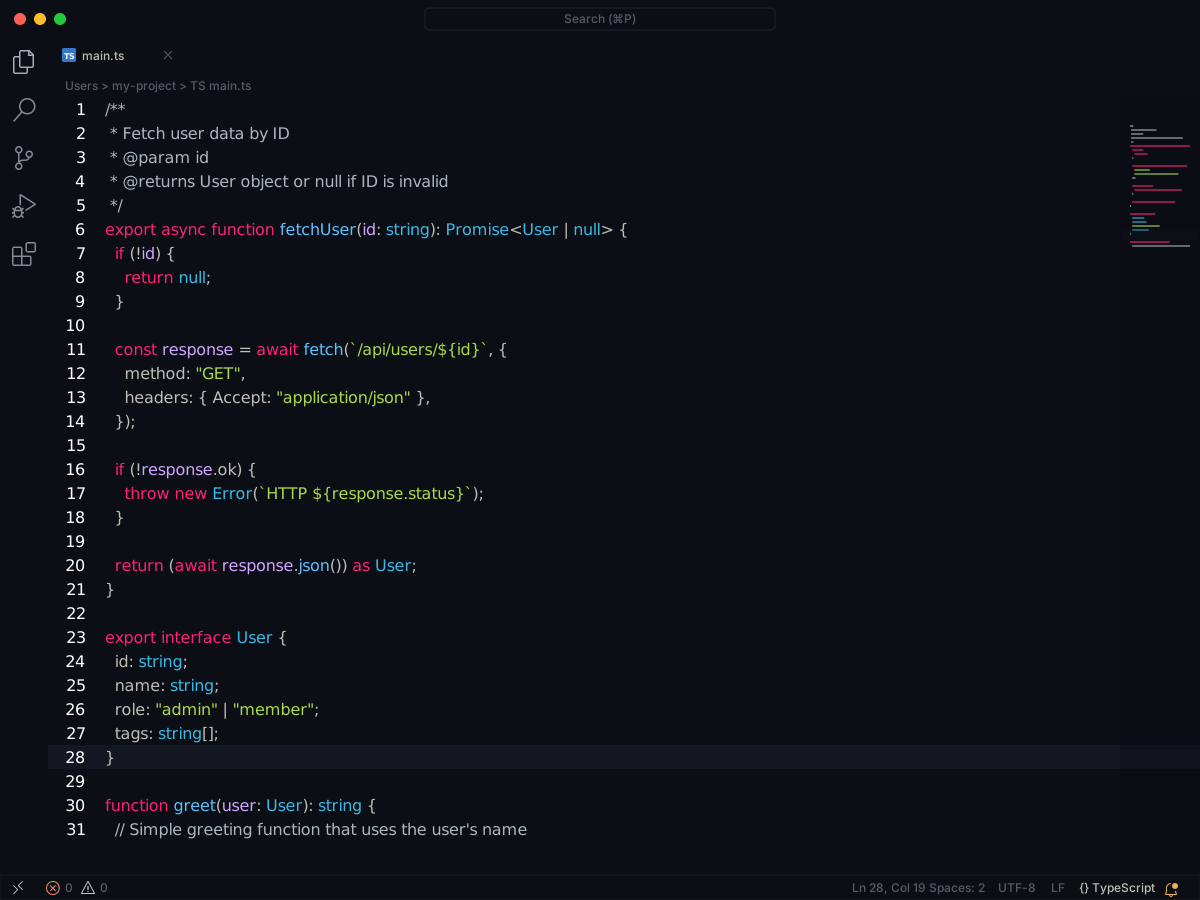
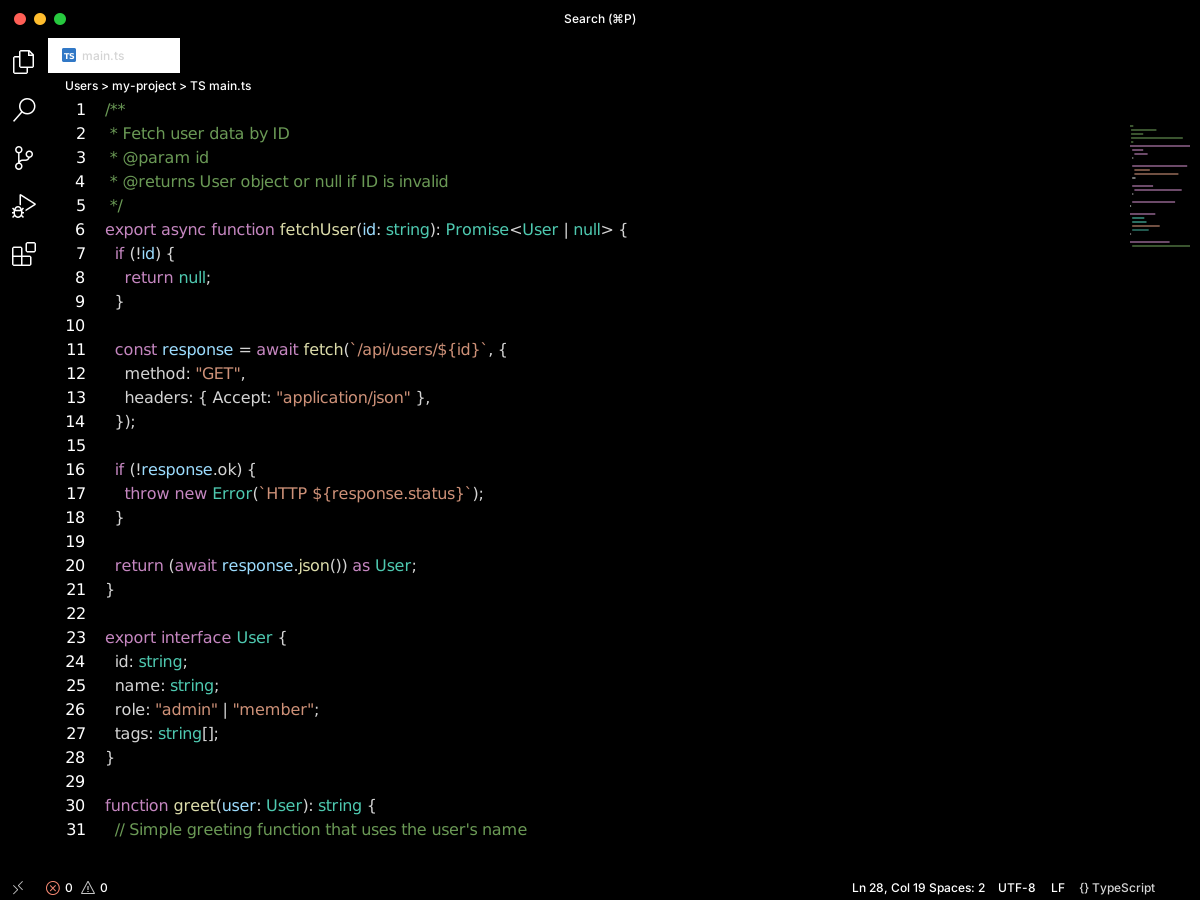
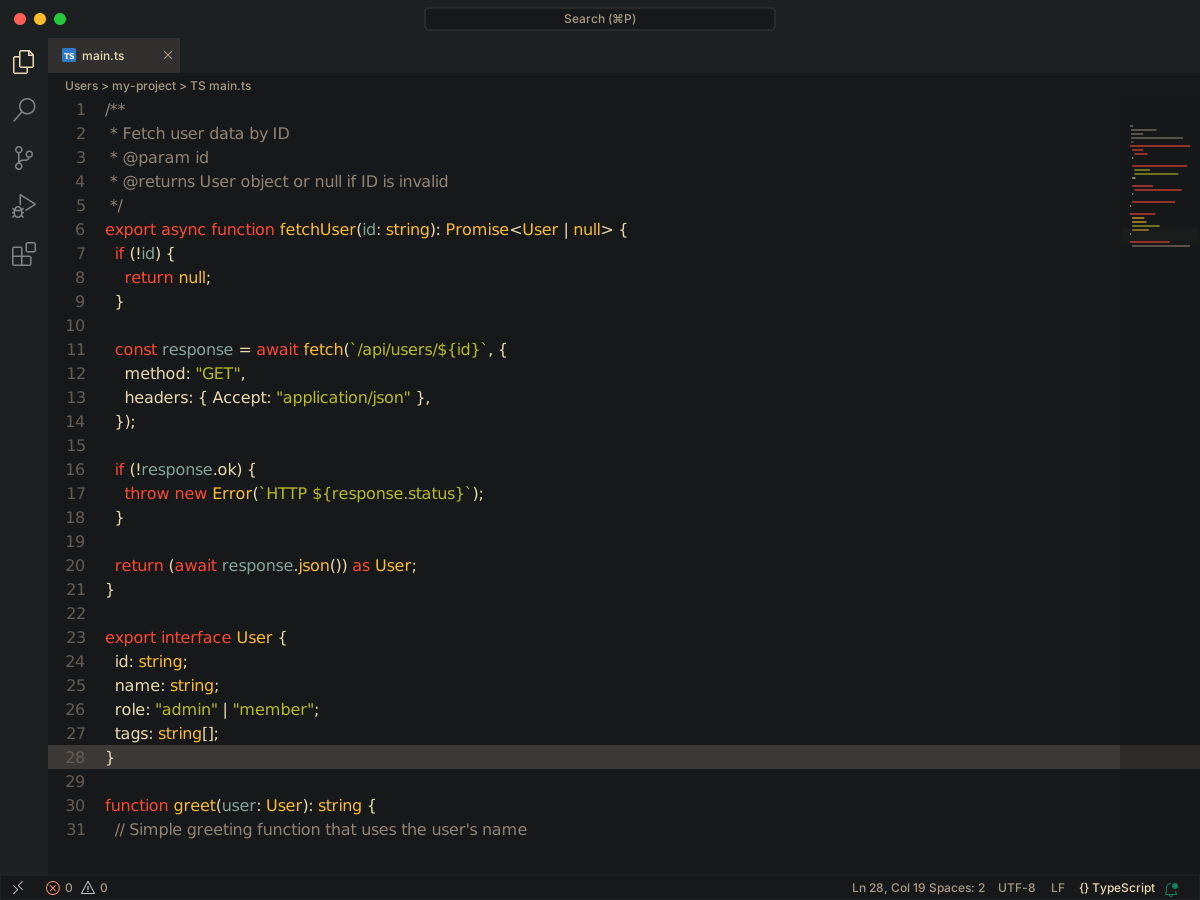
Experience the ultimate coding environment with the Transparent Color theme. Designed exclusively for macOS, this theme brings the stunning vibrancy background blur of macOS to Visual Studio Code. Enjoy a sleek and modern coding experience with translucent backgrounds that seamlessly blend with the
Full workbench mockup using this variant's colors and tokenColors.
fetchUser.ts
index.ts
README.md
src
components
fetchUser.ts
User
tags
1
2
3
4
5
6
7
8
9
10
11
12
13
14
15
16
17
18
19
20
21
22
23
24
25
26
27
28
29
30
31
32
33
34
export interface User { id: string; name: string; role: "admin" | "member"; tags: string[];}/** * Fetch user data by ID * @param id * @returns User object or null if ID is invalid */export async function fetchUser(id: string): Promise<User | null> { if (!id) { return null; } const response = await fetch(`/api/users/${id}`, { method: "GET", headers: { Accept: "application/json" }, }); if (!response.ok) { throw new Error(`HTTP ${response.status}`); } return (await response.json()) as User;}function greet(user: User): string { // Simple greeting function that uses the user's name return `Hello, ${user.name}!`;}
Problems1
Output
Debug Console
Terminal
Ports
~/my-project $ pnpm test
✓ fetchUser passed 12blk
✗Cannot find name 'user'. error
▲warning 412 readylocalhost
http://localhost:3000
WSL
1 1
main*
Copilot
Ln 5, Col 12
Spaces: 2
UTF-8
LF
TypeScript
Transparent Color Theme
Transparent Color Theme is a macOS theme. The editor background is fully clear, #00000000, so the desktop blur shows through.
Comments are #ff7171. Keywords and variables are #e7e7e7. Strings are #C3E88D. Numbers are #ffb45e.
colors
Workbench UI color keys from the theme JSON colors map.
key
HEX
RGB
RGBA
activityBar.activeBackground
activityBar.activeBorder
activityBar.activeFocusBorder
activityBar.background
activityBar.border
activityBar.dropBorder
activityBar.inactiveForeground
activityBarBadge.background
badge.background
breadcrumbPicker.background
button.background
button.border
button.hoverBackground
button.secondaryBackground
button.secondaryHoverBackground
checkbox.background
checkbox.border
checkbox.selectBackground
checkbox.selectBorder
dropdown.background
dropdown.border
dropdown.listBackground
editor.background
editor.findMatchBackground
editor.findMatchHighlightBackground
editor.foldBackground
editor.inactiveSelectionBackground
editor.lineHighlightBackground
editor.lineHighlightBorder
editor.selectionBackground
editor.selectionHighlightBackground
editor.wordHighlightBackground
editorBracketMatch.background
editorBracketMatch.border
editorGroup.border
editorGroupHeader.tabsBackground
editorGroupHeader.tabsBorder
editorHoverWidget.background
editorInlayHint.background
editorInlayHint.typeBackground
editorLightBulb.foreground
editorLightBulbAutoFix.foreground
editorLineNumber.activeForeground
editorLineNumber.dimmedForeground
editorLineNumber.foreground
editorOverviewRuler.border
editorSuggestWidget.border
editorSuggestWidget.focusHighlightForeground
editorSuggestWidget.foreground
editorSuggestWidget.highlightForeground
editorSuggestWidget.selectedBackground
editorSuggestWidget.selectedForeground
editorSuggestWidget.selectedIconForeground
editorSuggestWidgetStatus.foreground
editorWidget.background
editorWidget.border
editorWidget.resizeBorder
extensionButton.background
extensionButton.hoverBackground
extensionButton.prominentBackground
extensionButton.prominentHoverBackground
extensionButton.separator
extensionIcon.preReleaseForeground
extensionIcon.sponsorForeground
extensionIcon.starForeground
extensionIcon.verifiedForeground
focusBorder
input.background
input.border
inputOption.activeBackground
inputOption.activeBorder
list.activeSelectionBackground
list.dropBackground
list.focusBackground
list.hoverBackground
list.inactiveSelectionBackground
menu.background
menu.border
menu.foreground
menu.separatorBackground
minimap.background
minimapSlider.activeBackground
minimapSlider.background
minimapSlider.hoverBackground
notificationCenter.border
notificationCenterHeader.background
notifications.background
notifications.border
notificationToast.border
panel.background
panel.border
panelInput.border
panelTitle.activeBorder
peekViewEditor.background
peekViewEditorGutter.background
peekViewResult.background
peekViewTitle.background
pickerGroup.border
progressBar.background
scrollbar.shadow
scrollbarSlider.activeBackground
scrollbarSlider.background
scrollbarSlider.hoverBackground
selection.background
settings.dropdownBackground
settings.dropdownBorder
settings.modifiedItemIndicator
sideBar.background
sideBar.border
sideBarSectionHeader.background
sideBarSectionHeader.border
statusBar.background
statusBar.border
statusBar.debuggingBackground
statusBar.focusBorder
statusBar.noFolderBackground
statusBarItem.activeBackground
statusBarItem.focusBorder
statusBarItem.prominentBackground
statusBarItem.remoteBackground
tab.activeBackground
tab.activeBorder
tab.activeBorderTop
tab.border
tab.hoverBackground
tab.hoverBorder
tab.inactiveBackground
tab.inactiveForeground
tab.unfocusedActiveBorder
tab.unfocusedActiveBorderTop
tab.unfocusedHoverBackground
textBlockQuote.border
textLink.activeForeground
textLink.foreground
titleBar.activeBackground
titleBar.border
titleBar.inactiveBackground
tree.inactiveIndentGuidesStroke
tree.indentGuidesStroke
welcomePage.progress.foreground
welcomePage.tileBackground
welcomePage.tileBorder
welcomePage.tileHoverBackground
widget.border
widget.shadow
tokenColors
Foregrounds this theme assigns to the token scope catalog. A rule with only a font style is skipped, and a longer matching scope wins. Italic and bold rules are not listed — the preview above shows them in the code.