✨ Elhassan Neon Themes
Publisher: elhassan-devThemes in package: 5
🎨 Professional neon color themes for VS Code - Dark, Light, Purple, Cyan & Magenta with premium RGB colors. Perfect for coding comfort!
🎨 Professional neon color themes for VS Code - Dark, Light, Purple, Cyan & Magenta with premium RGB colors. Perfect for coding comfort!
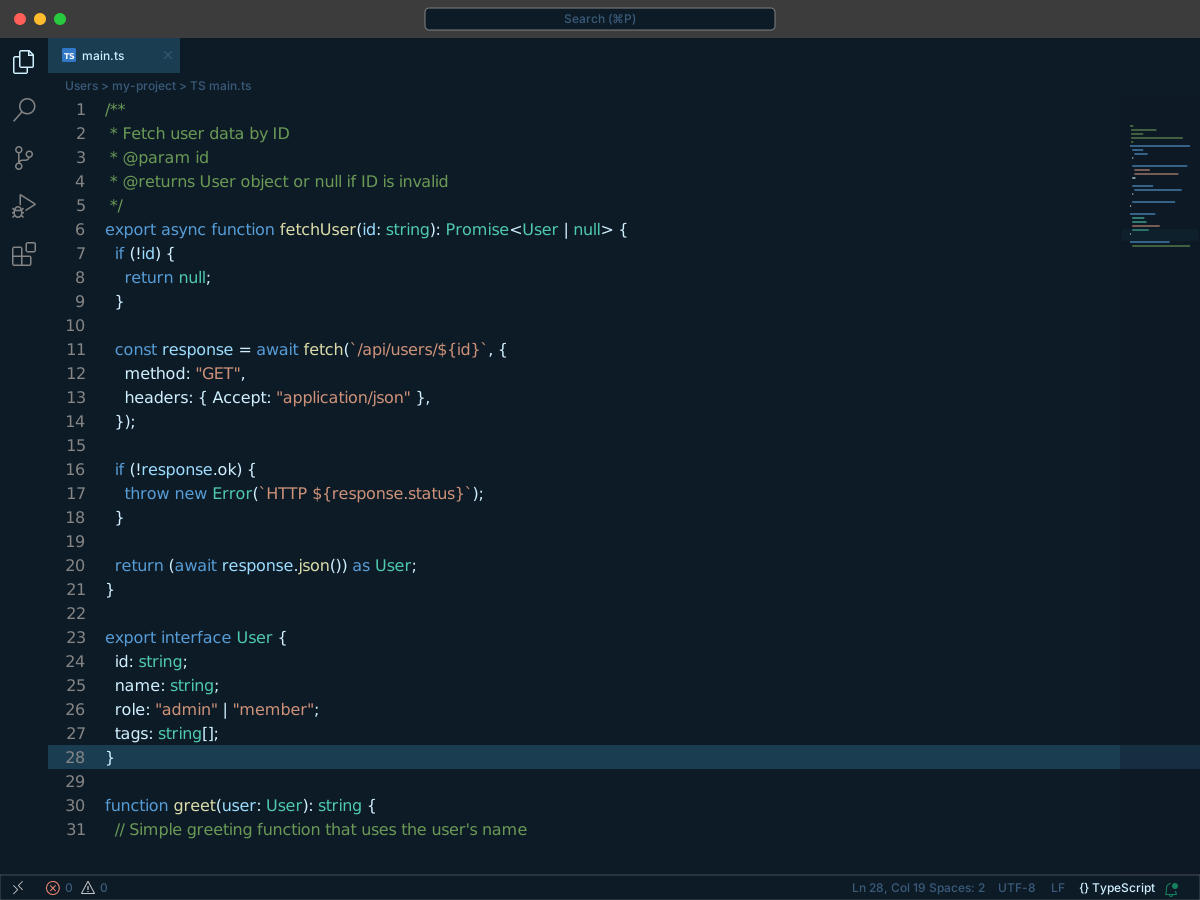
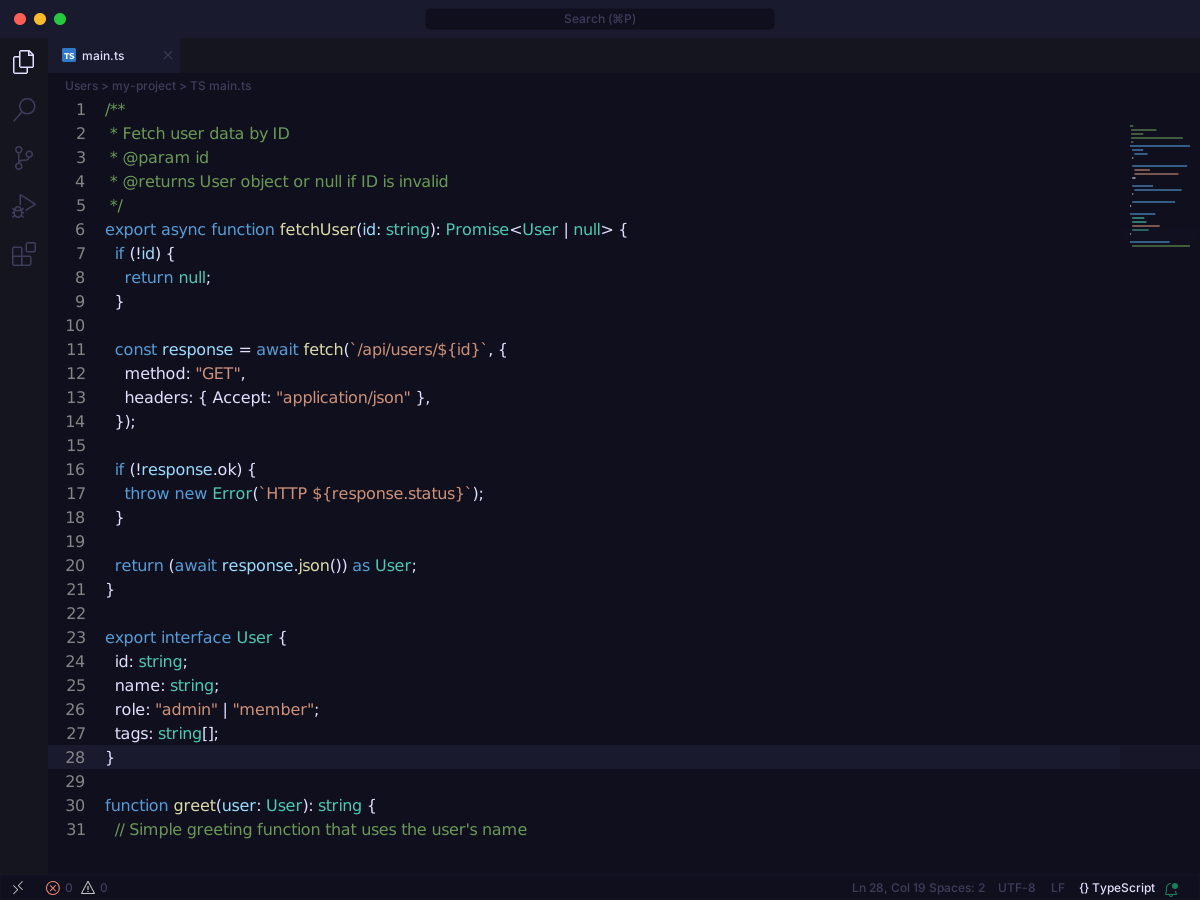
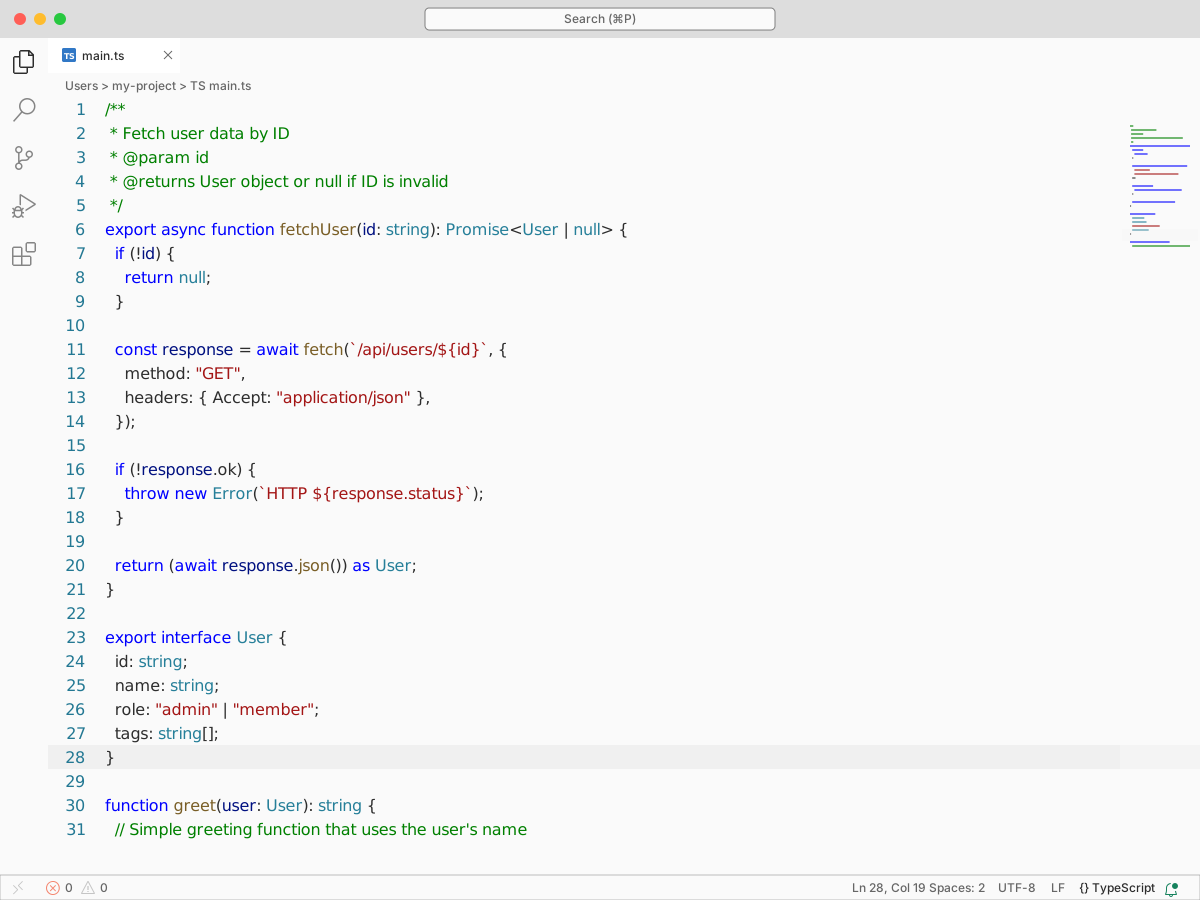
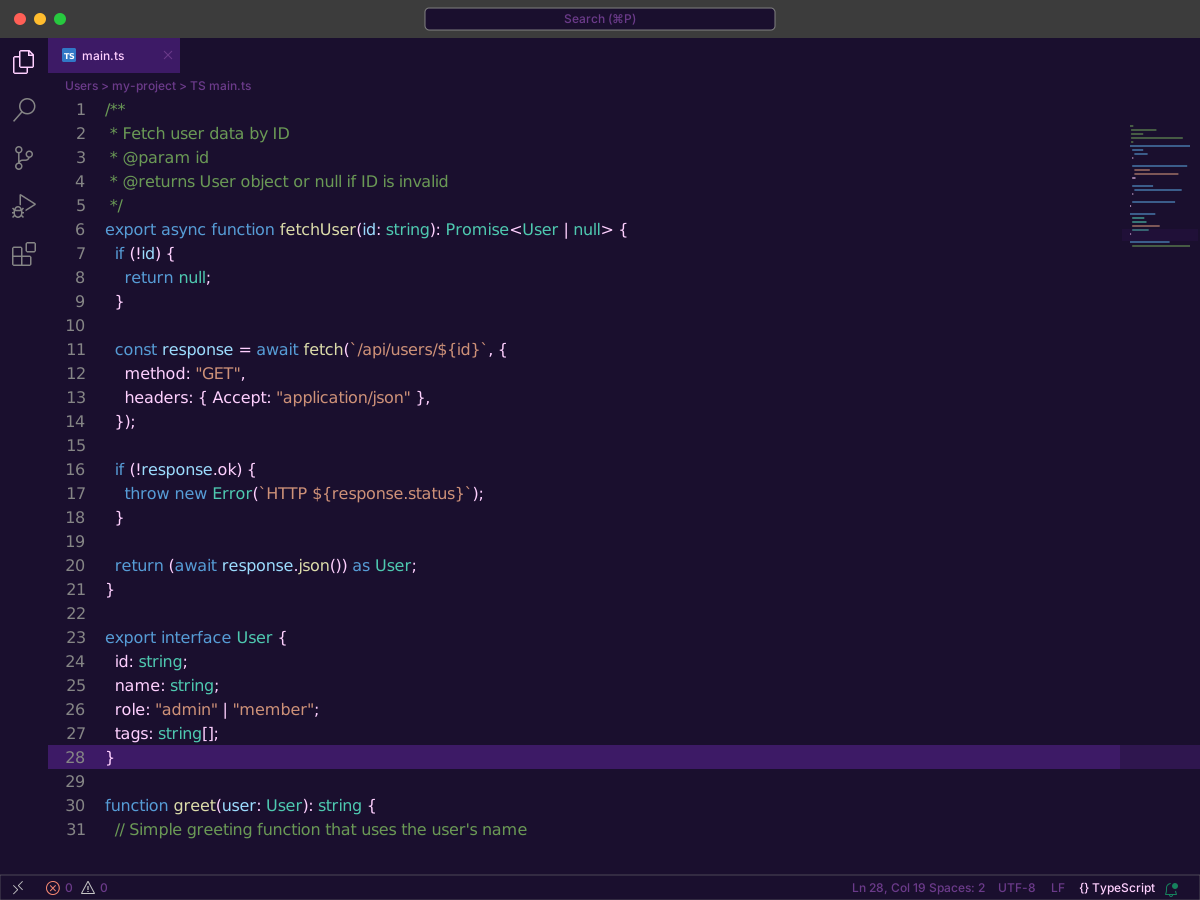
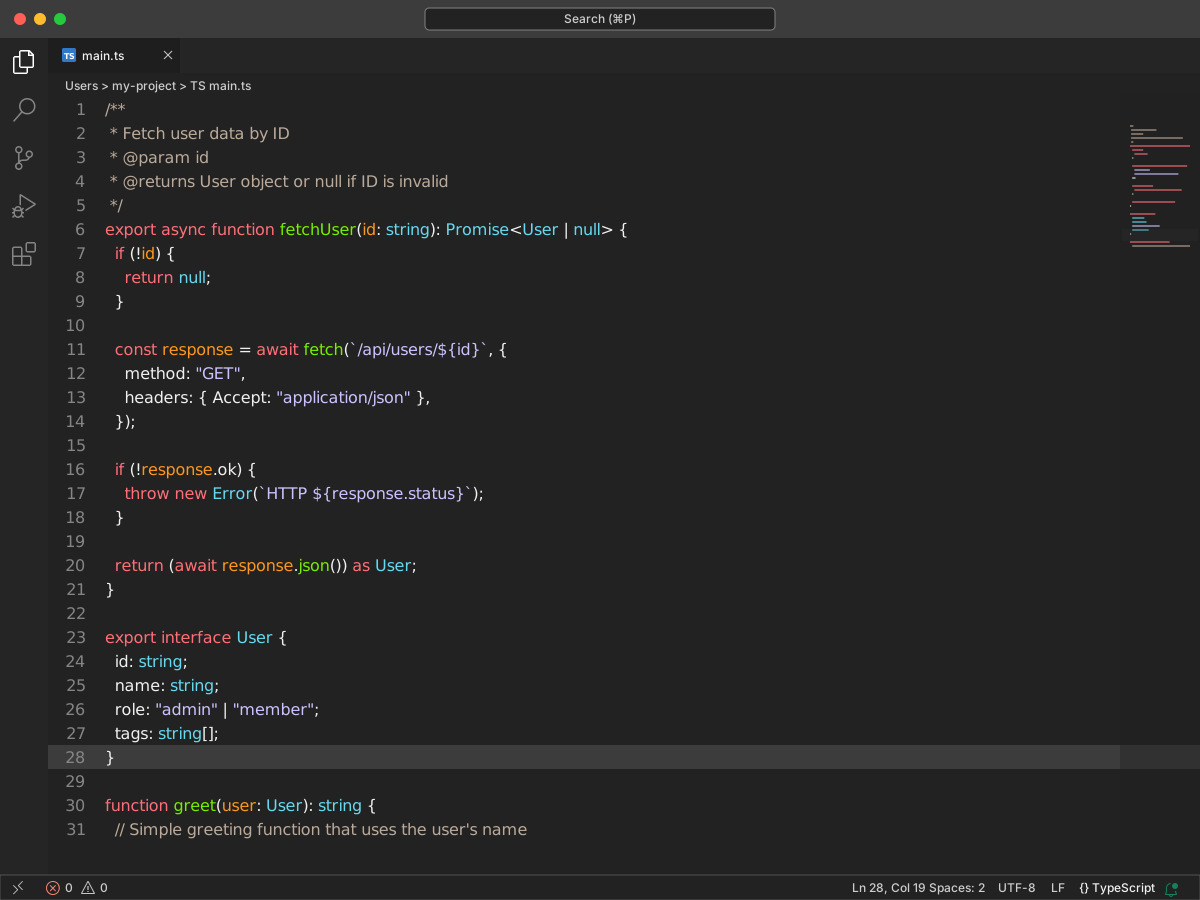
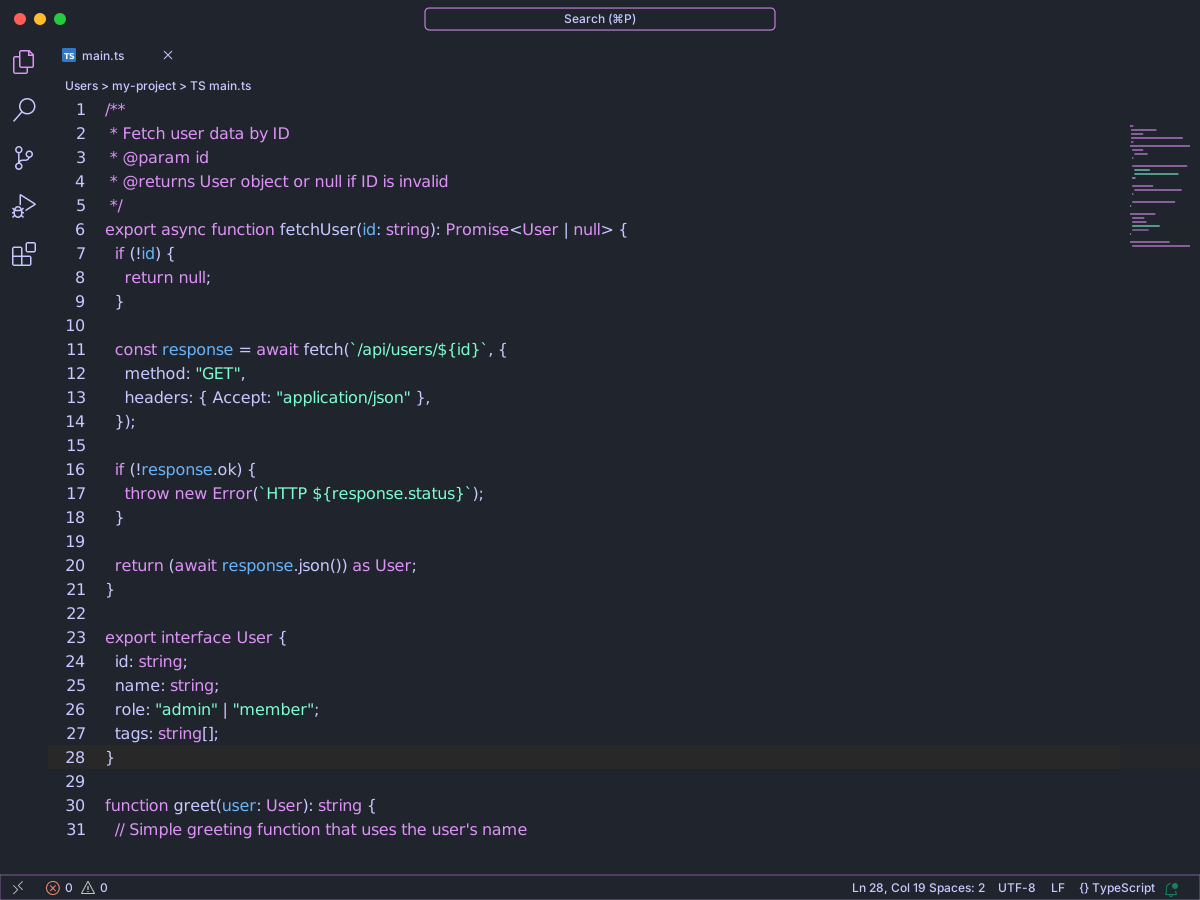
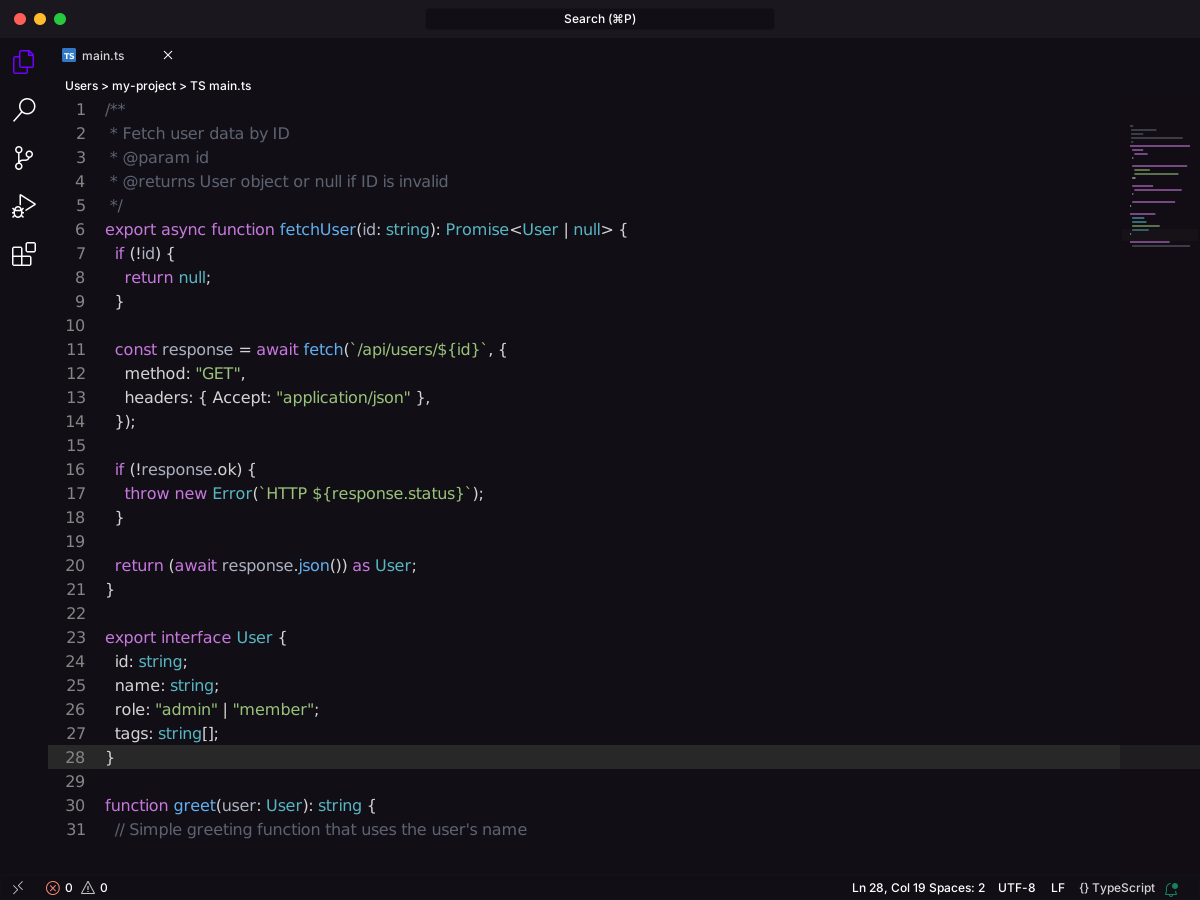
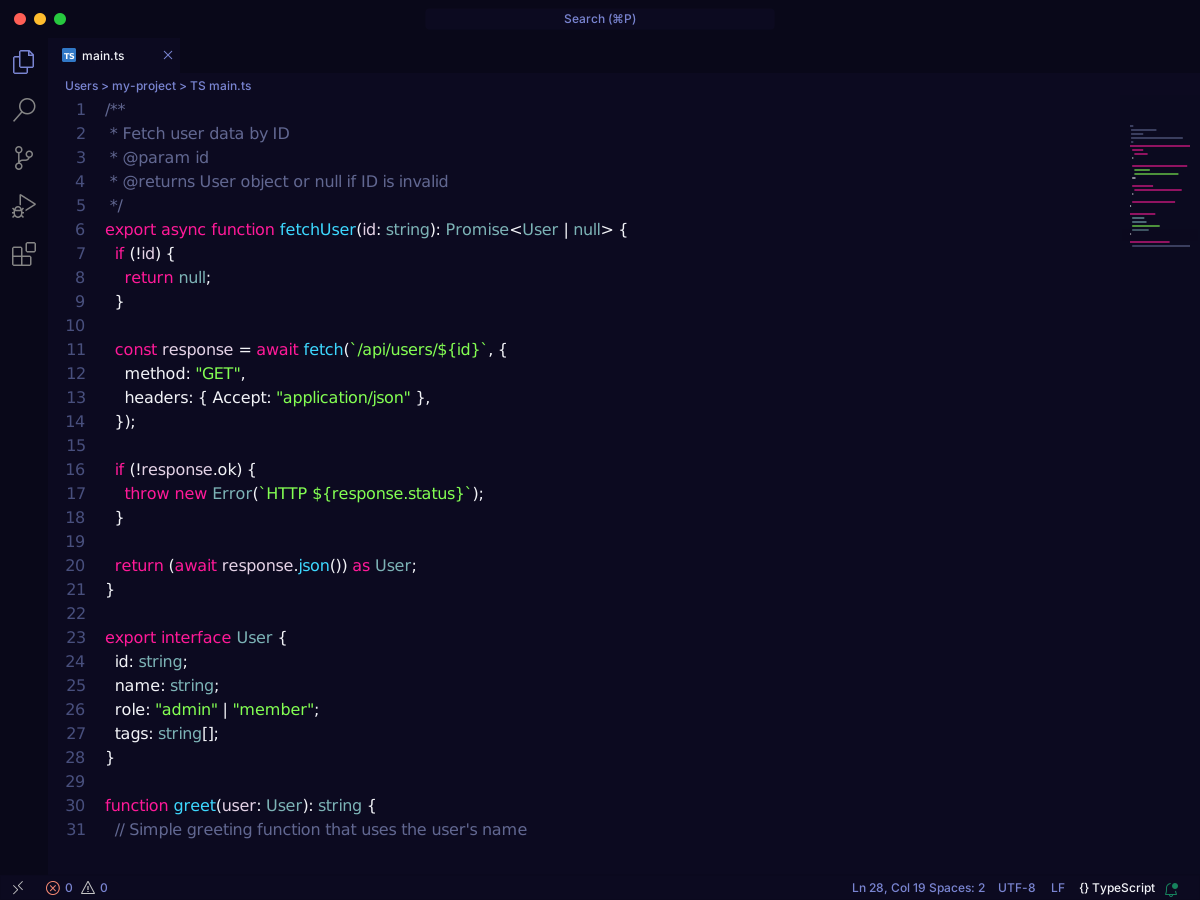
Full workbench mockup using this variant's colors and tokenColors.
Loading...
Workbench UI color keys from the theme JSON colors map.
| key | HEX | RGB | RGBA |
|---|---|---|---|
activityBar.background | |||
activityBar.foreground | |||
activityBar.inactiveForeground | |||
activityBarBadge.background | |||
activityBarBadge.foreground | |||
button.background | |||
button.foreground | |||
button.hoverBackground | |||
dropdown.background | |||
dropdown.border | |||
dropdown.foreground | |||
editor.activeIndentGuide | |||
editor.background | |||
editor.bracketMatchBackground | |||
editor.bracketMatchBorder | |||
editor.cursorForeground | |||
editor.findMatchBackground | |||
editor.findMatchHighlightBackground | |||
editor.findRangeHighlightBackground | |||
editor.foreground | |||
editor.hoverHighlightBackground | |||
editor.inactiveSelectionBackground | |||
editor.indentGuide | |||
editor.lineHighlightBackground | |||
editor.lineNumberActiveforeground | |||
editor.lineNumberForeground | |||
editor.rangeHighlightBackground | |||
editor.selectionBackground | |||
editor.whitespace | |||
editor.wordHighlightBackground | |||
editor.wordHighlightStrongBackground | |||
editorCursor.foreground | |||
editorError.foreground | |||
editorGutter.addedBackground | |||
editorGutter.background | |||
editorGutter.deletedBackground | |||
editorGutter.modifiedBackground | |||
editorHint.foreground | |||
editorIndentGuide.activeBackground | |||
editorIndentGuide.background | |||
editorInfo.foreground | |||
editorLineNumber.activeForeground | |||
editorWarning.foreground | |||
editorWhitespace.foreground | |||
input.background | |||
input.border | |||
input.focusBackground | |||
input.focusBorder | |||
input.foreground | |||
input.placeholderForeground | |||
list.activeSelectionBackground | |||
list.activeSelectionForeground | |||
list.dropBackground | |||
list.focusBackground | |||
list.focusForeground | |||
list.highlightForeground | |||
list.hoverBackground | |||
list.hoverForeground | |||
list.inactiveSelectionBackground | |||
list.inactiveSelectionForeground | |||
scrollbarSlider.activeBackground | |||
scrollbarSlider.background | |||
scrollbarSlider.hoverBackground | |||
sideBar.background | |||
sideBar.border | |||
sideBar.foreground | |||
sideBarSectionHeader.background | |||
sideBarSectionHeader.border | |||
sideBarSectionHeader.foreground | |||
sideBarTitle.foreground | |||
statusBar.background | |||
statusBar.border | |||
statusBar.debuggingBackground | |||
statusBar.debuggingBorder | |||
statusBar.debuggingForeground | |||
statusBar.foreground | |||
statusBar.noFolderBackground | |||
statusBar.noFolderBorder | |||
statusBar.noFolderForeground | |||
statusBarItem.activeBackground | |||
statusBarItem.errorBackground | |||
statusBarItem.errorForeground | |||
statusBarItem.hoverBackground | |||
statusBarItem.prominentBackground | |||
statusBarItem.prominentForeground | |||
statusBarItem.prominentHoverBackground | |||
statusBarItem.warningBackground | |||
statusBarItem.warningForeground | |||
tab.activeBackground | |||
tab.activeBorder | |||
tab.activeForeground | |||
tab.border | |||
tab.inactiveBackground | |||
tab.inactiveForeground | |||
tab.unfocusedActiveBorder | |||
tab.unfocusedActiveForeground | |||
tab.unfocusedInactiveForeground | |||
terminal.ansiBlack | |||
terminal.ansiBlue | |||
terminal.ansiBrightBlack | |||
terminal.ansiBrightBlue | |||
terminal.ansiBrightCyan | |||
terminal.ansiBrightGreen | |||
terminal.ansiBrightMagenta | |||
terminal.ansiBrightRed | |||
terminal.ansiBrightWhite | |||
terminal.ansiBrightYellow | |||
terminal.ansiCyan | |||
terminal.ansiGreen | |||
terminal.ansiMagenta | |||
terminal.ansiRed | |||
terminal.ansiWhite | |||
terminal.ansiYellow | |||
terminal.background | |||
terminal.foreground | |||
titleBar.activeBackground | |||
titleBar.activeForeground | |||
titleBar.border | |||
titleBar.inactiveBackground | |||
titleBar.inactiveForeground |
Foregrounds this theme assigns to the token scope catalog. A rule with only a font style is skipped, and a longer matching scope wins. Italic and bold rules are not listed — the preview above shows them in the code.
This theme does not set foregrounds for these scopes.
export interface User {
  id: string;
  name: string;
  role: "admin" | "member";
  tags: string[];
}

/**
 * Fetch user data by ID
 * @param id
 * @returns User object or null if ID is invalid
 */
export async function fetchUser(id: string): Promise<User | null> {
  if (!id) {
    return null;
  }

  const response = await fetch(`/api/users/${id}`, {
    method: "GET",
    headers: { Accept: "application/json" },
  });

  if (!response.ok) {
    throw new Error(`HTTP ${response.status}`);
  }

  return (await response.json()) as User;
}

function greet(user: User): string {
  // Simple greeting function that uses the user's name
  return `Hello, ${user.name}!`;
}