Varnish VCL Language Support
Publisher: alexandrebuleteThemes in package: 2
Syntax highlighting for Varnish Configuration Language
Syntax highlighting for Varnish Configuration Language
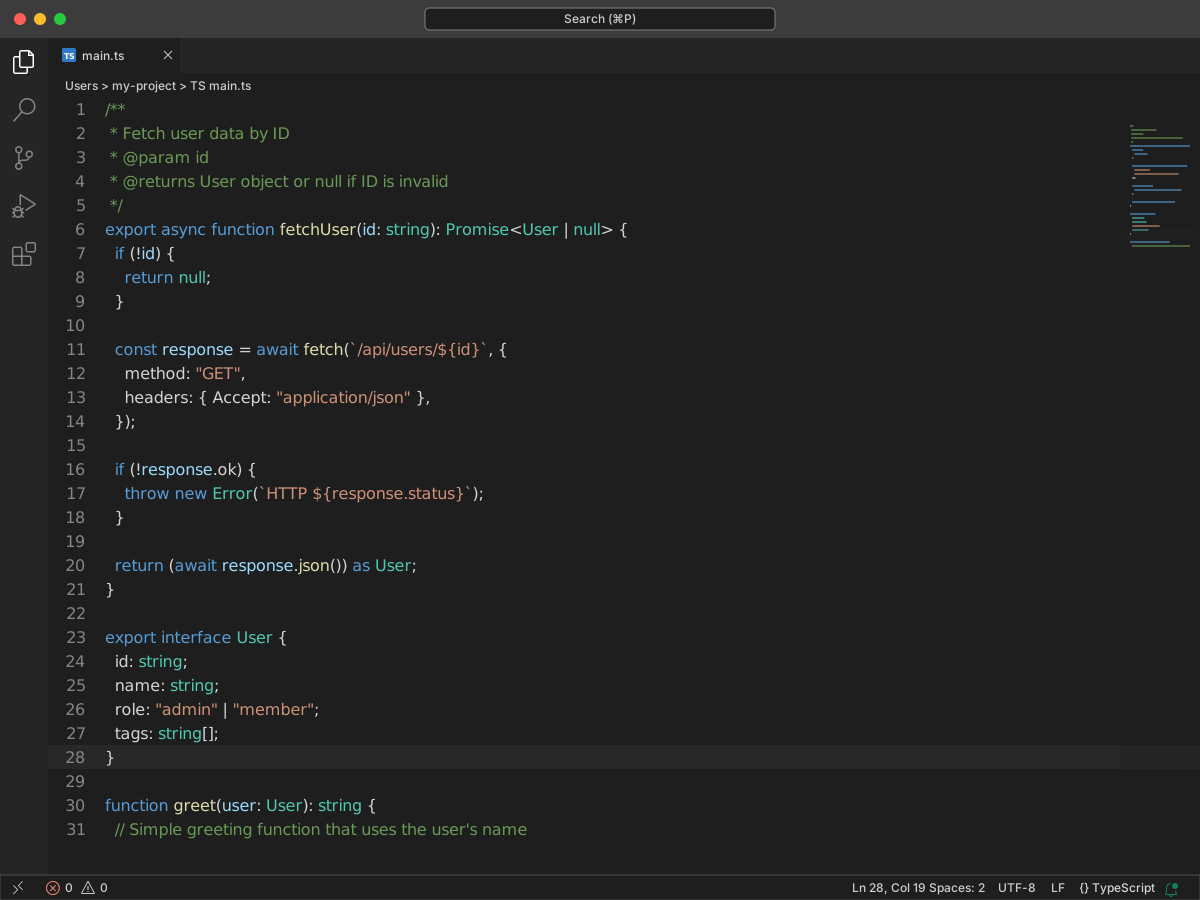
Full workbench mockup using this variant's colors and tokenColors.
Loading...
TextMate scopes and font styles (syntax highlighting rules).
| scope | foreground | fontStyle |
|---|---|---|
| keyword.control.vcl, keyword.other.vcl | #ff6b6b | bold |
| entity.name.function.vcl | #4ecdc4 | bold |
| support.function.vcl | #45b7d1 | — |
| string.quoted.double.vcl, string.quoted.single.vcl | #ffe66d | — |
| comment.line.hash.vcl, comment.block.vcl | #95e1d3 | italic |
| constant.numeric.vcl | #ff8b94 | — |
| variable.other.vcl | #a8e6cf | — |
| constant.language.vcl | #ffd93d | bold |
| keyword.operator.vcl | #ff9ff3 | — |
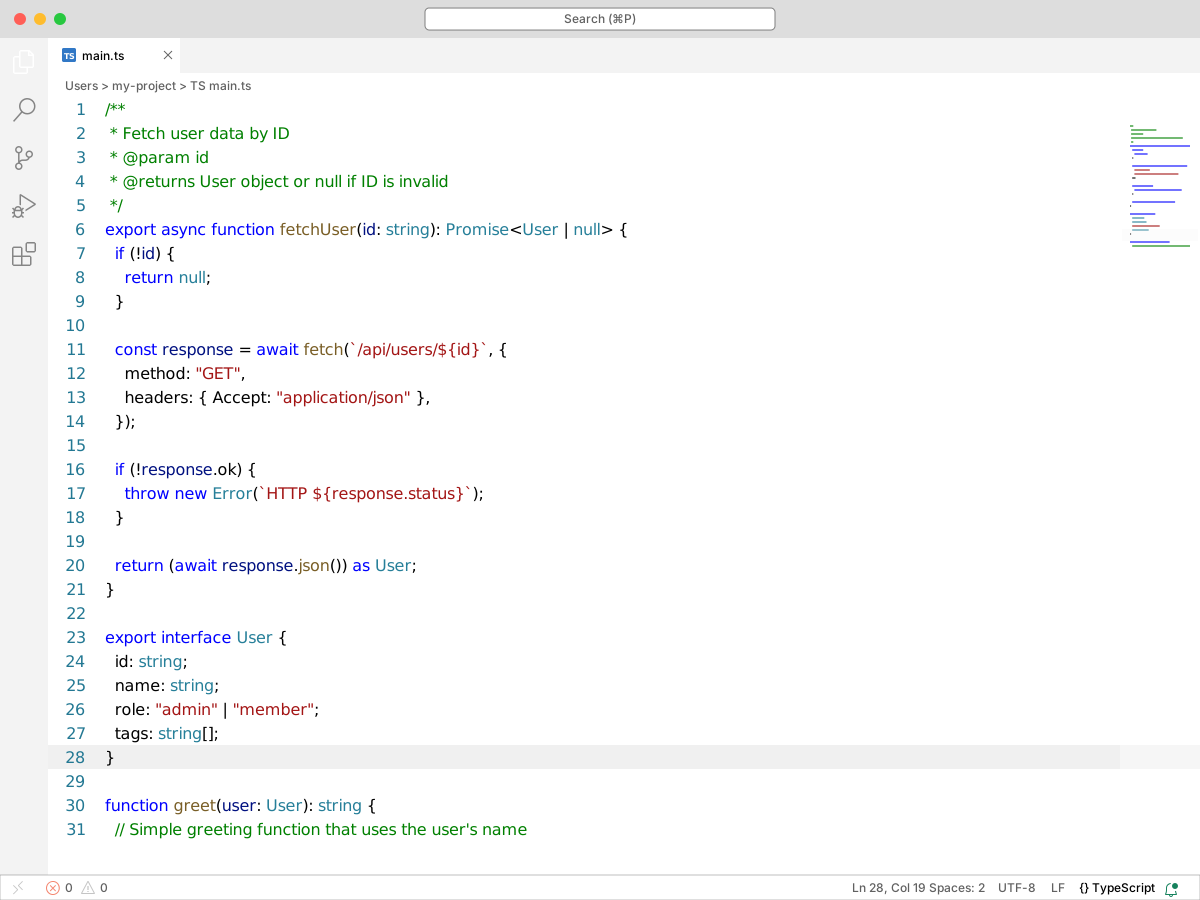
Full workbench mockup using this variant's colors and tokenColors.
Loading...
TextMate scopes and font styles (syntax highlighting rules).
| scope | foreground | fontStyle |
|---|---|---|
| keyword.control.vcl, keyword.other.vcl | #ff6b6b | bold |
| entity.name.function.vcl | #4ecdc4 | bold |
| support.function.vcl | #45b7d1 | — |
| string.quoted.double.vcl, string.quoted.single.vcl | #ffe66d | — |
| comment.line.hash.vcl, comment.block.vcl | #95e1d3 | italic |
| constant.numeric.vcl | #ff8b94 | — |
| variable.other.vcl | #a8e6cf | — |
| constant.language.vcl | #ffd93d | bold |
| keyword.operator.vcl | #ff9ff3 | — |
export interface User {
  id: string;
  name: string;
  role: "admin" | "member";
  tags: string[];
}

/**
 * Fetch user data by ID
 * @param id
 * @returns User object or null if ID is invalid
 */
export async function fetchUser(id: string): Promise<User | null> {
  if (!id) {
    return null;
  }

  const response = await fetch(`/api/users/${id}`, {
    method: "GET",
    headers: { Accept: "application/json" },
  });

  if (!response.ok) {
    throw new Error(`HTTP ${response.status}`);
  }

  return (await response.json()) as User;
}

function greet(user: User): string {
  // Simple greeting function that uses the user's name
  return `Hello, ${user.name}!`;
}
export interface User {
  id: string;
  name: string;
  role: "admin" | "member";
  tags: string[];
}

/**
 * Fetch user data by ID
 * @param id
 * @returns User object or null if ID is invalid
 */
export async function fetchUser(id: string): Promise<User | null> {
  if (!id) {
    return null;
  }

  const response = await fetch(`/api/users/${id}`, {
    method: "GET",
    headers: { Accept: "application/json" },
  });

  if (!response.ok) {
    throw new Error(`HTTP ${response.status}`);
  }

  return (await response.json()) as User;
}

function greet(user: User): string {
  // Simple greeting function that uses the user's name
  return `Hello, ${user.name}!`;
}